


Participant
May 20, 2021
Question

Explode Joint Paths to Multiple Single Lines

  • May 20, 2021
  • 2 replies
  • 637 views


Hello,

I want only the outline lines of these shapes and want to remove all of the internal lines for diagrammatic purposes. However  all of the lines are continous paths. Is there a way to explode all of the lines so that I can delete the internal ones? I've been using the scissor tool and doing this manually for each house type but its very time consuming.


Thank you in advance!!
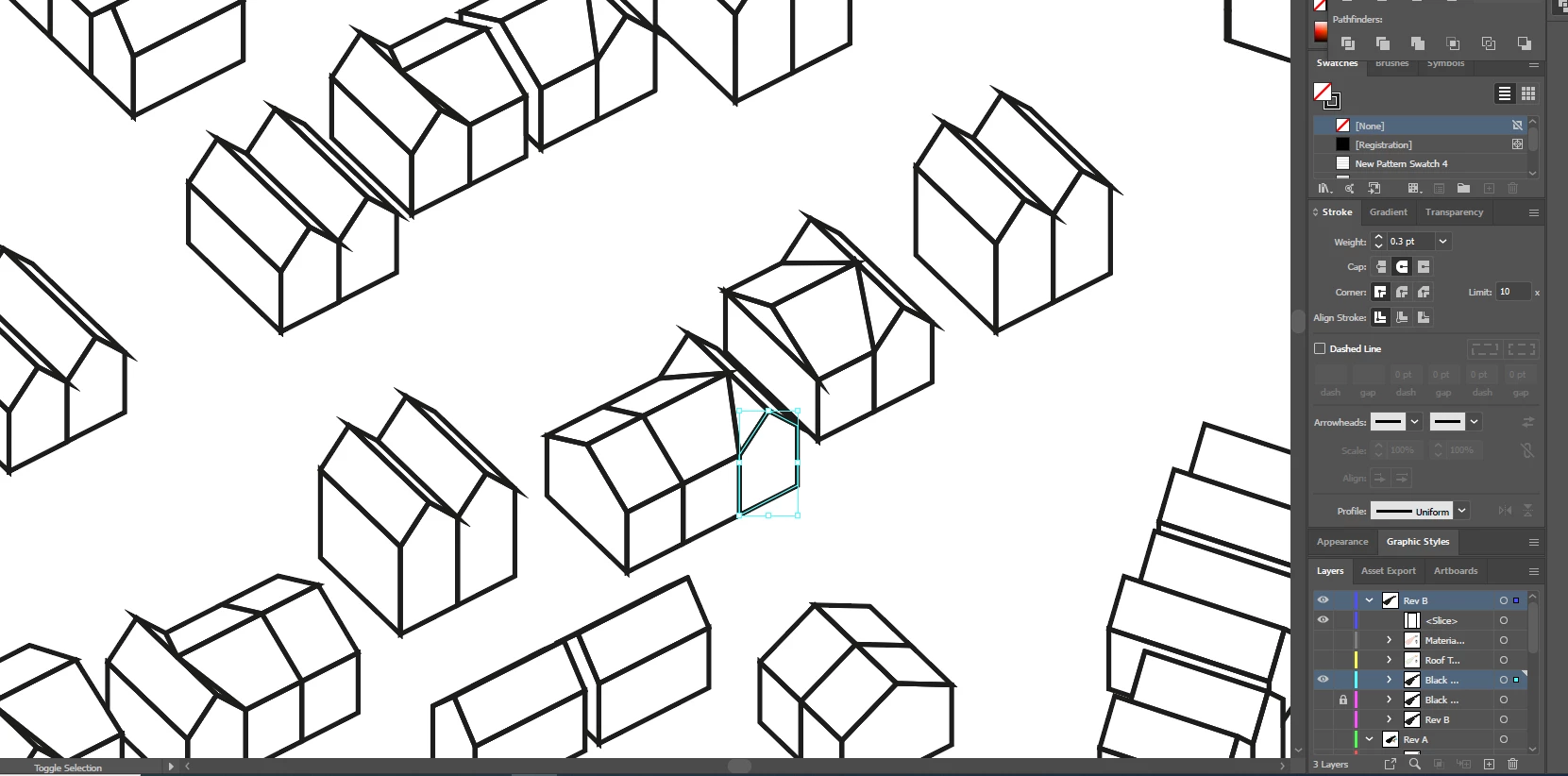
This topic has been closed for replies.

2 replies

John Mensinger
Community Expert
Community Expert
May 20, 2021

Another way would be with the ShapeBuilder.

Select All, pick up the ShapeBuilder tool

Hold down Alt and hover over unwanted segments, then click to delete

EXAMPLE: Eliminating interior lines of overlapping rectangles . . .


Ton Frederiks
Community Expert
Community Expert
May 20, 2021

Try if this works.

Select your objects.

Choose Select > Object > Direction Handles.

Cut the result.

Delete the remaining anchor points.

Edit > Object > Paste in Place.

You should be able to select the inner lines and delete them.

You may want to select and join the contour lines.