



Export save for web saving more than artboard
- September 2, 2021
- 1 reply
- 1442 views
Hi, guys,
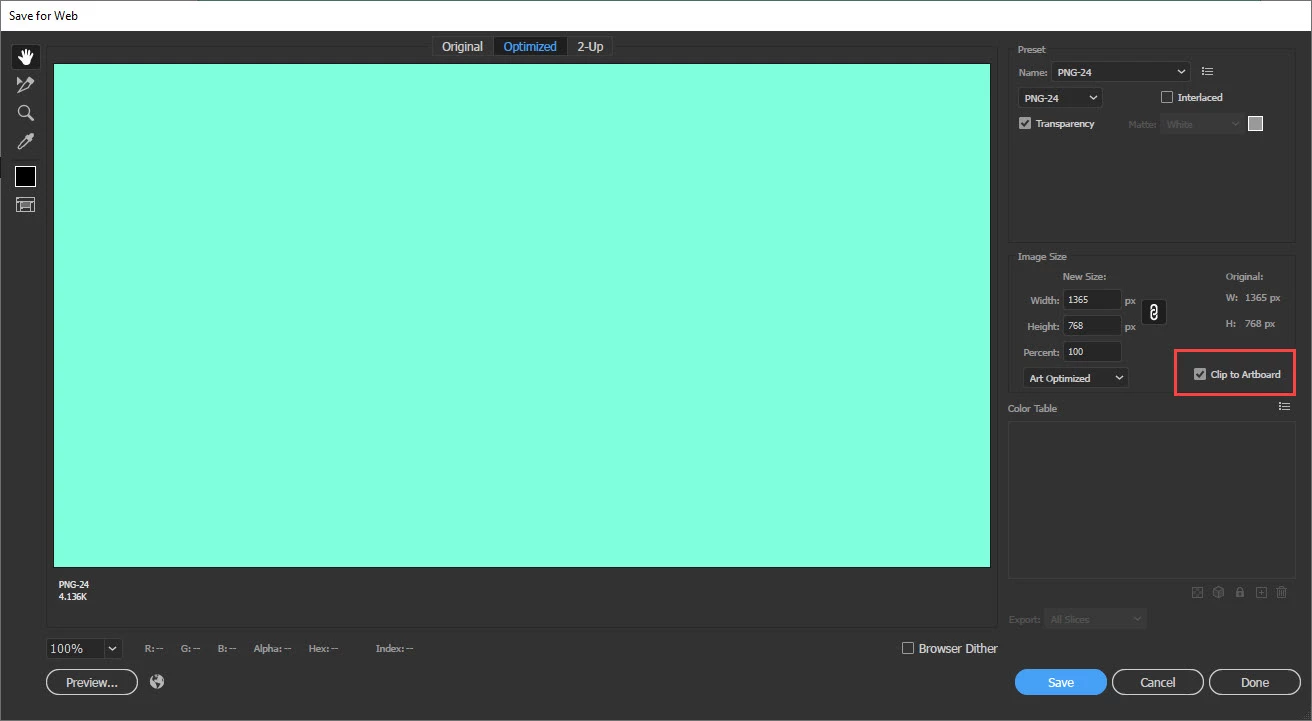
I've been using Illustrator for a while now, including this past week, and now all of a sudden when I go to save my work as a PNG via the Export > Save to Web (legacy) it wants to pulll elements that are not on the artboard (I only use one artboard when I work).
-I usually don't keep strictly to my artboard to ensure a full bleed of my image. That said, I've already confirmed bleeds are turned off, and my x and y are set to 0. But all a sudden it wants to save more than my one artboard.
- My template/artboard was created as 1200px x 628px and when I go to save it, it changes the original size and new size to include anything outside the artboard. When I try to manually change the new size, it doesn't listen.
-The workaround I've found is to Export As... and click Use Artboards, but I am so used to the other way and it's bugging me as to why it all a sudden is not cooperating. Any ideas? The example I posted shows the whitespace and brown block that shouldn't be exporting as a PNG. Thanks!!
 AdChoices