


Participant
December 29, 2021
Answered

Exportation very blurry

  • December 29, 2021
  • 4 replies
  • 1052 views

Hi, I working on a document CMYB, in 14,8cm by 21cm(418,53px by 595,28px), I always do it like that but recently when I tried to export it in jpg illustrator make it really really ugly I don't understand why, I try to export it on an other document but I still have the same problem, thanks for your time.
This topic has been closed for replies.
Correct answer Anna Lander

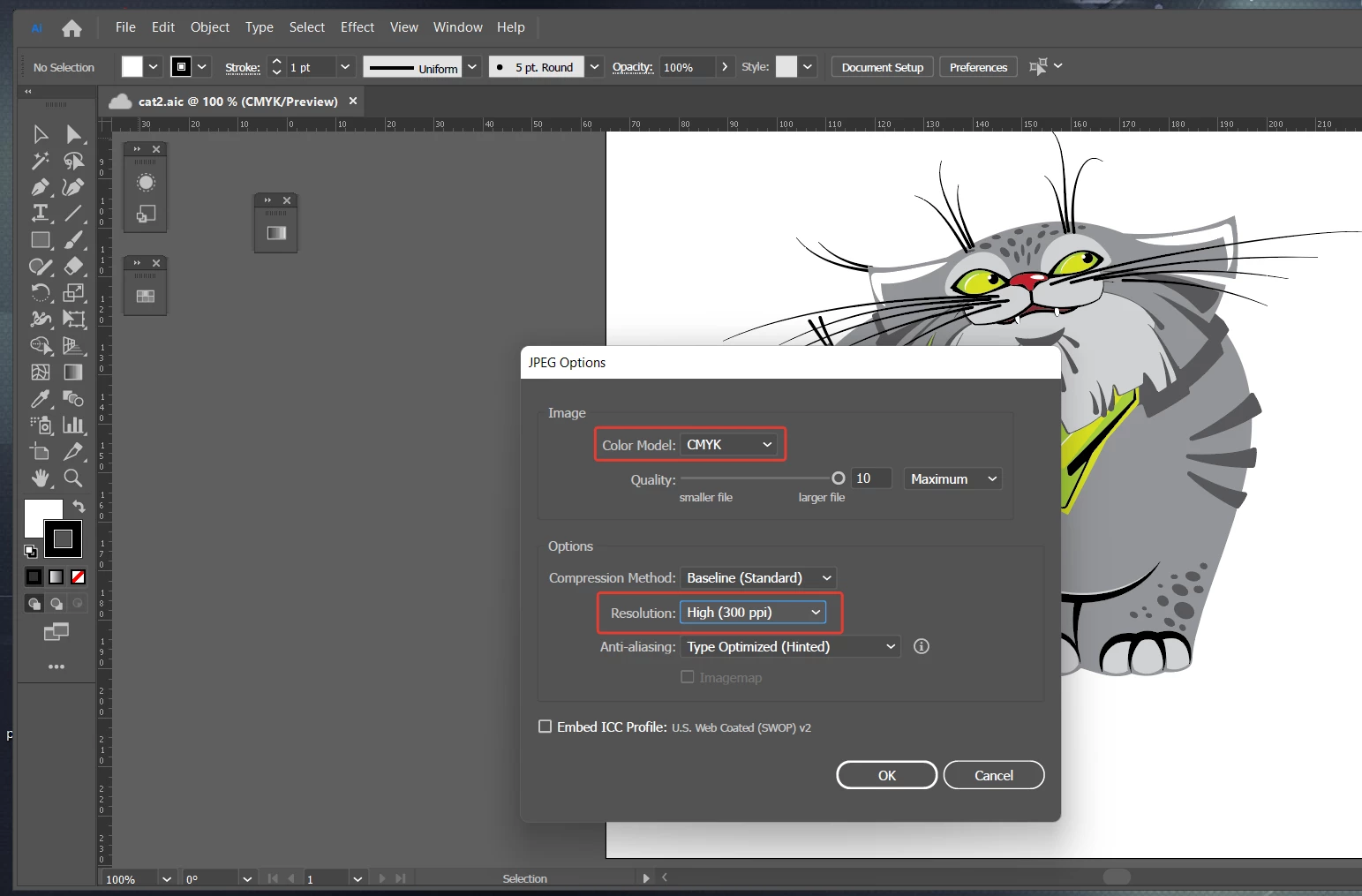
As Ton told, your export resolution now is 72 PPI.
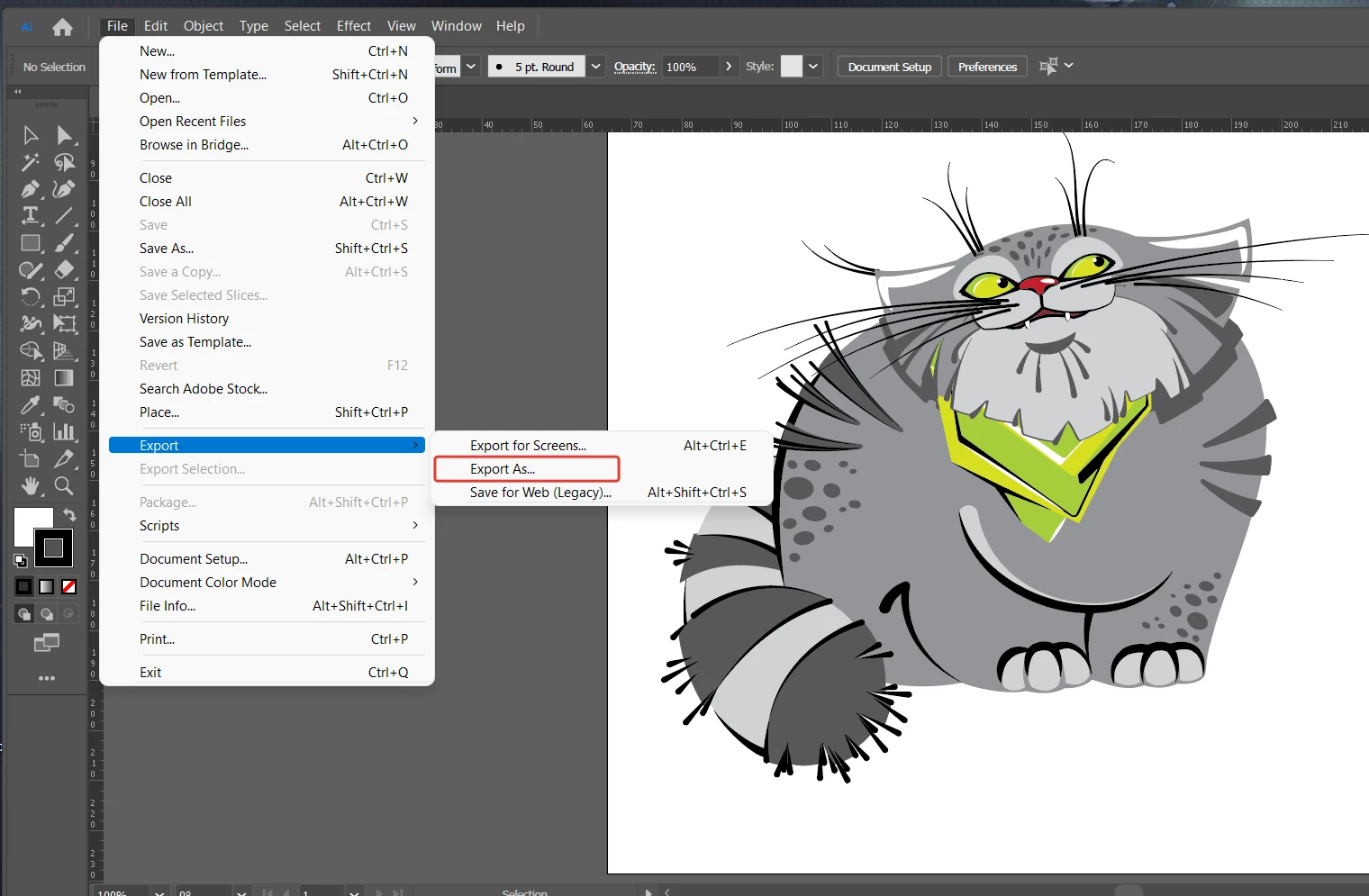
You can also use the Export As... option: File > Export As > JPG 

4 replies

Participant
December 29, 2021

Hi thanks for your time, i will add some explanation so :

- The exportation is in CMYK and 300ppi

- MacOS Monterney 12.0.1

- Illustrator 26.0.2


In PDF it is clear and it's normal i know but the JPG is to blurry

I'm exporting it in "exporting for screen" and in "save for web" and i have the same problem for both

You will find the JPG and PDF fills, it's in french but the informations in it aren't important.

Ton Frederiks
Community Expert
Community Expert
December 29, 2021

The jpg you show is only 72 ppi and RGB.

Export with Export for Screens gives a much better result in 300 ppi

Participant
December 30, 2021

ok because when i create my document it's in CMYK and 300pi so how can i export it with these parameters ? Because i do it with "export for screen" and it's the same problem, i'm a bit lost.

Anshul_Saini
Community Manager
Community Manager
December 29, 2021

Hi there,


Sorry about the trouble. I agree with @Anna Lander. The export resolution of JPG is relatively low, and it may not look sharp enough on modern HD/UHD displays when enlarged/zoomed. I would request you to share a few more details in addition to the ones asked by @Ton Frederiks:

  • The exact version of OS & Illustrator
  • Would it be possible for you to share the document & exported JPG?
  •  Does this happen if you increase the size/ resolution of the file, or is it replicable on different files?


We are here to help. We just need more information.


Thanks & Regards,

Anshul Saini

Anna Lander
Inspiring
December 29, 2021

If you export with the default PPI (418...x595... px for 14,8x21 cm), your final image has 72 PPI resolution. It's quite small even for modern monitors, to not say of printing. To have a good, sharp printing document, set the export settings as 300 PPI.

Ton Frederiks
Community Expert
Community Expert
December 29, 2021

What is your export file type (rgb or cmyk jpeg), what ppi do you use and what kind of Anti-aliasing?