


Answered
[ ExtendScript ] How to rotate a text frame properly? Just like the GUI does it.
Hi together,
you might think it's the simplest thing to do using method rotate() on a selected text frame.
But somehow I cannot do this exactly like the GUI is doing this with the Transform panel.
Simple code:
app.activeDocument.selection[0].rotate( 20 );
Or if one likes to use a rotation matrix:
var rotationMatrix = app.getRotationMatrix( 20 );
app.activeDocument.selection[0].transform( rotationMatrix );
Here the result when doing this in the GUI, the new rotation angle is visible in the Transform panel of my German Illustrator 26.3.1 on Windows 10:
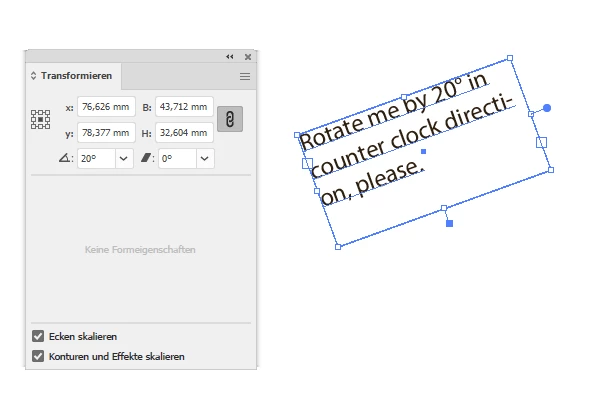
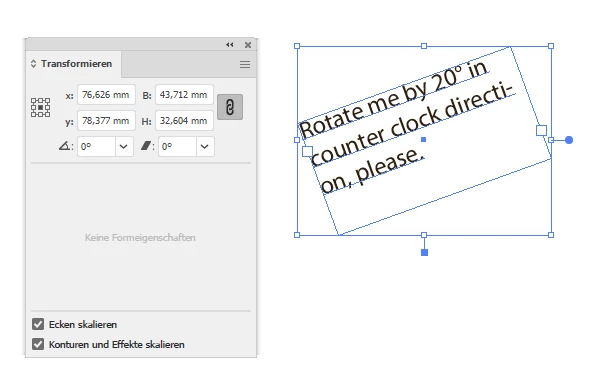
When I'm doing this with the code above, the "bounds" are not rotated, still there is value 0 in the rotation entry field of the Transform panel; the text contents is rotated like that:
What can I do to get the same result that I can get with the GUI?
Thanks,
Uwe Laubender
( Adobe Community Professional )
 AdChoices