


New Participant
June 1, 2025
Answered

Facing a problem with the font Skolar Sans Arabic

  • June 1, 2025
  • 4 replies
  • 804 views

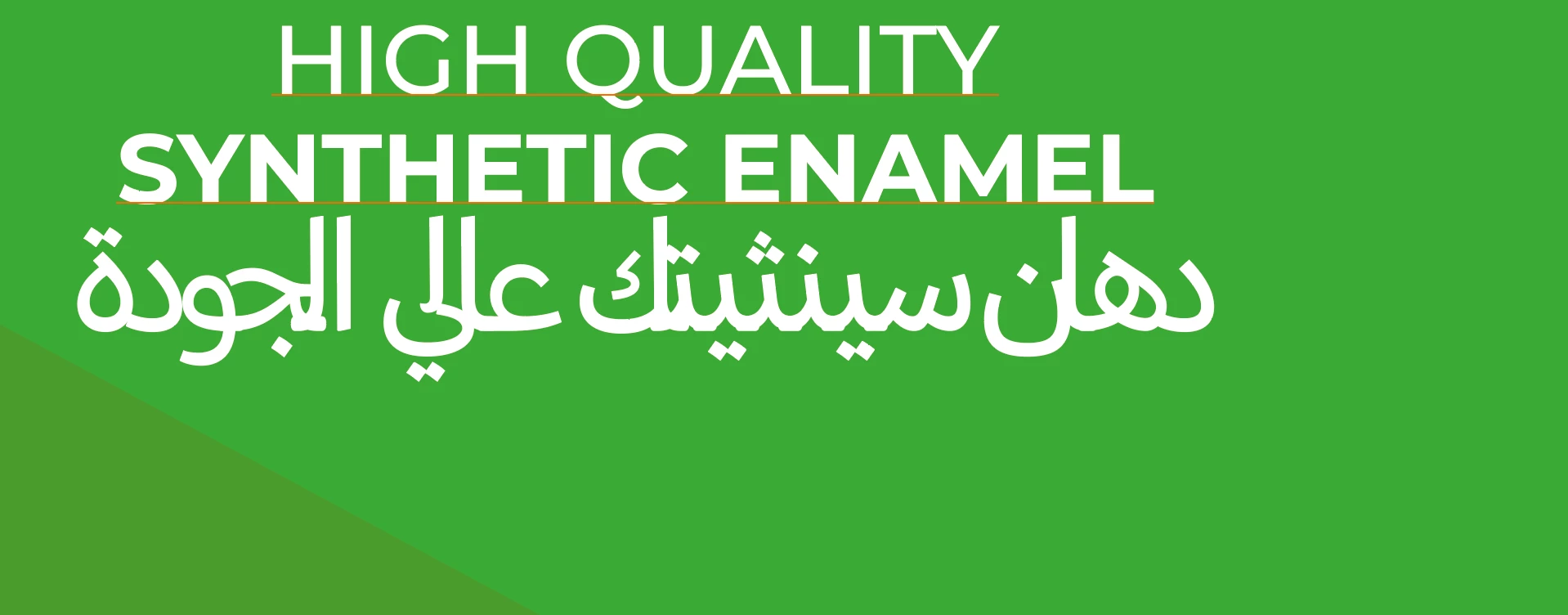
We have legally bought the font Skolar Sans Arabic, how ever it doesnt propely work on the files, every time i open the files the text in the mentioned font appears corrupt, i have attached a screen shot of the case.
Earlier we have frankly and temporarily fixed the problem by removing (uninstalling) skolar sans arabic, and surprisingly it continued showing and properly working on the files, and accordingly i have completed a huge number of files for the project this way.
lately last week after IT team have installed the adobe 2023 and the skolar fonts on my computer, things got all messed up again, and trying to go back to the old way of removing the font and using illustrator 2025 also didnt work.
I am currently stuck, i can't work on any of the alreday done files neither proceed and start with new files.
Please help with that issue.
Correct answer Abhishek Rao

Hi @abstract_Serenade0148,


Thanks for confirming you're on macOS Sequoia 15.3.2 and using the Rosetta version of Skolar Sans Arabic. Could you also confirm if you're using Illustrator 2025 version 29.5.1?

From the screenshot you shared, it's unclear what exactly appears corrupted. Could you please explain the issue in more detail or share another screenshot that clearly shows the problem?

In the meantime, please try signing out and signing back into the Creative Cloud desktop app. Then, clear the font cache by following the steps in this guide: https://helpx.adobe.com/fonts/kb/troubleshoot-fonts-illustrator-indesign.html. Let us know if the issue persists after that.

Additionally, try removing the installed Rosetta font from Font Book and activate Skolar Sans Arabic through Adobe Fonts via Creative Cloud instead. This will help determine if the synced version resolves the issue.

If possible, please also share a sample Illustrator file and a fresh screenshot showing the issue.


Looking forward to your update.

Abhishek

4 replies

Abhishek Rao
Community Manager
Abhishek RaoCommunity ManagerCorrect answer
Community Manager
June 2, 2025

Hi @abstract_Serenade0148,


Thanks for confirming you're on macOS Sequoia 15.3.2 and using the Rosetta version of Skolar Sans Arabic. Could you also confirm if you're using Illustrator 2025 version 29.5.1?

From the screenshot you shared, it's unclear what exactly appears corrupted. Could you please explain the issue in more detail or share another screenshot that clearly shows the problem?

In the meantime, please try signing out and signing back into the Creative Cloud desktop app. Then, clear the font cache by following the steps in this guide: https://helpx.adobe.com/fonts/kb/troubleshoot-fonts-illustrator-indesign.html. Let us know if the issue persists after that.

Additionally, try removing the installed Rosetta font from Font Book and activate Skolar Sans Arabic through Adobe Fonts via Creative Cloud instead. This will help determine if the synced version resolves the issue.

If possible, please also share a sample Illustrator file and a fresh screenshot showing the issue.


Looking forward to your update.

Abhishek

Zaid Al Hilali
Community Expert
June 2, 2025
quote

From the screenshot you shared, it's unclear what exactly appears corrupted. Could you please explain the issue in more detail or share another screenshot that clearly shows the problem?


By @Abhishek Rao


I can see the issue with the Arabic text, the tracking of the text is like in minus (~ –70) hence the words are crumbeling upon each other.

Here in green is what the text should look like, while in red is Tracking: –75 on my Mac using Skolar font from Adobe fonts.

The screenshot in the original post shows results different to mine, so it may not be related to tracking or kerning at all, however I wanted to explain to you how the text should look like in ideal settings (above green text)

Zaid Al Hilali
Community Expert
June 2, 2025

What happenes if you substitute the installed font with the version available from Adobe Fonts

I just tried Skolar from Adobe fonts on my Illustrator (Middle Eastern) v.29.5.1 and it look fine. 


Note. For best testing method, remove the installed copy from your Mac to be sure you're testing the synced version of the font.

New Participant
June 2, 2025

The font is from rosettatype

Kurt Gold
Community Expert
June 1, 2025

Based on your screenshot, it's not quite obvious what exactly may be corrupt. Can you clarify a bit and share a sample Illustrator file, if possible?


Also, are you using the Skolar font provided by Adobe Fonts? Or is it from a different resource?

New Participant
June 2, 2025

The font is from rosettatype.com

Bill Silbert
Community Expert
June 1, 2025

Please provide the exact version of your operating system. This will help people here to suggest where the best place to load the font might be.

New Participant
June 1, 2025

macOS Sequoia 15.3.2