


Fill and Stroke are in Separate Groups when Converted to Shape Layer in After Effects
Hi. I am currently trying to prepare an Illustrator file and import it into After Effects, so that I'm later able to animate it. Main issue is that once converted to a shape layer in AE, the fill and stroke for each object in that layer are in a separate group, for example, I end up having 16 groups when I should actually have 8.
Here's a look at my proccess for more info:
- AI Layers are Released to Layers (Sequence) before importing to AE.
- AI File is imported as a Composition, and I retain layer size.
- Create shapes from vector layer.
I have provided screenshots that show separate groups in AE for a plant illustration where I would like each leaf to be in its own group, but instead, it splits the stroke and fill into Group 1 (stroke) and Group 2 (fill), same goes for the rest.
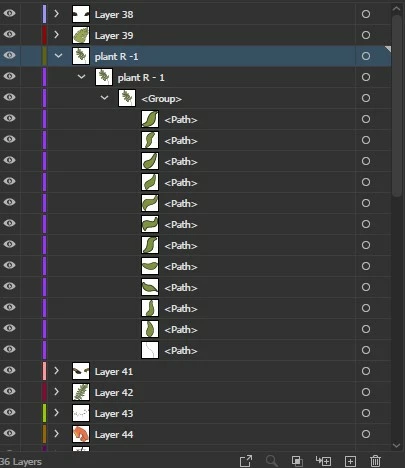
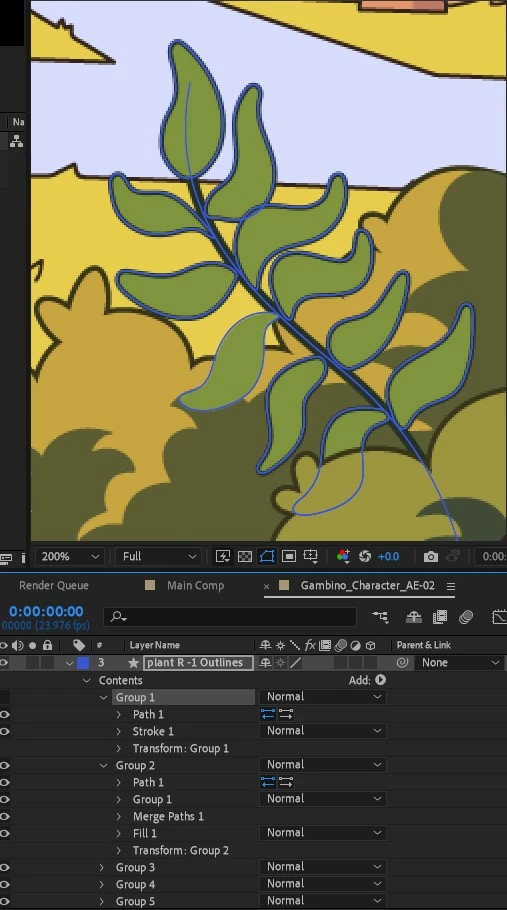
Only "fix" is to repeat the same proccess, but instead, delete every other layer in Illustrator and keep the plant only (named "plant R - 1"), which gives me both the fill and stroke for each leaf in a singular group as intended. Not sure why it works this way when the process and layer hierarchy is the same, there's gotta be something I'm missing when I release to layer (sequence) accross all layers at once. I also tried doing it individially for each, but it ONLY works when I delete certain or all other layers, so its possible that its an issue with another layers' grops or clipping masks.
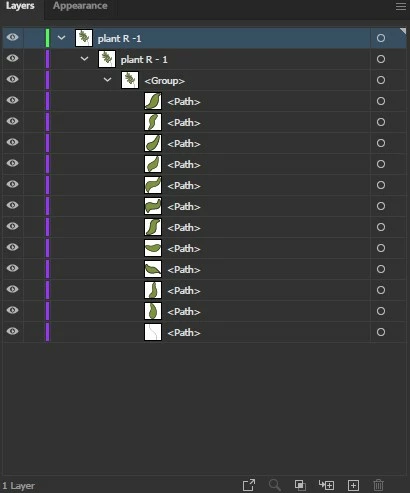
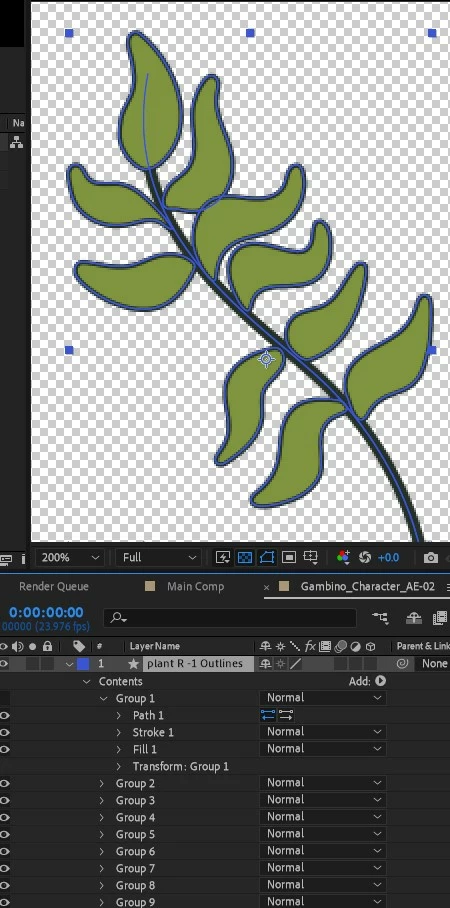
I hope that I was able to describe the issue properly, been going at it for a few hours now and still no fix.
I appreciate any help, let me know if there is any other information I could provide to help resolve this issue.
Thank you
 AdChoices