irminab30217787
New Participant
October 10, 2018
Answered

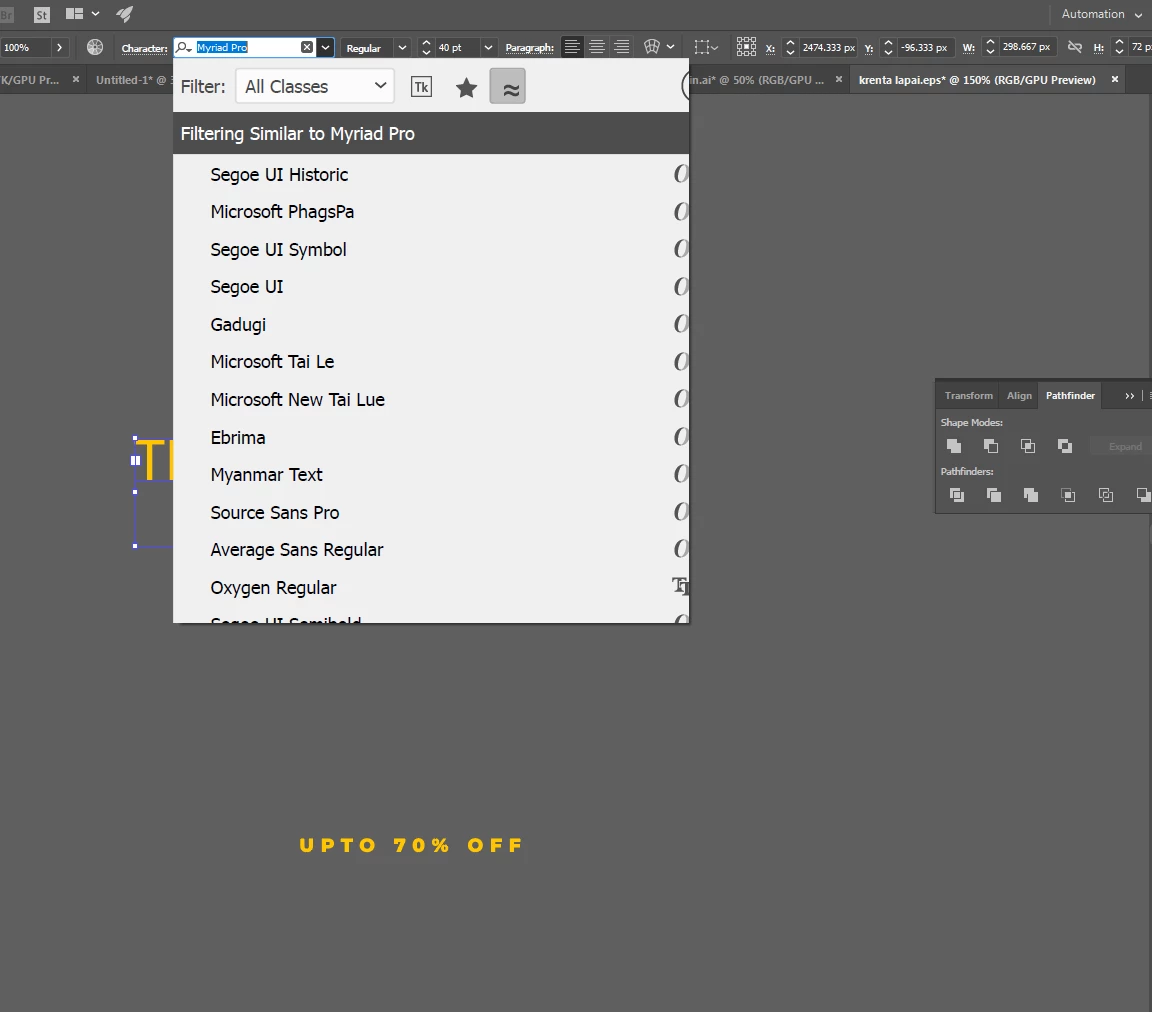
Font preview is too large

  • October 10, 2018
  • 1 reply
  • 3410 views

Hello. When i try to select font from drop down fonts menu, the table that pop ups is too large. So I cant see the font preview and also I CAN'T SCROLL DOWN. Is it some kind of bug or there is some preference i need to set?

And this problem is only in Illustrator, PS works fine.

This topic has been closed for replies.
Correct answer Mike_Gondek10189183

It started when i took a new computer. I downloaded adobe cloud, signed, installed Illustrator and this problem appeared.

Interesting thing is, that on my other computer there is no such problem, everything works fine.


I just restarted this computer but nothing changed.


Without knowing how many pixels you are displaying my reply may be quite lengthy.

Looks like you don't have enough room at the top, as there is no free space.

You could turn off some of the those options by unchecking items showng here
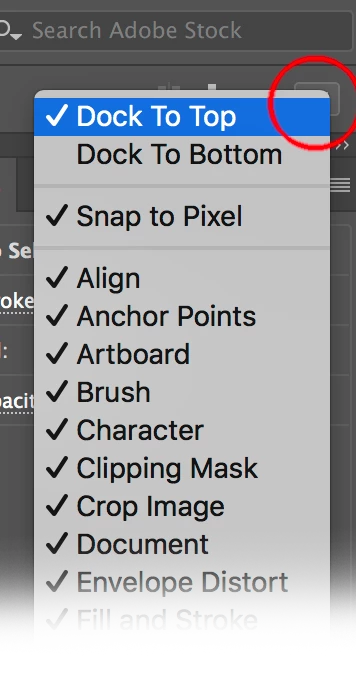
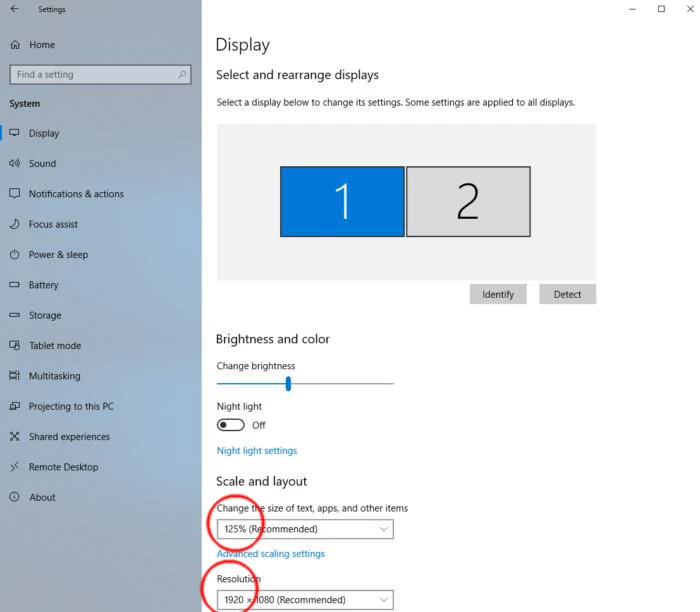
but would recommend instead to show more pixels and that should clear up

Start > Settings > System > Display

Make the font smaller and choose  resolution with most pixels
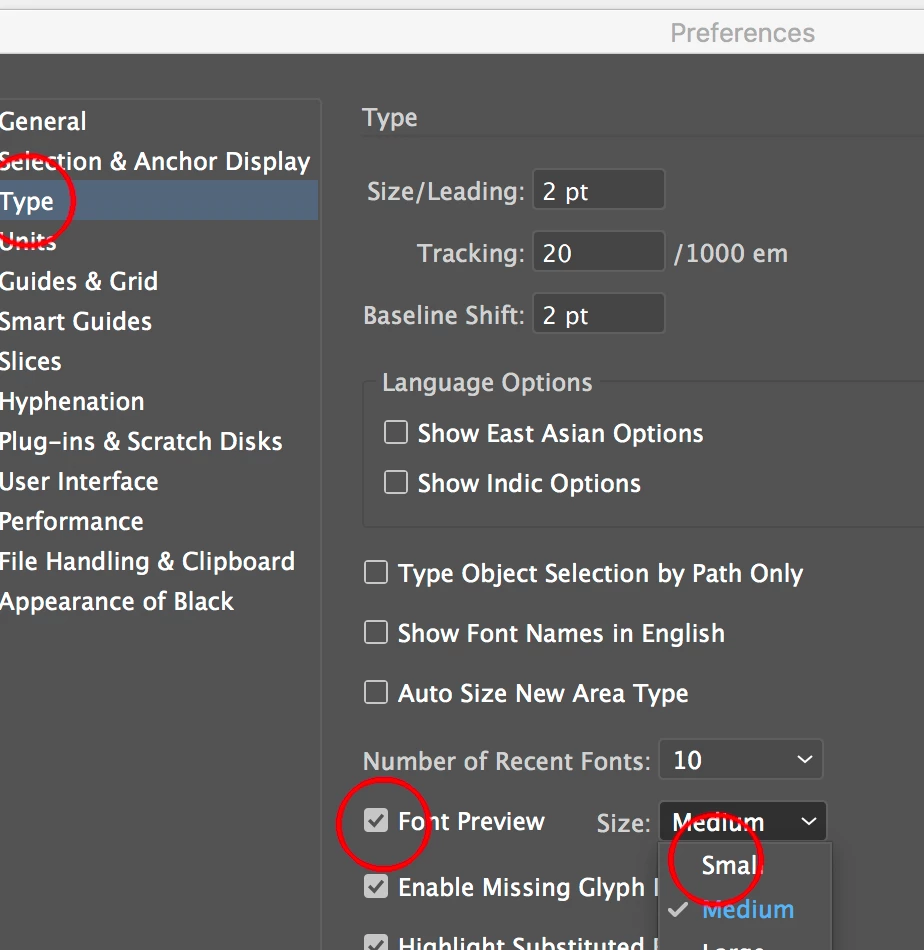
or try changing here
1 reply

Monika Gause
Community Expert
October 10, 2018

Which system? Which version?

irminab30217787
New Participant
October 10, 2018

It's Adobe Illustrator CC

New Participant
April 27, 2022

Without knowing how many pixels you are displaying my reply may be quite lengthy.

Looks like you don't have enough room at the top, as there is no free space.

You could turn off some of the those options by unchecking items showng here

but would recommend instead to show more pixels and that should clear up

Start > Settings > System > Display

Make the font smaller and choose  resolution with most pixels

or try changing here


I am using the latest version of illustrator CC and do not have the font preview option on thst preferences page