


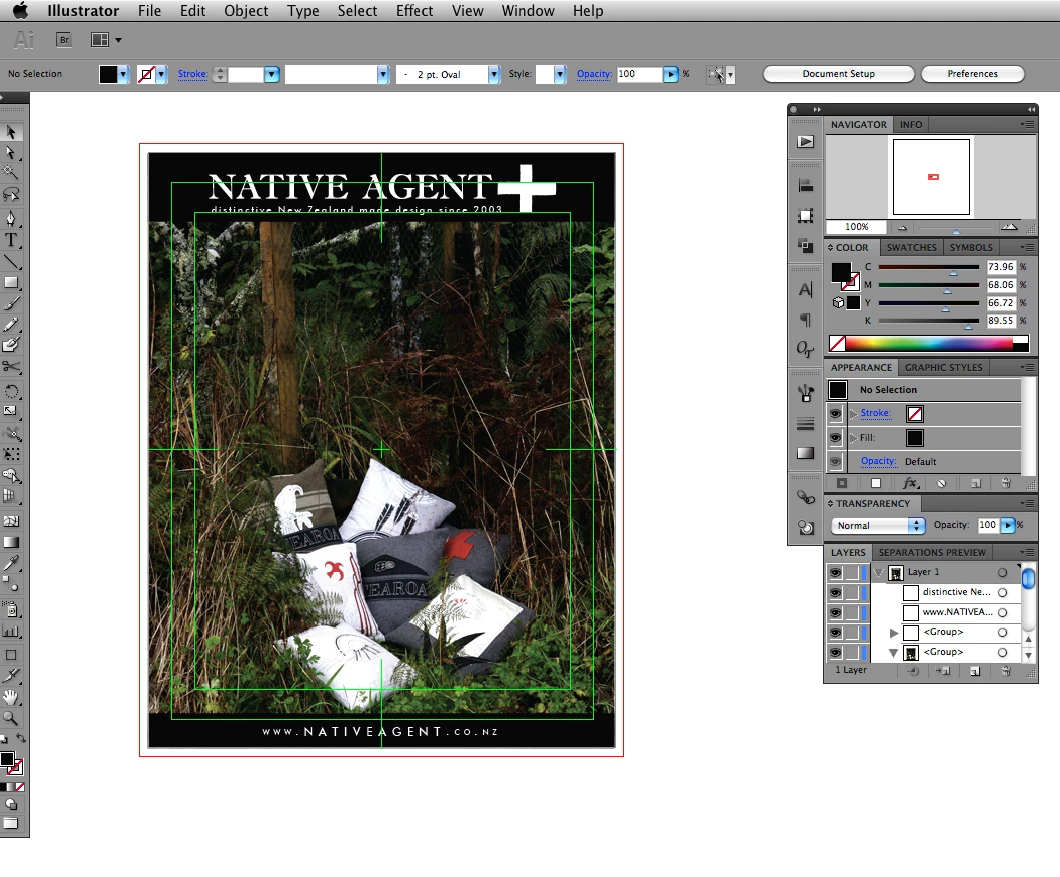
green guide layer that i can't turn off?
hey guys
i just jumped from CS3 to CS5 illustrator and lots of suff has changed. the thing that is bugging me out right now is this guide layer, it looks like a title safe guide from after effects? anyway this is a print job so I really don't need video guides. thing is... i can't turn it off... duh. see attached screenshot. I have set the document up with 3mm bleed and then made a clipping mask to the size of my artboard, hence the red guide, this is fine. The bright green line with a cross hair in the centre is the guide that is driving me nuts, I can't actually focus on layout with this visble.
I'm sure I'm missing someting really obvious... man I feel like a doofus
i've been through all the view menu options and preferences, and searched the forums and stuff to no avail, so i thought I'd ask the world.
thanks
dan
 AdChoices