YAY.STUDIO
New Participant
January 12, 2023
Answered

Grey dashed lines in PDF export

  • January 12, 2023
  • 1 reply
  • 2210 views

Hi there, I am using AI to prepare some PDF files to print.


The source image files are simple blocks of color, PNG files. In AI, I trace the different blocks from PNG, expand and then save it as PDF.


The display of the image in AI is perfect, but when I open the PDF file in the MAC preview or in PHOTOSHOP, it shows a grey dashed line where the track of the image is. The line, in Photoshop, is actual pixels, not just an overlay (I am attaching some screenshots).


When I open the file in Acrobat, though, the line doesn't show.


Since I have to print those files, I would like to be able to control this issue and be sure about what is going to be printed and what's not.


Can someone help me out? Thanks


(I attach some screenshot from Photoshop)
This topic has been closed for replies.
Correct answer Omar.Fathy

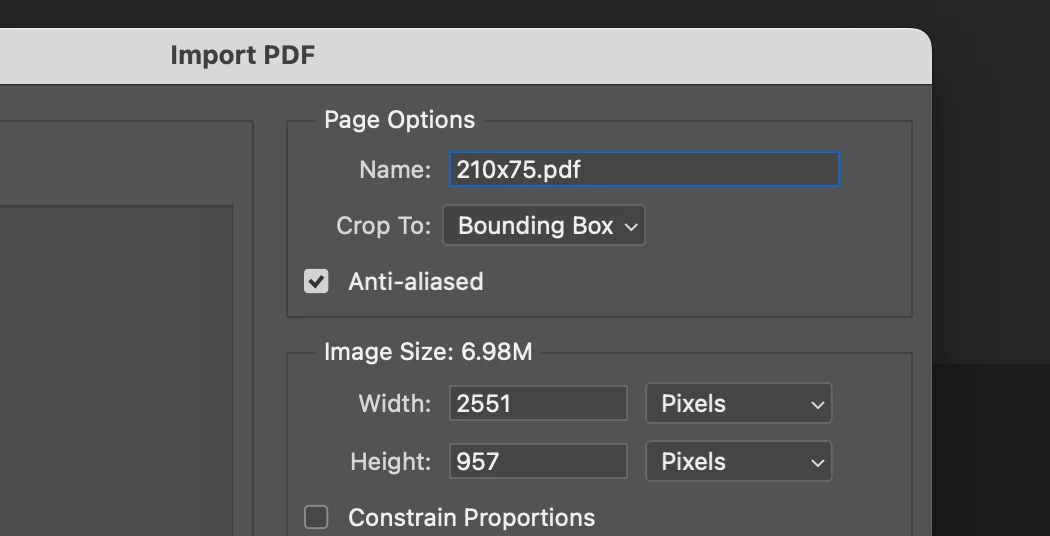
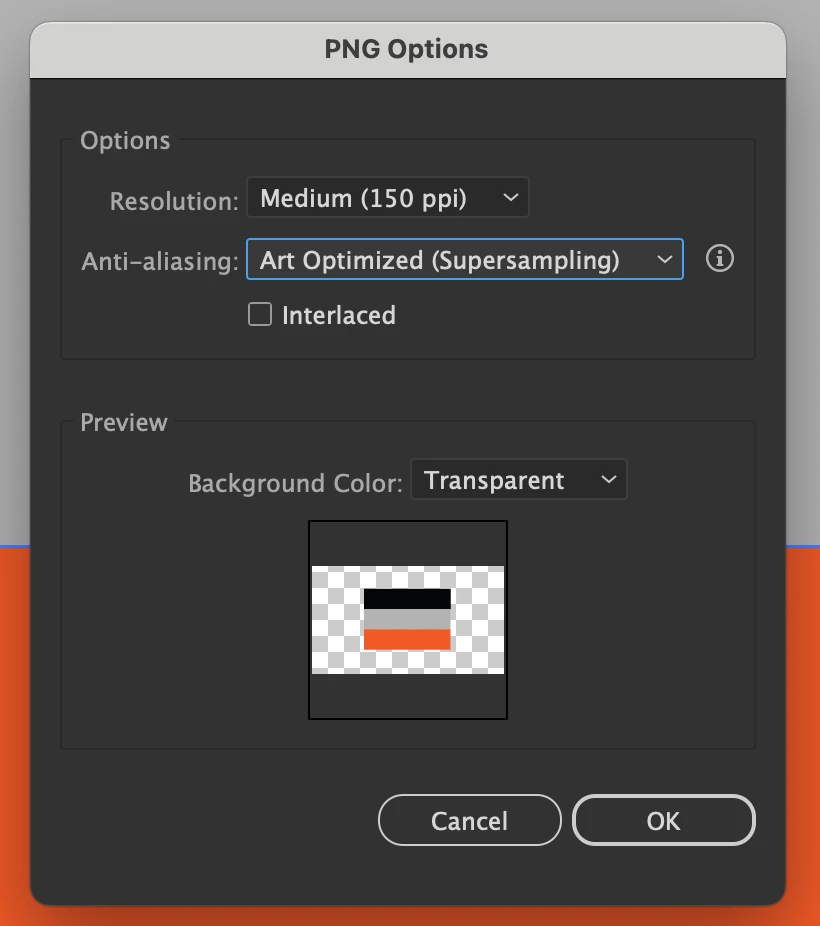
It is an Anti-Aliasing problem.
When the artwork is converting from vector to raster image, this problem may happen so we need to activate anti-aliasing when you need to export from ai to png or when you need to open the PDF in Ps.

Changing the Anti-aliasing from Type Optimized to Art Optimized (Supersampling) will fix it if you'll export png from Ai.
And activate Anti-aliasing when you open the PDF in Ps:


1 reply

Omar.Fathy
Omar.FathyCorrect answer
Community Expert
January 12, 2023

It is an Anti-Aliasing problem.
When the artwork is converting from vector to raster image, this problem may happen so we need to activate anti-aliasing when you need to export from ai to png or when you need to open the PDF in Ps.

Changing the Anti-aliasing from Type Optimized to Art Optimized (Supersampling) will fix it if you'll export png from Ai.
And activate Anti-aliasing when you open the PDF in Ps:


YAY.STUDIO
New Participant
January 19, 2023

Thank you for your reply!