Inspiring
August 19, 2022
Question

Help Creating a Script from an Action

  • August 19, 2022
  • 1 reply
  • 1465 views

Hello All,


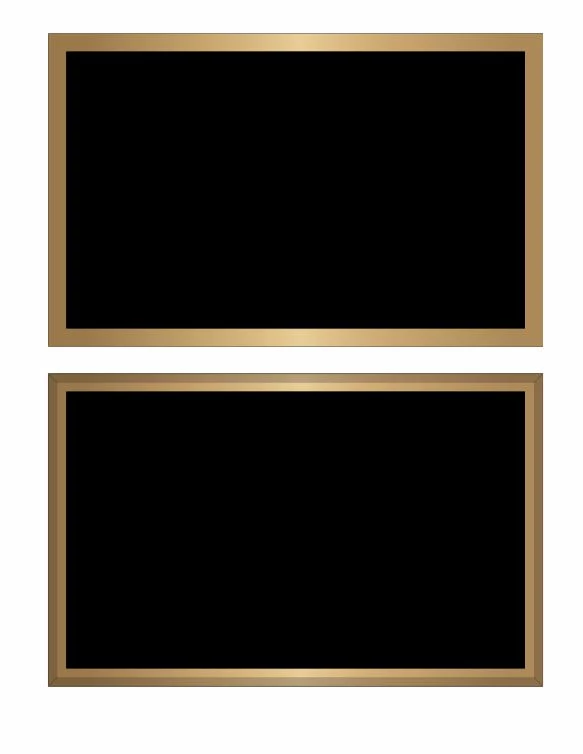
I have a rather lengthy action that applied a bevel effect and I believe could be completed faster if it were a script.  Anyone out there willing to give it a shot or give me some pointers?

Thank you!
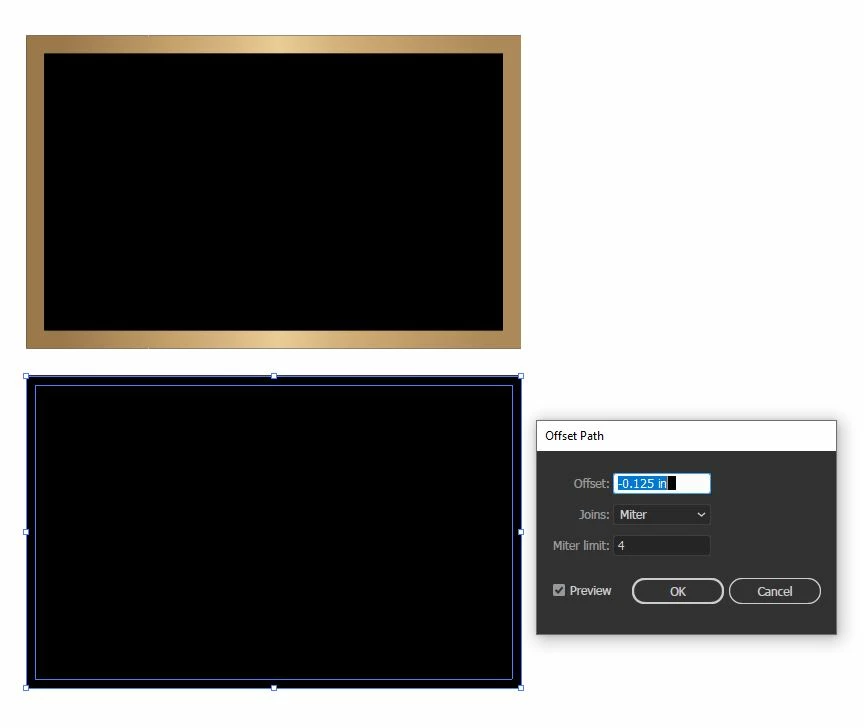
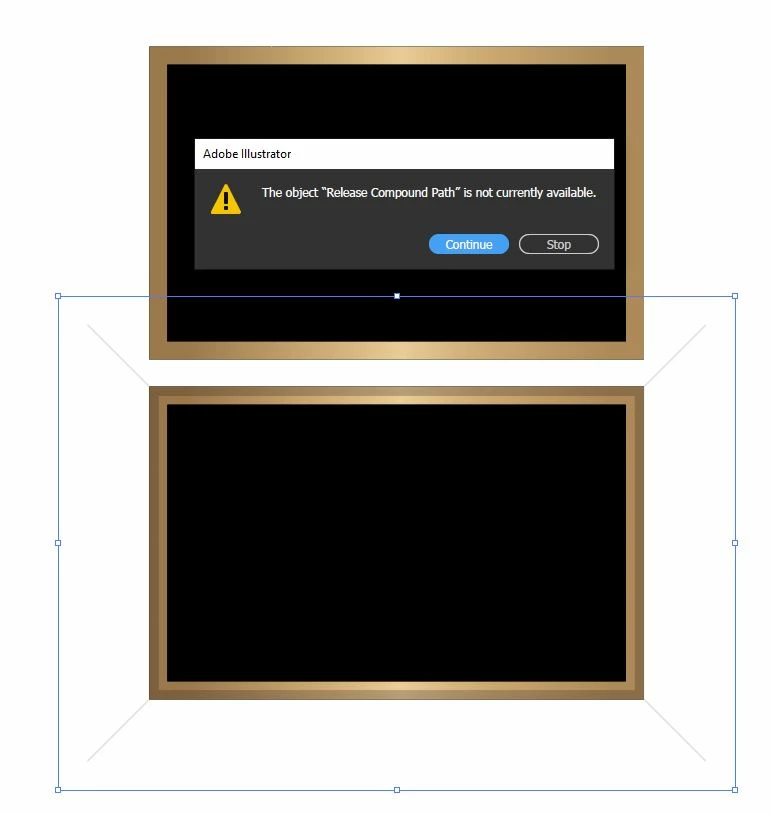
Bevel Maker Effect Action -


Copy
Select All
Lock
Paste in Front
Release Compound Path
Swatches
- Apply Swatch: 100% Black
Pathfinder
- Add
Offset Path
- [Enter Value]
- Miter Limit: 4
- Line Join: Miter
Select
- Same Fill & Stroke
Set Stroke
- Weight: 1pt
- Cap: Round Cap
- Join: Round Join
- Dashed Line(s): 0
- Dash Adjustment: No
- Alignment: Inside
Pathfinder 
- Exclude
Transparency
- Opacity: 12%
Brush
- Apply: Bevel Maker
Expand Appearance
Paste in Front
Release Compound Path
Swatches
- Apply Swatch: 100% Black
Pathfinder
- Add
Set color
- Fill color
- To: None
Set color
- Stroke color
- Cyan: 99%
- Magenta: 99%
- Yellow: 99%
- Black: 100%
Transparency
- Opacity: 30%
Select
- Same Stroke Color
Pathfinder
- Divide
Transparency
- Opacity: 12%
Set Stroke
- Weight: 1pt
- Cap: Round Cap
- Miter Limit: 10
- Join: Miter Join
- Dashed Line(s): 0
- Dash Adjustment: No
- Alignment: Center
Set Stroke
- Weight: 1pt
- Cap: Round Cap
- Join: Round Join
- Dashed Line(s): 0
- Dash Adjustment: No
- Alignment: Center
Rectangle Tool
- Width: 72 pt
- Height: 72 pt
- Centered: No
- Center X: 1301.35 pt
- Center Y: 409.71 pt
Set color
- Stroke color
- To: None
Set color
- Fill color
- To: None
Select
- Same Fill & Stroke
Clear
Set color
- Stroke color
- Cyan: 70%
- Magenta: 99%
- Yellow: 99%
- Black: 100%
Set Color
- Fill color
- To: None
Transparency
- Opacity:12%
Select
- Same Fill & Stroke
Clear
Select All
Group
Unlock All
This topic has been closed for replies.

1 reply

Kurt Gold
Community Expert
Community Expert
August 19, 2022

Have you already considered to create and use graphic styles to do it?


It's pretty fast and can also be part of an action.


Kurt Gold
Community Expert
Community Expert
August 24, 2022

Well, you may then want to provide a sample Illustrator file that contains a couple of the objects in question as well as the actual action file you are currently using.


Inspiring
August 24, 2022

Tempset.txt should be an aia file as it is the action I currently use

I can't upload the Brush for the Action though
and here is our beginning attempt at getting this to work.
Thanks!


var doc = app.activeDocument;
var thisDoc = app.activeDocument;

var iP = new Window ("dialog", "Bevel Maker");

    ////prod////
    infoPanel = iP.add("panel", undefined, "Thickness");
        var thick = infoPanel.add("group")
            thick.orientation = "row";
            var method;
            var one = thick.add("button", undefined, "1/4\"" )
                one.onClick = function() {bvlSize = 18}
            var two = thick.add("button", undefined, "5/16\"" )
                two.onClick = function() {bvlSize = 22.5}
            var three = thick.add("button", undefined, "1/2\"" )
                three.onClick = function() {bvlSize = 36}
/*
            var four = thick.add("button", undefined, "3/4\"" )
                four.onClick = function() {offsetDistance = 54}
            var five = thick.add("button", undefined, "1\"" )
                five.onClick = function() {offsetDistance = 72}
            var six = thick.add("button", undefined, "five Printed" )
                six.onClick = function() {method = "five Printed"}
*/
    bevPanel = iP.add("panel", undefined, "Bevel Type");
        var sO = bevPanel.add("group")
            sO.orientation = "row";
            var Standard = sO.add("button", undefined, "Standard")
                Standard.onClick = function() {offsetDistance = bvlSize
                    iP.close();}

            var Wide = sO.add("button", undefined, "Wide")
                Wide.onClick = function() {offsetDistance = 72; iP.close()}

    var abrt = iP.add("button", undefined, "Cancel" )
                abrt.onClick = function() {offsetDistance = "null"; iP.close()}
        

    iP.show ();
if (offsetDistance == "null") {};

var sel = doc.selection[0];
var width = sel.width; // get item's width
var height = sel.height; // get item's width

var pieceWidth = width / 72; //width in inches
var pieceHeight = height / 72; //height in inches

app.executeMenuCommand("copy");
app.executeMenuCommand("selectall");
app.executeMenuCommand("lock");
app.executeMenuCommand("pasteInPlace");
//app.executeMenuCommand("selectall");

var fillColor = new RGBColor();
    fillColor.red = 40;
    fillColor.green = 75;
    fillColor.blue = 62;

//var offsetDistance = 18;
offsetDistance;


    var luke = doc.selection[0].left
    var skywalker = doc.selection[0].top
    var darth = doc.selection[0].left + doc.selection[0].width
    var vader = doc.selection[0].top
    var kylo = doc.selection[0].left
    var ren = doc.selection[0].top - doc.selection[0].height
    var boba = doc.selection[0].left + doc.selection[0].width
    var fett = doc.selection[0].top - doc.selection[0].height


    var taco = activeDocument.pathItems.rectangle((skywalker - (offsetDistance / 2)),(luke + (offsetDistance / 2)), (width - offsetDistance), (height - offsetDistance), false);
    taco.fillColor = fillColor;
    taco.filled = true;
    taco.stroked = false;

    app.executeMenuCommand("selectall");
    app.executeMenuCommand("group");
    app.executeMenuCommand("Live Pathfinder Exclude");
    app.executeMenuCommand("expandStyle");