



star_space
Inspiring
June 12, 2021
Answered

Help! I cannot select this path to edit this heart shape

  • June 12, 2021
  • 2 replies
  • 1685 views

So I am trying to make a heart shape and found the supposedly wonderful and fast way to make a heart on YT, not so fast for me. 

https://www.youtube.com/watch?v=-_JWLZEzGSY&ab_channel=VectorSlate%7CGraphicDesignTutorials 


Problem is, after I have the square at 45 degrees, (the square is selected) and I hit the Pen Tool and try and hold alt/opt to grab the path to edit the rounded heart shape, the pen just adds a point and wants to draw another path with the pen. Please help! Thank you
This topic has been closed for replies.
Correct answer tromboniator

Several things:


1) The square does not have to be selected.


2) Do not press the shift key before you start to drag the line segment.


3) Once you have started to drag you can release the opt/alt key, before or after you press the shift key.


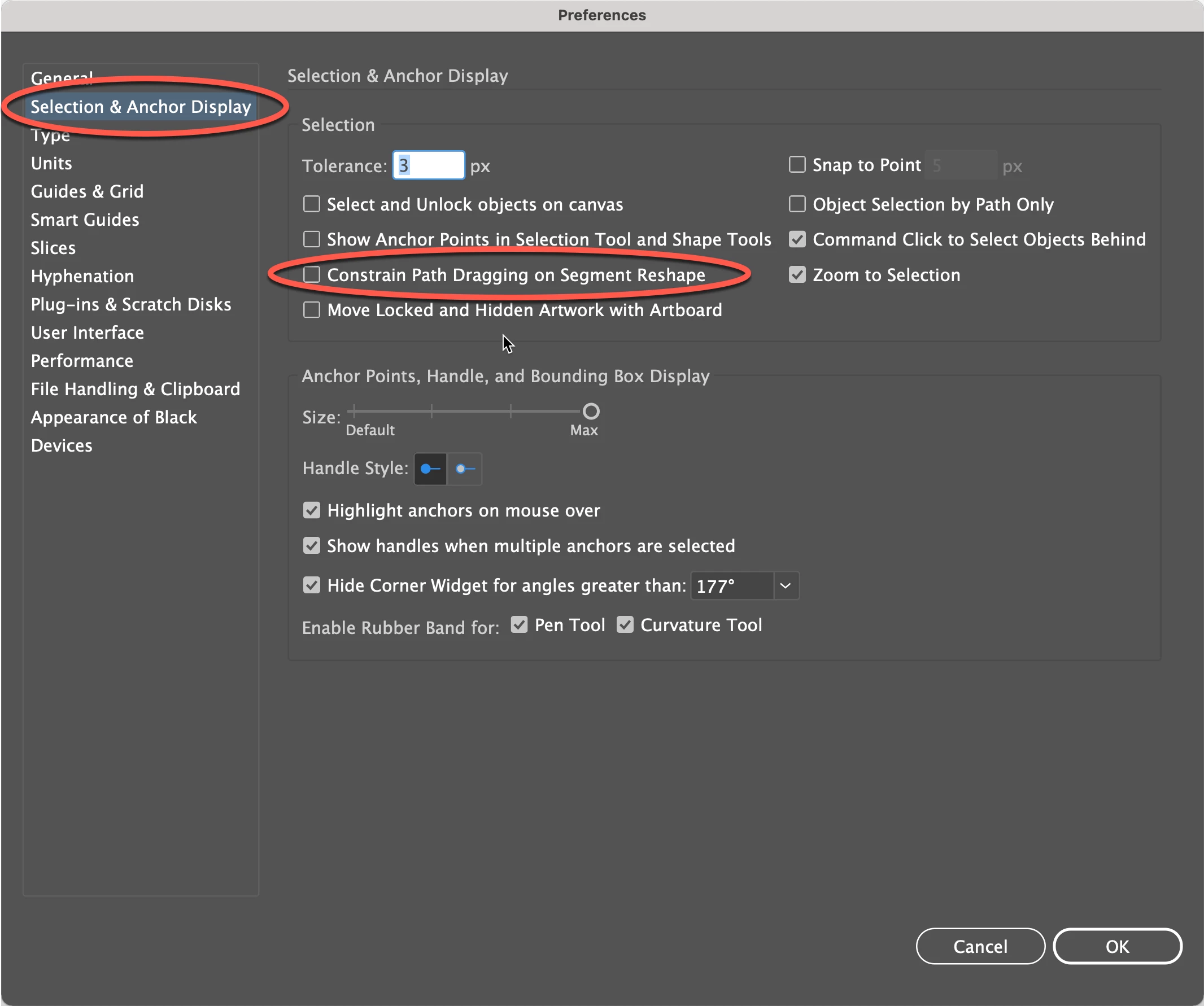
4) Be sure that this function is deselected in the Preferences:


Peter

2 replies

tromboniator
Community Expert
tromboniatorCommunity ExpertCorrect answer
Community Expert
June 12, 2021

Several things:


1) The square does not have to be selected.


2) Do not press the shift key before you start to drag the line segment.


3) Once you have started to drag you can release the opt/alt key, before or after you press the shift key.


4) Be sure that this function is deselected in the Preferences:


Peter

star_space
Inspiring
June 12, 2021

Thank you! The settings were correct already, but the fact that I did have the shape selected was exactly the problem. When I deselected the shape and selected the pen tool and hit opt/at while hovering the path I wanted to change, I was able to adjust the path accordingly!

tromboniator
Community Expert
Community Expert
June 12, 2021

You're welcome! I'm glad you found it useful.


Peter

Scott Falkner
Community Expert
Community Expert
June 12, 2021

Works for me. Are you pressing Option/Alt before you click or after. It works for me if I press the modifier before I click.

star_space
Inspiring
June 12, 2021

Yes, I am pressing Alt/Option before I click.

star_space
Inspiring
June 12, 2021

One time I finally got the right symbol when I touched the line (the line with two points on either end), but never again. I click alt/option and hover all around the path of the rectangle and never again.