


Participating Frequently
October 6, 2020
Answered

help with include linked files at AI cs5

  • October 6, 2020
  • 4 replies
  • 1314 views

hello. can you pleas help me. i want to activate the option for include linked files at AI cs5. it worked before but suddenly the option is blocked now.

This topic has been closed for replies.
Correct answer pixxxelschubser

The behaviour to link files is the same since many years.

For example CS2:

menu: File --> Place
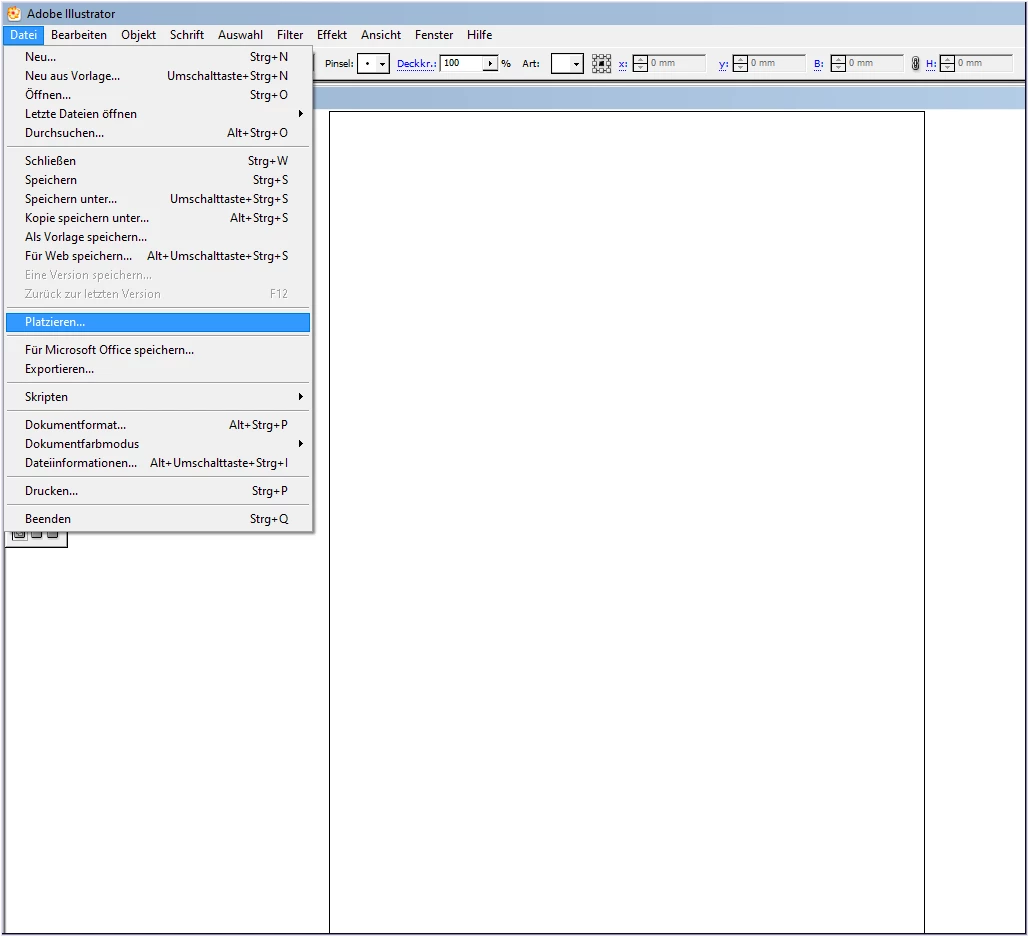
check: Checkbox [Link] (or similiar, I don't know the right english term for that)
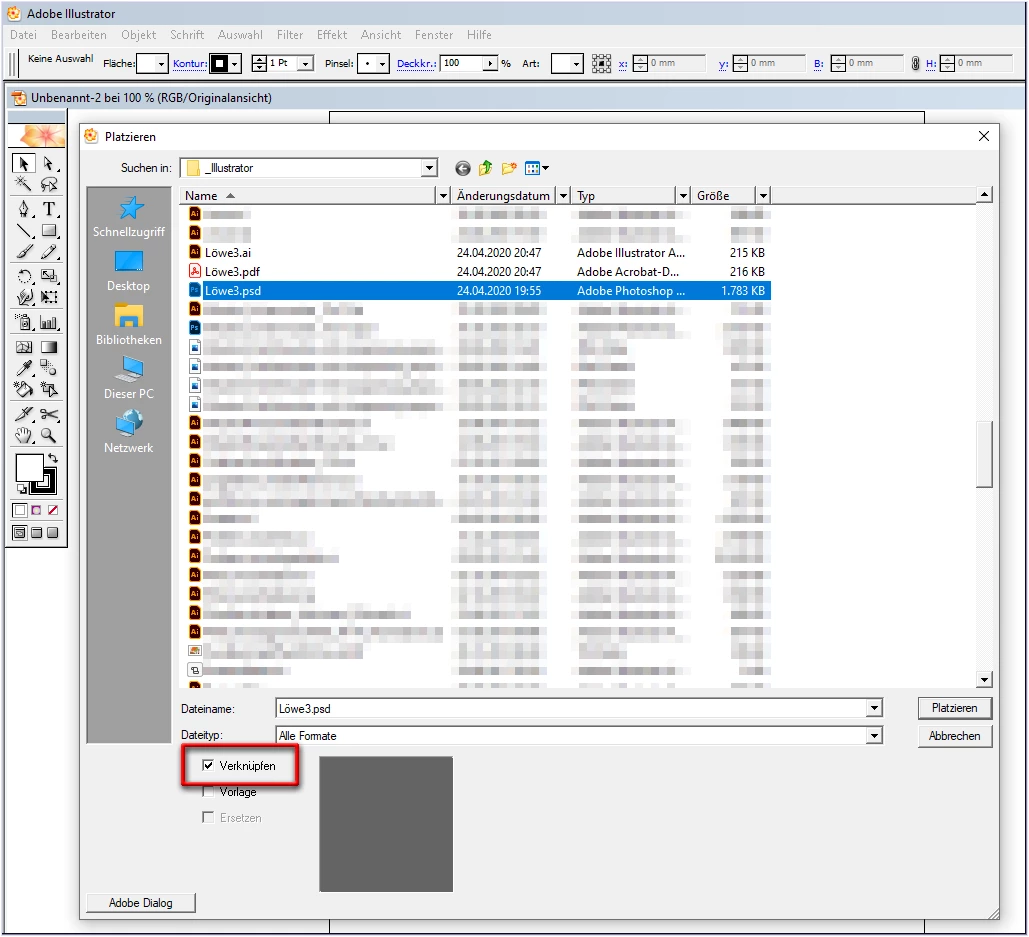
 

That's all!

The file will be linked and not embedded and the option for linked files is available in the save options.

4 replies

pixxxelschubser
Adobe Expert
October 7, 2020

Glad we could help.

😉


Is your question solved now? You can mark one or more answers as correct answer.

Or do you need further assistance?

pixxxelschubser
pixxxelschubserCorrect answer
Adobe Expert
October 7, 2020

The behaviour to link files is the same since many years.

For example CS2:

menu: File --> Place

check: Checkbox [Link] (or similiar, I don't know the right english term for that)


That's all!

The file will be linked and not embedded and the option for linked files is available in the save options.

Ton Frederiks
Adobe Expert
October 7, 2020

The link behaviour is the same, but the un-embedding you described was not available in CS5.

Ton Frederiks
Adobe Expert
October 7, 2020

Hahaha.

Thank you Ton and Monika. Now I can see the difference.


I always had and have the necessary images for the relink. And that's why I never have to un-embed an image from an Illustrator file before.


Thanks for your patience.

😉


No problem, Patience is my middle name 🙂

pixxxelschubser
Adobe Expert
October 6, 2020

In your file:

  • select the image
  • in the control bar select [remove embedding]  (or similiar, I don't know the right english term for that.)
  • try to save your file again - the option "Include Linked Files" should be available again


For the future:

If you place an image - at the bottom of Place dialog window there is an option: [Show Import Options]. Be sure the checkbox is checked and then set: link files


If that works for you

Have fun

😉

Ton Frederiks
Adobe Expert
October 6, 2020

It is CS5...

Ton Frederiks
Adobe Expert
October 6, 2020

Did you check in the Links Panel if there are linked files?

idesesmAuthor
Participating Frequently
October 6, 2020
thank you for your reply.
yes there are linked files. but when I do changes in the pic that linked it
doesn't change.
for some reason the pic is transformed to an object. like in this picture:
[image: import options.jpg]
Ton Frederiks
Adobe Expert
October 6, 2020

Your image is not visible.

Can you show the Links panel with a link selected and the link info expanded?