


Known Participant
May 12, 2023
Answered

How can I get vibrant, almost neon colors to print?

  • May 12, 2023
  • 3 replies
  • 10416 views

I'm creating abstract art in Illustrator with a color mode of RGB and the profile Adobe RGB (1998) and am testing with giclee printing. Some of my very saturated and bright colors come out okay to well, with an almost close match. However, the hot colors, such as pinks and bright-to-dark blue and purple gradients do not.


I know that printers have a more limited color gamut, but want to know how I can get as close to the digital color gamut as possible.


Is there a way I can select alternative colors to get the same dramatic effect?

Or, are there settings in Illustrator I can use to help print that gamut range?

Or, is there a way to tweak them in Photoshop?


I haven't been able to find any current information and really need to find solutions for my art prints.


Thanks!
Correct answer chrisg11235813

Thanks, Mike. Ultimately, it sounds like I need to do a lot of test prints with my printer.


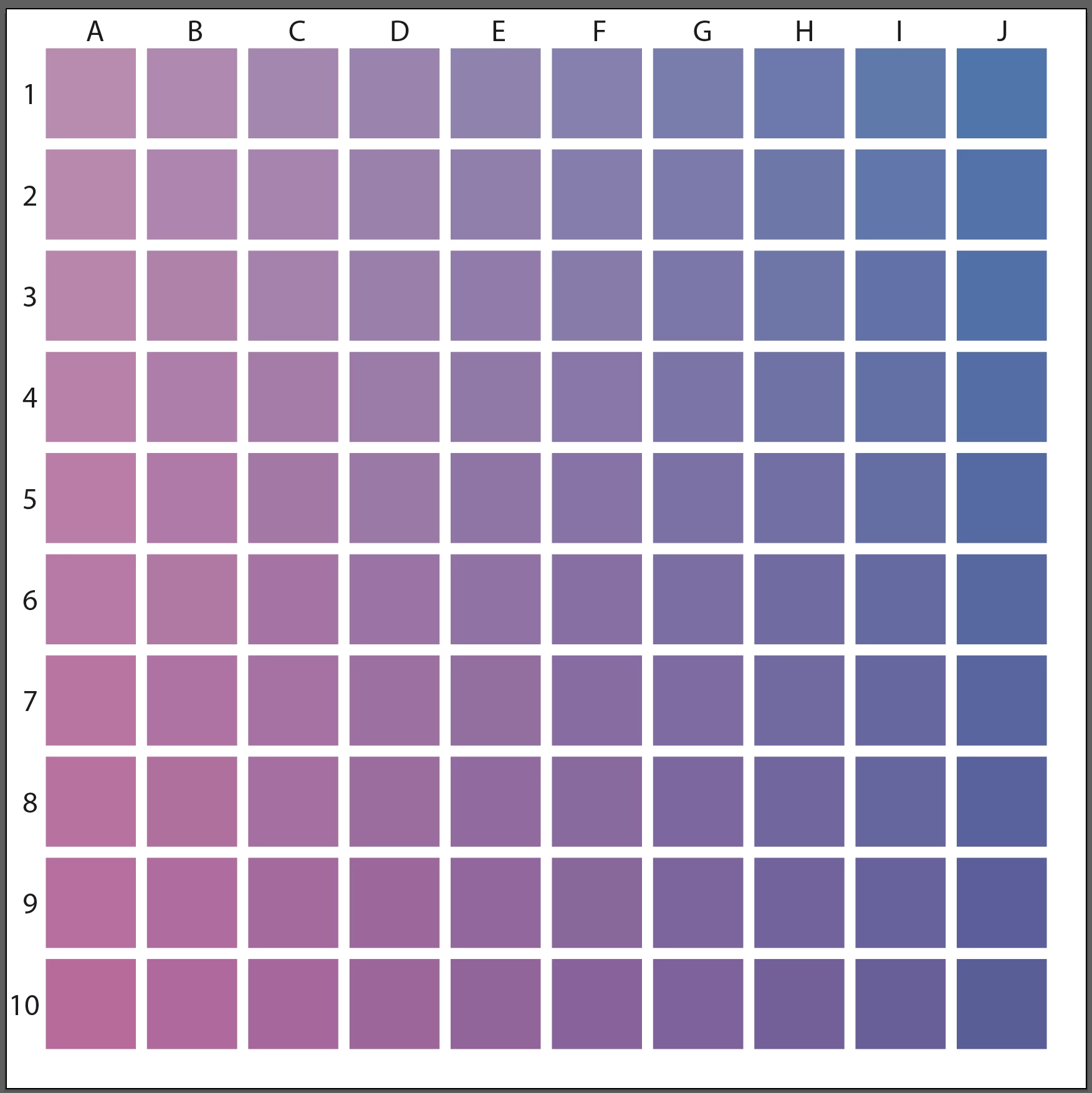
If you are doing test-prints, I would suggest doing a grid of swatches. You'll get more colours and you can keep it as a guide for the future.

Pick 2 Colours to test, in this case I have added Magenta going down and Cyan to the Right. In your case you would use RGB instead of CMYK colours.  Keep the Test Print and the actual File so you can figure out what the colour formula was in the file.  Something like this:

3 replies

Inspiring
May 20, 2023

You are correct about submitting RGB files for that print provider.  You mention Rendering Intent ( Perceptual ).  Another item to try is instead of AdobeRGB, assign or apply ProPhotoRGB as an option.  You could send your vendor one file of each RGB color space, but maintain the Perceptial Tendering Intent.  While you may never totally match fluorescent type brightness, you can get reasonably close. Your print vendor can also experiment on their end, but as far as file prep goes, you have ( and are on the path ) to finding out, through experimentation and the inherent limitations, what will ultimately become a viable workflow for your project.  Good luck!

KD11Author
Known Participant
May 21, 2023

Thanks. I read about how ProPhotoRGB can potentially help the print output. The primary printer I plan on using does request files with an Adobe RGB (1998) profile, and they are not local so I can't work with a technician directly. However, I may test that with a local printer I've also sourced.

Mike_Gondek10189183
Community Expert
Community Expert
May 22, 2023

Yes Giclee is one of the few print methods that use RGB. Best to consult your printer with his question, but compare to the spex Mockinbird Press suggests and RGB IEC61966-2.1


https://www.mockingbirdpressuk.com/artwork-requirements/#:~:text=The%20best%20colour%20profile%20to,as%20the%20regular%20CMYK%20inks.


This printer suggests 16-bit color

https://www.theartofprint.co.uk/help/

chrisg11235813
Participating Frequently
May 18, 2023

Sometimes a Printer's RIP software has a "PANTONE look-up table" built into it. In a lot of cases it recreates a much more vibrant representation of the colour than simply using the CMYK values -- BUT, if you don't already have the swatches loaded into your Adobe software, you'll have to do some digging around the interweb to find them. PANTONE dosn't want anyone freeloading of standardized colour pallets, that would defeat the purpose of standardizing.

Talk to your printer, if they are knowledagable they might have some ideas -- you might have to do a bunch of colour samples to pick the best colour.

KD11Author
Known Participant
May 18, 2023

The printer I'm mainly using does not use the Pantone color system, so, unfortunately, I can't use those colors. When I inquired about this, the printer sent me information on using their ICC Profles. I haven't worked with these before, so have a bit of a learning curve.

Community Expert
May 12, 2023

Is the type of printer you're using equipped with any extra ink colors, such as Light Cyan or Light Magenta? Printers that have additional colors can offer gamut ranges that extend a bit beyond the usual limits of CMYK. No printer can fully match the RGB gamut range. It's just not possible (especially in the greens, blues and purples). In order to get predictable colors displayed on screen you would need to use an ICC profile specific to the printer along with having your monitor properly calibrated. The type of print media being used also matters; smoother more glossy substrates will allow colors to pop more while media that has more "tooth" to it will mute colors.

KD11Author
Known Participant
May 12, 2023

Hi Bobby,

I send my files online to printer who then makes giclee prints. While there are more inks with giclee, there are still limitations, My laptop calibration is set to Adobe RGB (1198) profile, and I've used the ICC profiles for soft proofing. That said, what I'd like to know is if there are other ways I can work with colors to create a similar dynamic effect especially with bright-to-dark gradients or make adjustment in Photoshop. For example, one printer adjusted a setting to "Perceptual" and that produced a better result in the print. I see that I can set that in the TIF files in Photoshop. I'm also testing on different papers. Any manual and technical adjustments that I can make before sending to the printer is what I'd like to learn. Thanks

Conrad_C
Community Expert
Community Expert
May 13, 2023

Thank you, I'll check it out. However, CMYK is too limiting and RGB helps to maximize the color gamut for giclee printing. I realize CMYK is safe, but when I can expand to more colors with RGB, it's a better option for the art I make. I just need to find ways to make sure the gamut I use will print colors properly.


quote

Thank you, I'll check it out. However, CMYK is too limiting and RGB helps to maximize the color gamut for giclee printing.

By @KD11


If this is giclee reproduction using a professional inkjet printer, like one of the wide-format types that can print very large sizes on fine-art papers, it should be clarified that there is more than one kind of CMYK profile to use here. One of them is what you should be using, and the other is not relevant. The CMYK that is not relevant is traditional press CMYK. Any profiles representing common commercial press CMYK will be, as you already know, too small of a gamut for giclee prints because they use only the four typical CMYK inks.


The “CMYK” that is relevant is for the larger gamut of those pro inkjet printers. If you are already soft-proofing with an ICC profile for the exact ink and paper combination that will be used in the inkjet printer that will do your giclee prints, then you are already doing the best you can and you can do no better, because that profile represents the maximum range of colors possible on that printer+ink+paper combination.


The reason I put “CMYK” in quotes is because the color profile for that printer+ink+paper combination technically won’t represent RGB or traditional press CMYK. For example, if it’s going to be printed on a 44-inch-wide capable Epson SureColor P9570, as a 12-ink printer with multiple shades of some inks it’s really CcMmYKkkOGV. The lower case letters are the lighter versions of the cyan, magenta, and black inks for smoother color transitions, and the last three inks are orange, green, and violet to expand the total color gamut. This will get you somewhat more colors than press CMYK, but still not cover all of Adobe RGB.


Just to give you a visual idea of that difference, the 3D gamut plots below show Adobe RGB (1998) in gray, overlaid on the left with a typical CMYK press gamut, and on the right with the gamut of the Epson wide format fine art printer example mentioned above. There are two lessons from this:


  • If you are working with a printing company that will send your file to an expanded gamut fine art printer, then it is potentially capable of reproducing significantly more colors than traditional press CMYK. 
  • Even the very best fine art giclee printers cannot come close to approaching the color gamut of Adobe RGB (1998). There is just no way. All inks can do is reflect colors, competing with RGB colors that can be created by a screen that can generate its own light for purer, more saturated colors. Ink on paper cannot possibly compete with that. 


Also note the print colors that extend past Adobe RGB (1998). Yes, that means there are colors that can be printed that can’t be previewed because they are outside some regions of Adobe RGB (1998).


No technique can reach colors beyond the outer wall of the printer/ink/paper gamut you are using. The value of soft-proofing is to preview how colors are behaving within that wall (shifting), and when the colors are hitting the wall (clipping).


If you must use Adobe RGB (1998) colors in that large expanse beyond what even the best printers can reach, a line of research for you is techniques used by expert prepress color editors over the decades. They are the ones who prepared images of artworks for art books and magazines like National Geographic, creating the illusion of a vivid color reproduction even when all they had to work with was the very limited gamut of press CMYK. That word “illusion” is important: They simply could not get to more colors, so they never create that expectation. They had to exploit color relationships, based on color theory and the spectral limitations of the unavoidably impure inks, to create the best looking representation under CMYK limitations even though some colors that got printed might not be anywhere near the original colors if it was impossible for them to be.


If you looked at colorful paintings by the Renaissance masters or abstract expressionists in fine art books or on posters, you might think “wow, those colors are amazing!” But the only reason you think that is you never saw the CMYK print next to the original artwork. If you did, you would instead say “Good lord, that book or poster looks nothing like the original, how awful.” In other words, you can achieve a great translation of highly saturated colors to “CMYK” that will satisfy everyone, but that same reproduction will inevitably be disappointing if anyone is able to compare the print reproduction to the original.