



wpabix
Participant
May 15, 2021
Answered

How can i skew a group of objects into a trapezoid?

  • May 15, 2021
  • 2 replies
  • 4558 views

Hi i have not been able to find a way to make a group of shapes into a single object i can manipulate.


I want to stretch this QR code into a trapezoid shape.
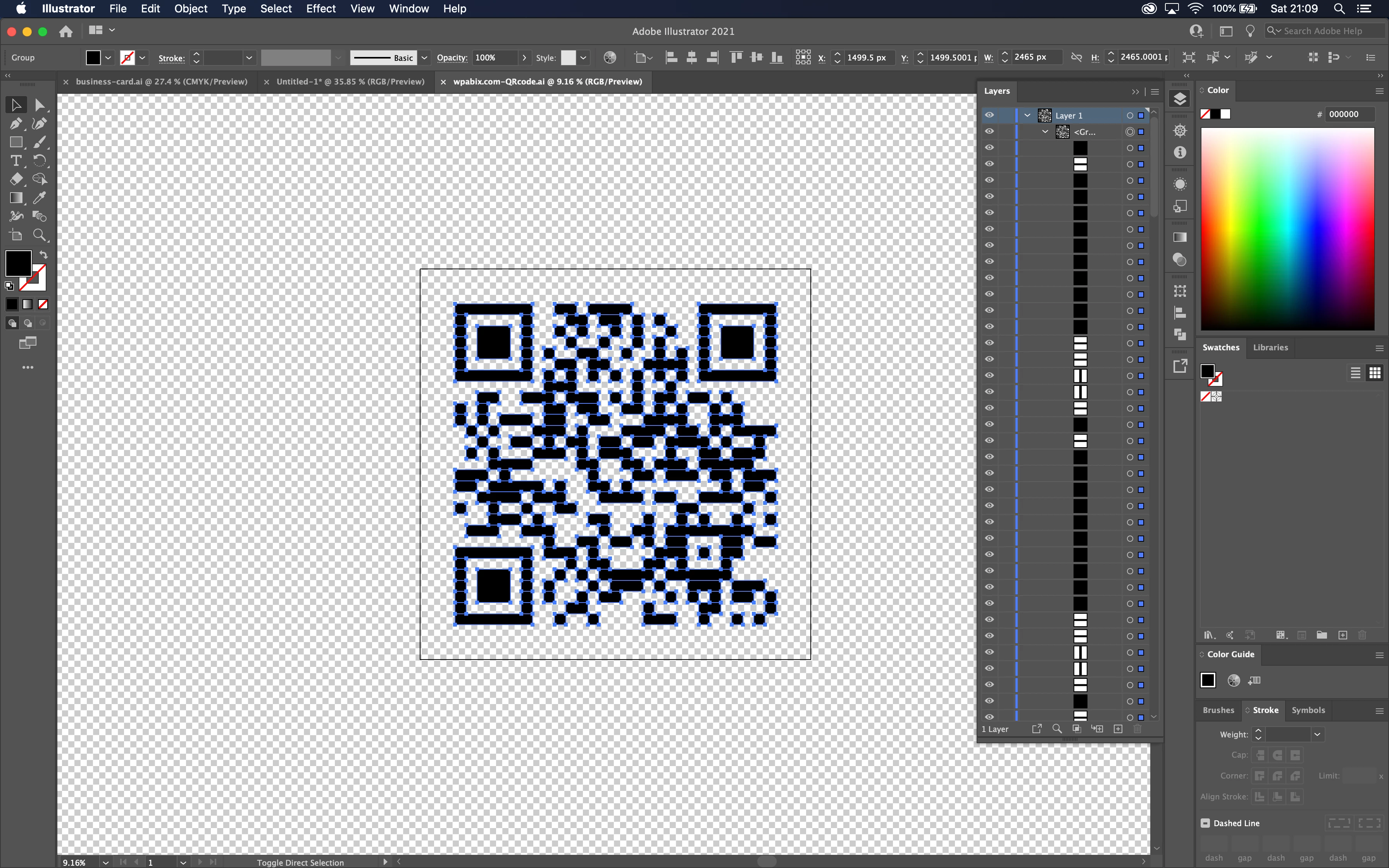
 

I selected all of the layers and used the "unite shape" tool.
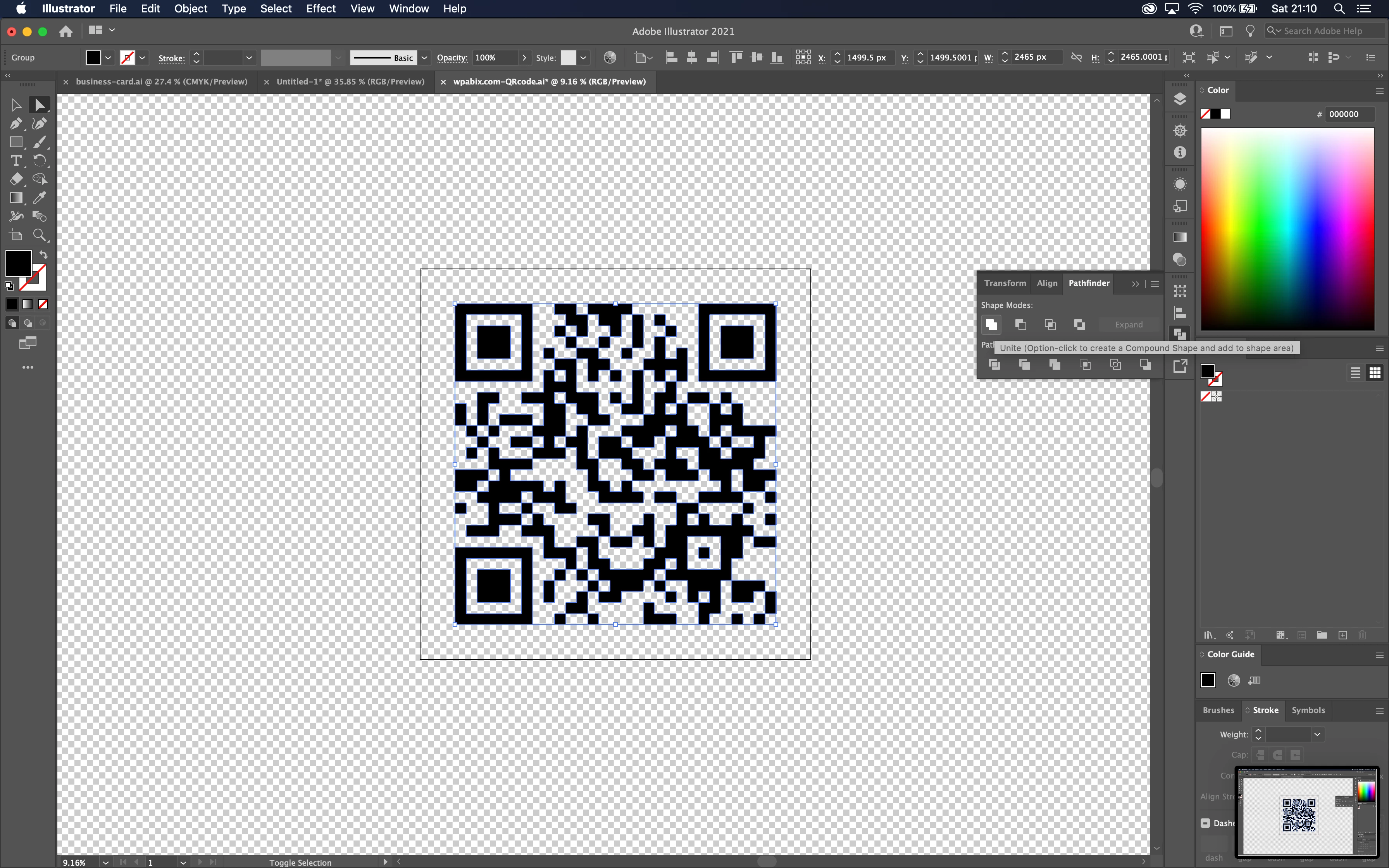
 

I then tried to manipulate the shape using the anchor points. It was then i realised the "unite shape" tool didnt work how i thought it would.
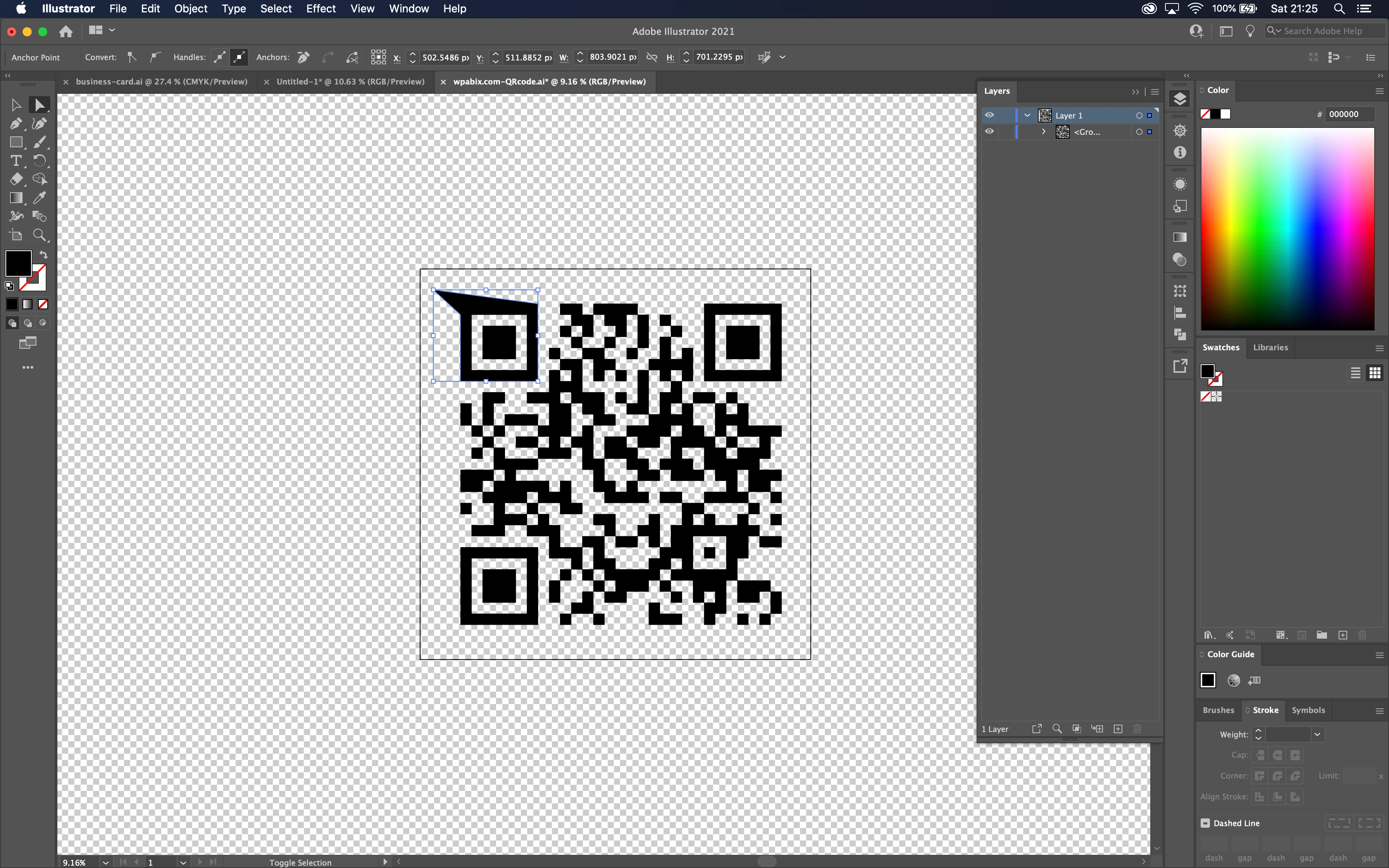
 

How can i stretch this shape into a trapezoid?

Is there a way make this into a single object?

("Flatten Artwork" didnt do anything, i also tried making the layers a "Symbol" but was unable to manipulate it using the anchor points)


I am sorry if have missed something obvious. I am new to Illustrator and my Googling and Adobe community searches came up with nothing this time.


Thanks
 

This topic has been closed for replies.
Correct answer tromboniator

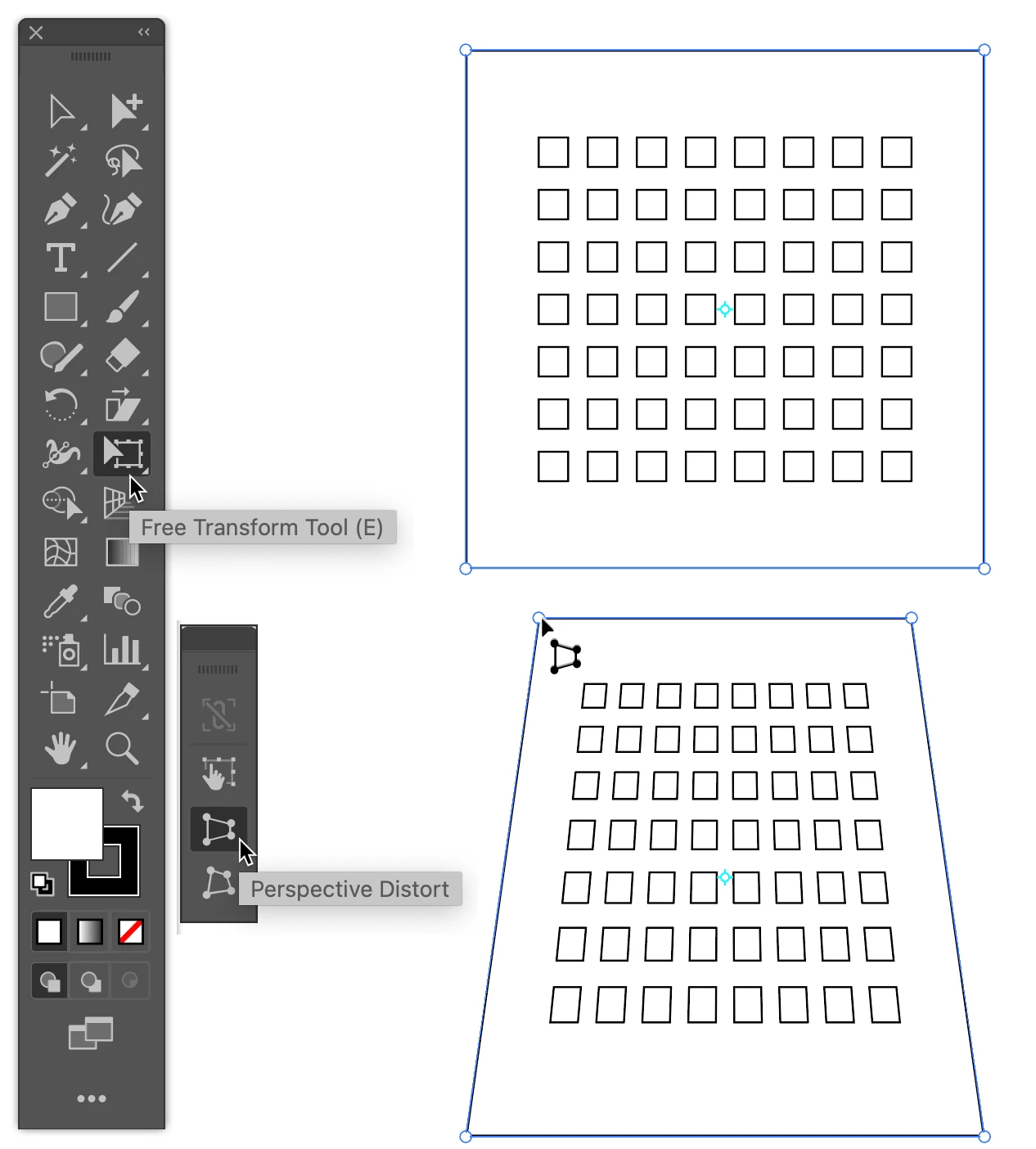
I think the Free Transform Tool/Perspective Distort is what you want. It appears that you already have everything grouped, so with the group selected choose that tool, grab a corner, and trapezoid as you will. You can, of course, adjust the height or width as needed with the Selection Tool.


Peter


2 replies

Kurt Gold
Community Expert
Community Expert
May 16, 2021

You may also have a look at the Effect menu > 3D > Rotate effect.


wpabix
wpabixAuthor
Participant
May 23, 2021

Thank you for your suggestion. I tried it and it did work.


I found the free transform / perspective distort more suitable for my particular use case.


Though I can see how the 3D rotate effect might be the better option when changing the perspective and retaining the proportions of a shape.


tromboniator
Community Expert
tromboniatorCommunity ExpertCorrect answer
Community Expert
May 15, 2021

I think the Free Transform Tool/Perspective Distort is what you want. It appears that you already have everything grouped, so with the group selected choose that tool, grab a corner, and trapezoid as you will. You can, of course, adjust the height or width as needed with the Selection Tool.


Peter


wpabix
wpabixAuthor
Participant
May 16, 2021

Thank you Peter, this was exactly what i was looking for and worked perfectly!

tromboniator
Community Expert
Community Expert
May 16, 2021

You're welcome! I'm glad that worked for you.