


Known Participant
February 22, 2020
Answered

How I can export/save all sub-layers to multiple SVG files

  • February 22, 2020
  • 2 replies
  • 6751 views

Hi,

I have a AI file with 36 graphichs on ONE layer, I want to separate save into 36 single SVG files.


1. choosed released to layers (build) from LAYERS WINDOWS

2. now have 36 sub-layers (as pictures)
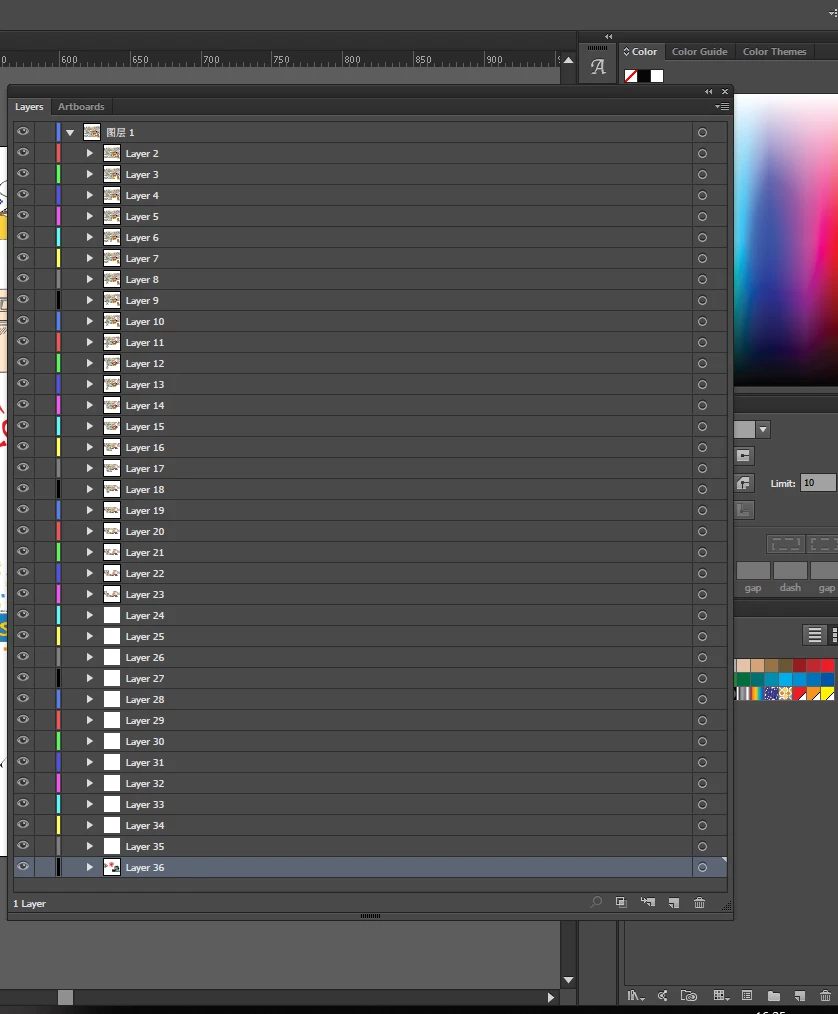
Now, how I can save these 36 sub-layers into 36 different SVG files ?


I tried MultpleExporter Script from gibhub but it CANNOT export sub-layers.


Anyone have ideas to help me on this topic ?


Thanks


Calvin

This topic has been closed for replies.
Correct answer Ton Frederiks

Select the first sublayer, hold down the Shift key and click the last sublayer.

Drag all the sublayers above the toplayer and delete the empty layer.

2 replies

Monika Gause
Community Expert
February 22, 2020

Why do you need layers? Export for screens is not an options? https://helpx.adobe.com/illustrator/using/collect-assets-export-for-screens.html

MarshallW
New Participant
January 3, 2021

Is there a method to include relative position using "export for screens"?  I'm using 2018 verison of Illustrator, so I am not sure if this is inlcuded as a function for Illustrator 2021


When exporting, the image dimension is cropped/ minized to only show the asset/icon. I know this is useful and handy in  other situtations and is especially true for UI/UE design. 

But for someone that is lazy like me. Is it possible to export the sub-layer image with a preset dimension or retain location in artboard? 

Monika Gause
Community Expert
June 19, 2021

Unfortunately I have not found any answers to this.

But today, as I was going back through this thread. I thought, "what if you group assest with a invisible square/rectangle with preset dimension. In that case, would it make it so you export the icon but with fixed relative position"

So I went into illustrator and did exactly that. It solved the issue. But this work-around will eventually increase file-size by a lot. Also would mean for EACH asset, you have to produce a respective frame, therefore increasing time spent on the project. So I dont know how effective this method is.  


For small projects, this is probably very effective. 


This script doesn't clip to artboard?

https://gist.github.com/TomByrne/7816376

Ton Frederiks
Ton FrederiksCorrect answer
Community Expert
February 22, 2020

Select the first sublayer, hold down the Shift key and click the last sublayer.

Drag all the sublayers above the toplayer and delete the empty layer.

wkcalvinAuthor
Known Participant
February 22, 2020

Thanks very much, works like a charm!!!

Ton Frederiks
Community Expert
February 22, 2020

Good to hear that helped.