


How to add bleed to a Ai file
Hello All,
Thanks for taking time to read my post - I just simply want to add bleed to a file. I have researched thoroughly, but it still isn't doing what I want it to.
So basically I have created a 130cm by 30cm poster and I want to add 3mm of bleed all around the edges, which overlaps the crop marks when in a PDF form.
Here are my settings:
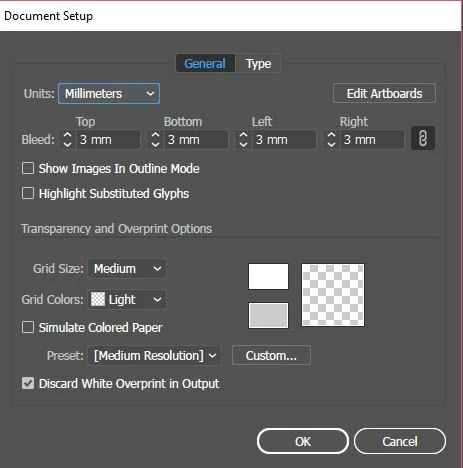
It seems to be what is suggested online.
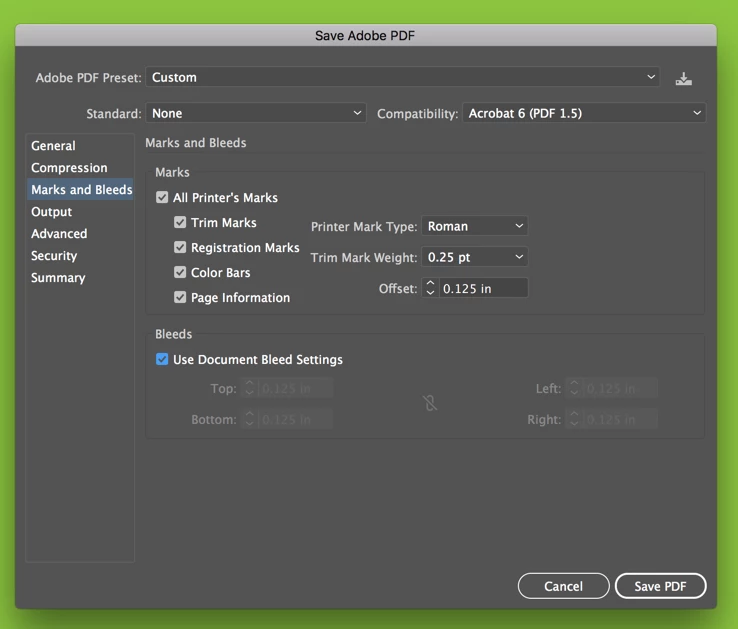
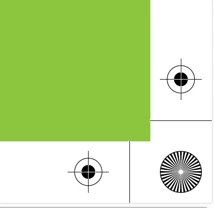
However. This is what I'm getting when I try those suggested settings:

You can see the bleed isn't overlapping the crop marks - I want it to be bigger than the crop marks so when it is trimmed once printed, like below diagram i made.

I want it to be all the same colour green but I just made it darker green to show where I want the bleed to go - Which is beyond the crop marks.
Instinct tells me i need to put minus figures in the Bleed Settings but that isn't an option.
Please could anyone help? I'm sure its doable! Thank you in advance x
 AdChoices