


How to cut out text from path and make it a print ready file?
Hello,
I am pretty new at this and I don't know what the right way to do this is.
My goal is to have a shape "the Jug" with its handle and text cut out of it to reveale the background. And it needs to be good for print.
So far I have 2 paths with stroke and fill and the text.
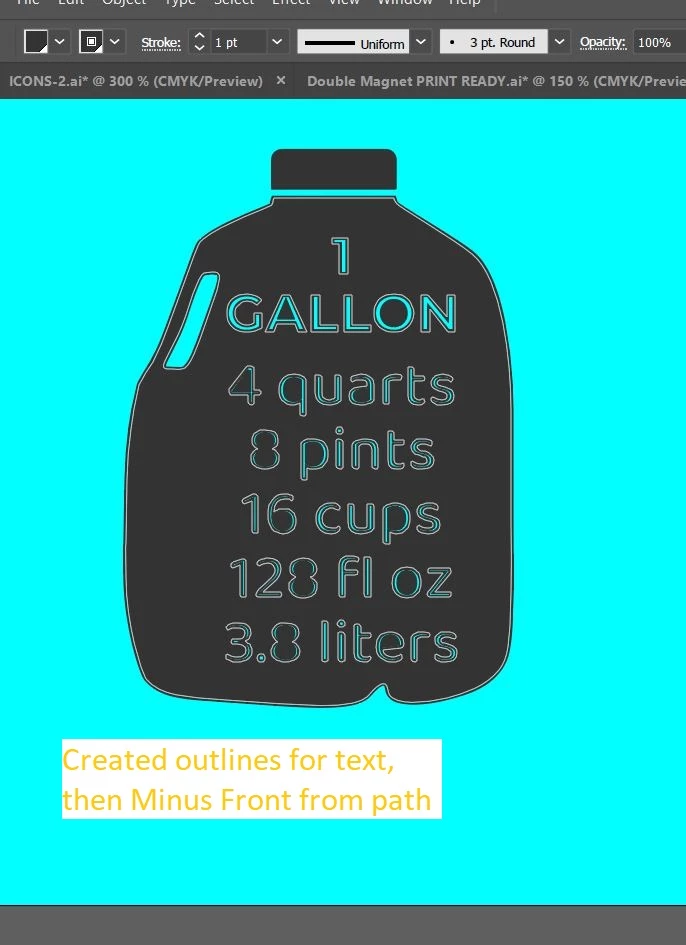
I know to outline text and then use Minus front in the pathfinder to cut it out.
My problem is how to create the paths into shapes without it changing the jug size. Do I have to make them to shapes at all?
If I make the paths into compound paths they have no fill. I need the fill for the jug itself.
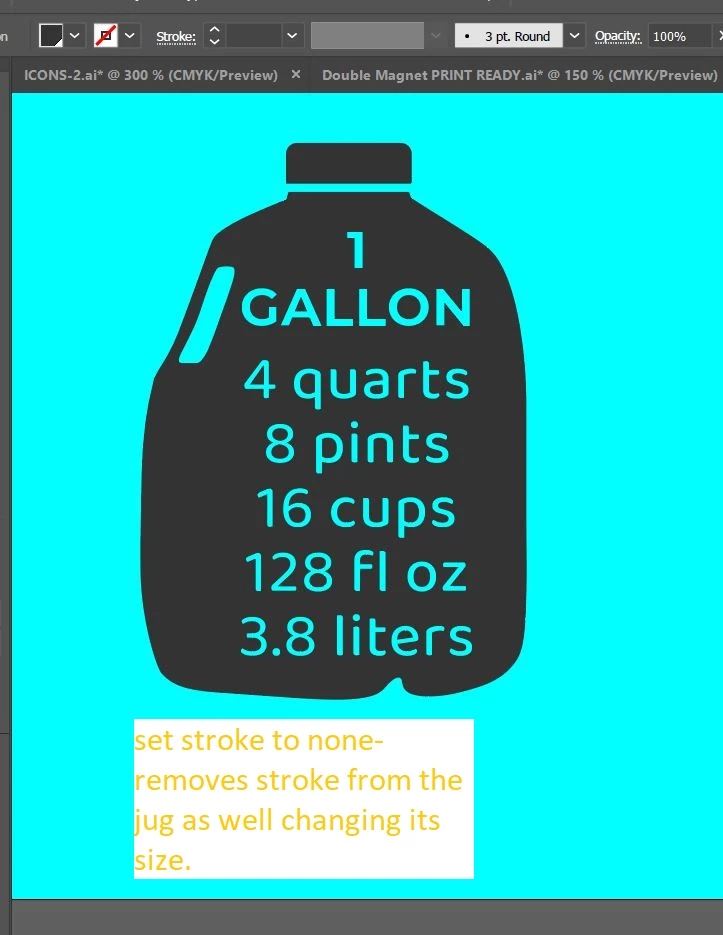
If I leave them as paths and cut out the outlined text, the text keeps its stroke. If I just set the stroke as none it also removes stroke from the jug path itself making the jug smaller. I feel like this is not the correct way to do it. Do I want just paths if its a print file? How is there still a stroke after I outlined text?
As you can see I am confused.
And then what do I have to do with the lid that is a rectangle. Do I need to expand it for print file?
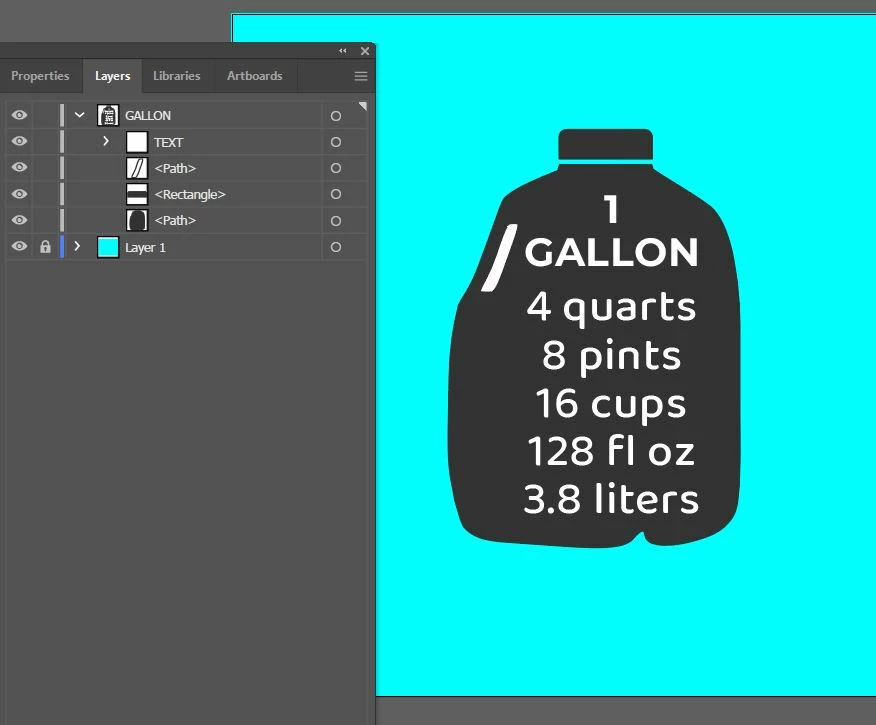
Any help is appreciated
 AdChoices