


Participating Frequently
May 18, 2018
Question

how to delete a part of intersecting line

  • May 18, 2018
  • 5 replies
  • 1919 views

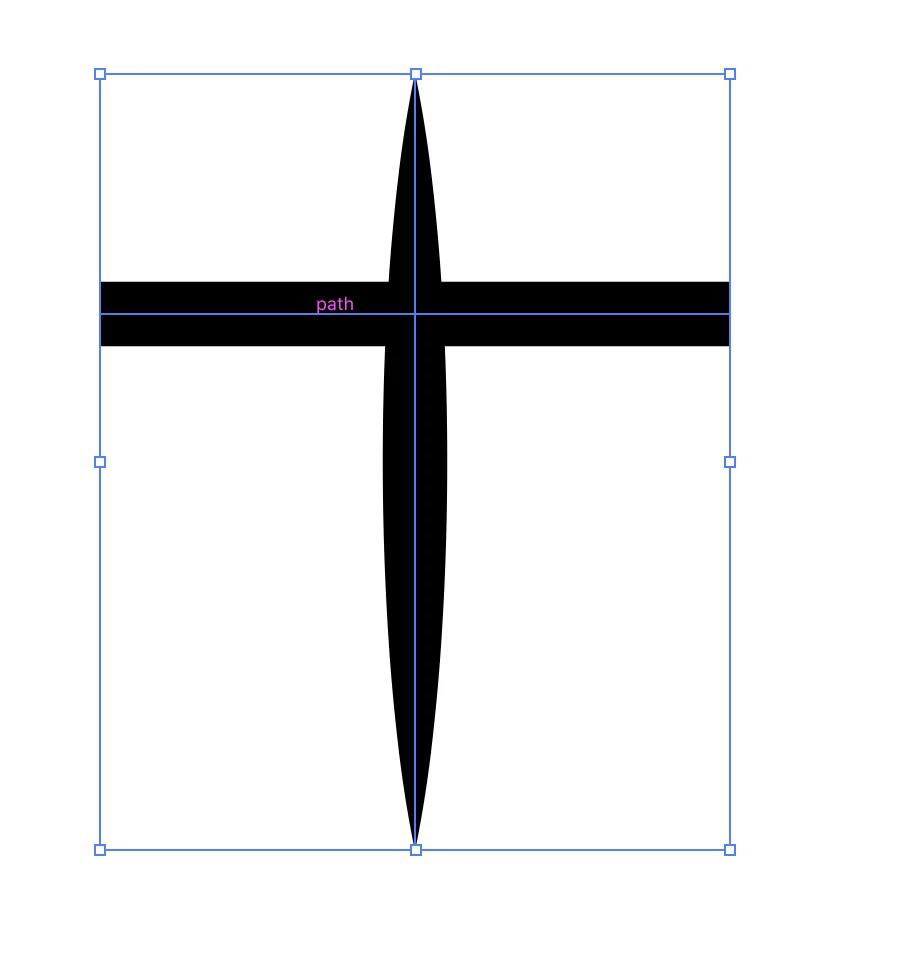
I have two intersecting path as shown in this picture, I want to delete the upper portion of it
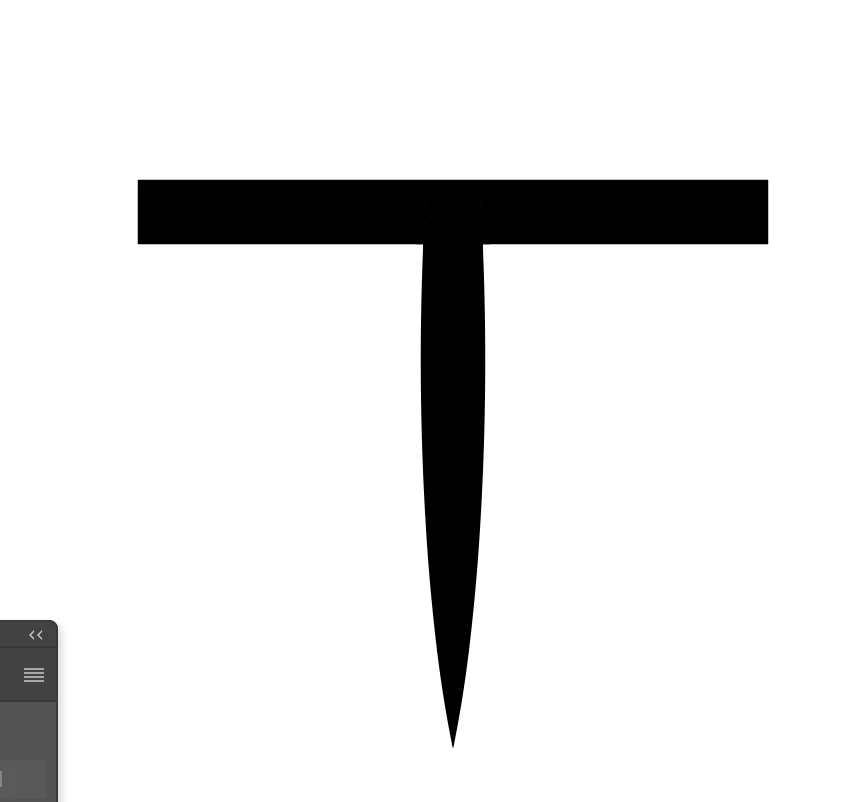
I want the path to be like this
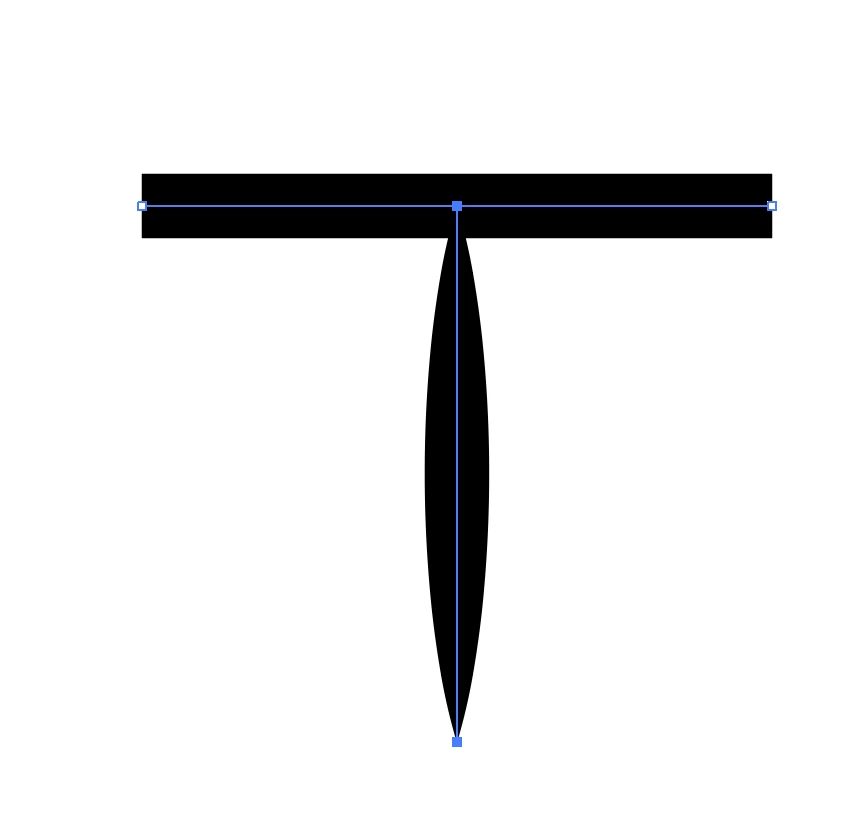
but when I use shape builder tool it would be like this, how can I do it correctly
This topic has been closed for replies.

5 replies

pekkaaaAuthor
Participating Frequently
May 18, 2018

please look at this animation this is what I want to do, I did that with a plugin but it is paid, is there any easy way to do that

ezgif-5-75af9ecfc3.gif

Jacob Bugge
Community Expert
Community Expert
May 19, 2018

pekkaa,

Did you try the Clipping Mask way?

meganchi
Legend
May 18, 2018

I would suggest selecting and expanding both strokes.

Then, select both of the expanded object, go to your Pathfinder menu and click on the "divide" icon.

Next, use your hollow arrow tool to select the top portion that you want to delete and hit delete key.

pekkaaaAuthor
Participating Frequently
May 18, 2018

this method convert the path into shape, it would be difficult to edit it later

John Mensinger
Community Expert
Community Expert
May 18, 2018

In post #1, Monika gave you the correct alternative to expanding your stroke.

Or use the width tool to adjust your variable width

Jacob Bugge
Community Expert
Community Expert
May 18, 2018

pekkaa,

A(n easy and infinitely accurate) way would be to create a rectangle or similar, then align its top side with the horizontal path, then select it with the vertical path and Ctrl/Cmd+7 to form a Clipping Mask which hides the top part and leaves the bottom part completely unchanged, with the option of easily going back to the original for editing or whatever.

Unless delete really means delete.

pekkaaaAuthor
Participating Frequently
May 18, 2018

this method is not helping me, what if the horizontal path is ellipse?

Jacob Bugge
Community Expert
Community Expert
May 18, 2018

pekkaa,

what if the horizontal path is ellipse?

You could use an elliptical path instead of a rectangle, but there is no need because the top of it only has to fit (roughly) at the intersection between the vertical path and the (more or less) horizontal path, and because the top boundary of the Clipping Mask will be the spine of the Clipping Path (the rectangle or whatever) which is half the Stroke Weight beneath the visual top of the (more or less) horizontal path so the upper half of that path will provide a safe cover up of any discrepancy.

What I see as the more important part of my suggestion is the (safe and easy) preservation of the exact shape that you created in the first place, ready editing being second.

Kurt Gold
Community Expert
Community Expert
May 18, 2018

Is the vertical path a brush stroke or a stroke to which you applied a Width profile?

pekkaaaAuthor
Participating Frequently
May 18, 2018

stroke in which I applied a Width profile

Monika Gause
Community Expert
Community Expert
May 18, 2018

You will have to either first expand the stroke.

Or use the width tool to adjust your variable width