


How to delete everything under selection on lower layer
Hello,
I'm wondering if I can get some advise please as I'm struggling, let me explain.....
This picture shows 2 layers.
Layer 1 = Lady
Layer 2 = Wall
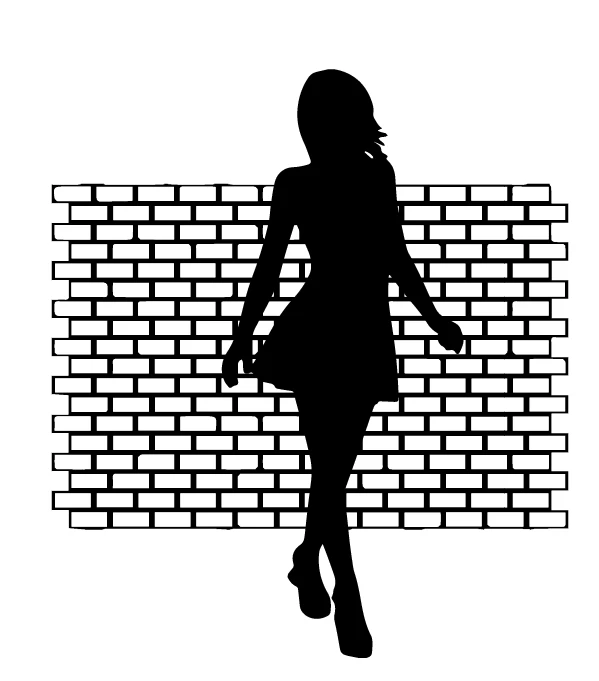
What I'm ultimately wanting to do, is to print out, just an outline, so no fills anywhere.
When I remove the fill on the lady, I can now see the wall again through her outline, makes sense ofcourse
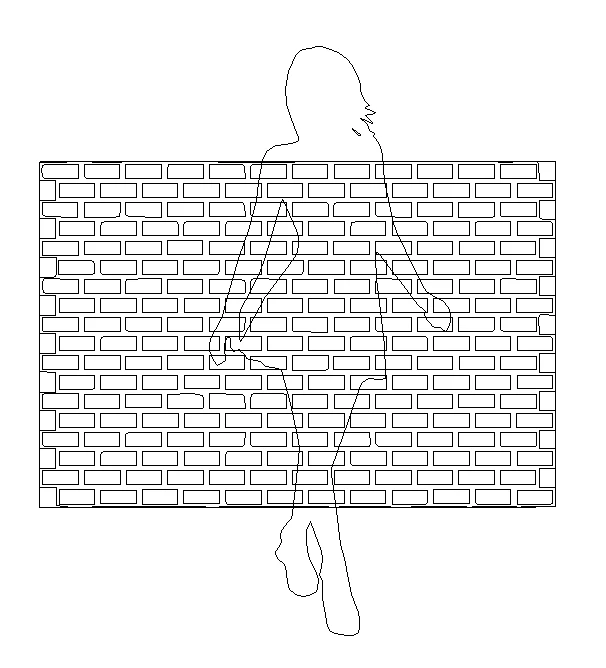
At the moment, I'm just using the erasor tool to delete the parts of the wall that show through the lady.
I'm just asking if anyone can tell me if there is an easier way to do this. Is there anyway, I can just select the lady, and then say "delete everything on the layer below her".
Sorry if this is a silly question, but I only know the most basic about Illustrator and I'm worried I'm missing something obvious here.
Thank You
 AdChoices