


New Participant
July 2, 2020
Answered

How to Drastically Reduce PDF Size with Patterns?

  • July 2, 2020
  • 1 reply
  • 1812 views

Hi guys,

I see so many posts about this but I never see an answer that works.

I am a graphic designer for a small company and I make presentations in Adobe Illustrator 2020.

Here's my issue- My files are enormous. Some people say there files are huge but they are like 24MB. The one I am working with is 260.4MB. Ideally it would need to be under 10 or 15MB to send in email. I know that is asking A LOT.

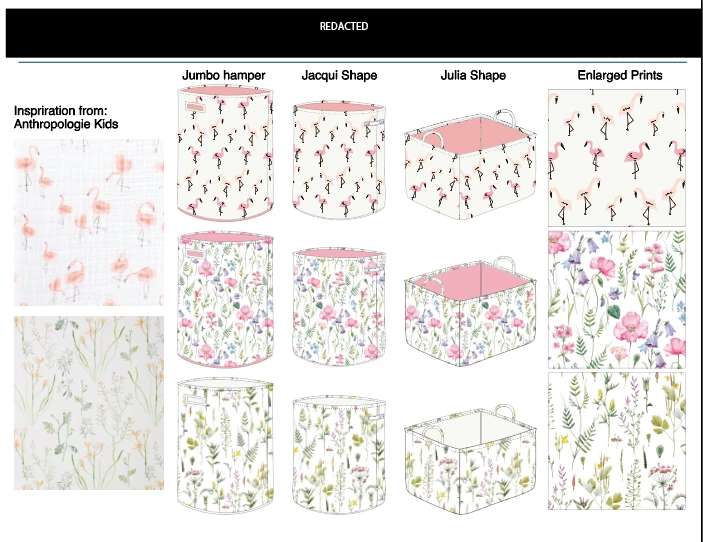
The file is 6 pages 8.5 x 11in. artboards. Attached is one of the artboards. They include type, jpg images, vector shapes and patterns. Something about patterns makes files huge but I need to use patterns. Am I making patterns wrong? Object> pattern> make.

Is there an option in there to make patterns not take up so much file space?
This topic has been closed for replies.
Correct answer Monika Gause

You can try if saving a copy (important!!!) as PDF and then unchecking "Illustrator editability" makes it smaller.

But that is basically it. There are just an awful lot of paths in your file and I suppose there are also large images and the like.


So maybe exporting the artboards as raster files in a barely sufficient resolution will make smaller files. You can automatically rasterize the complete page by forcing a specific transparency flattening when exporting.

1 reply

Monika Gause
Monika GauseCorrect answer
Braniac
July 2, 2020

You can try if saving a copy (important!!!) as PDF and then unchecking "Illustrator editability" makes it smaller.

But that is basically it. There are just an awful lot of paths in your file and I suppose there are also large images and the like.


So maybe exporting the artboards as raster files in a barely sufficient resolution will make smaller files. You can automatically rasterize the complete page by forcing a specific transparency flattening when exporting.

New Participant
December 6, 2022

I used the uncheck "Illustrator editability" and it the file went from 8.9mb to 5.2mb. It's smaller but since the original PDF was 502kb, I'm bwildered!

I don't understand how a PDF file that is 502kb swell to 8.9mb.

Suggestions?


Monika Gause
Braniac
December 6, 2022

Which other options did you check? There are a couple of images in the file - did you turn on compression?