


Inspiring
February 5, 2020
Answered

How to draw a room and objects in a defined perspective?
  • February 5, 2020
  • 4 replies
  • 4495 views

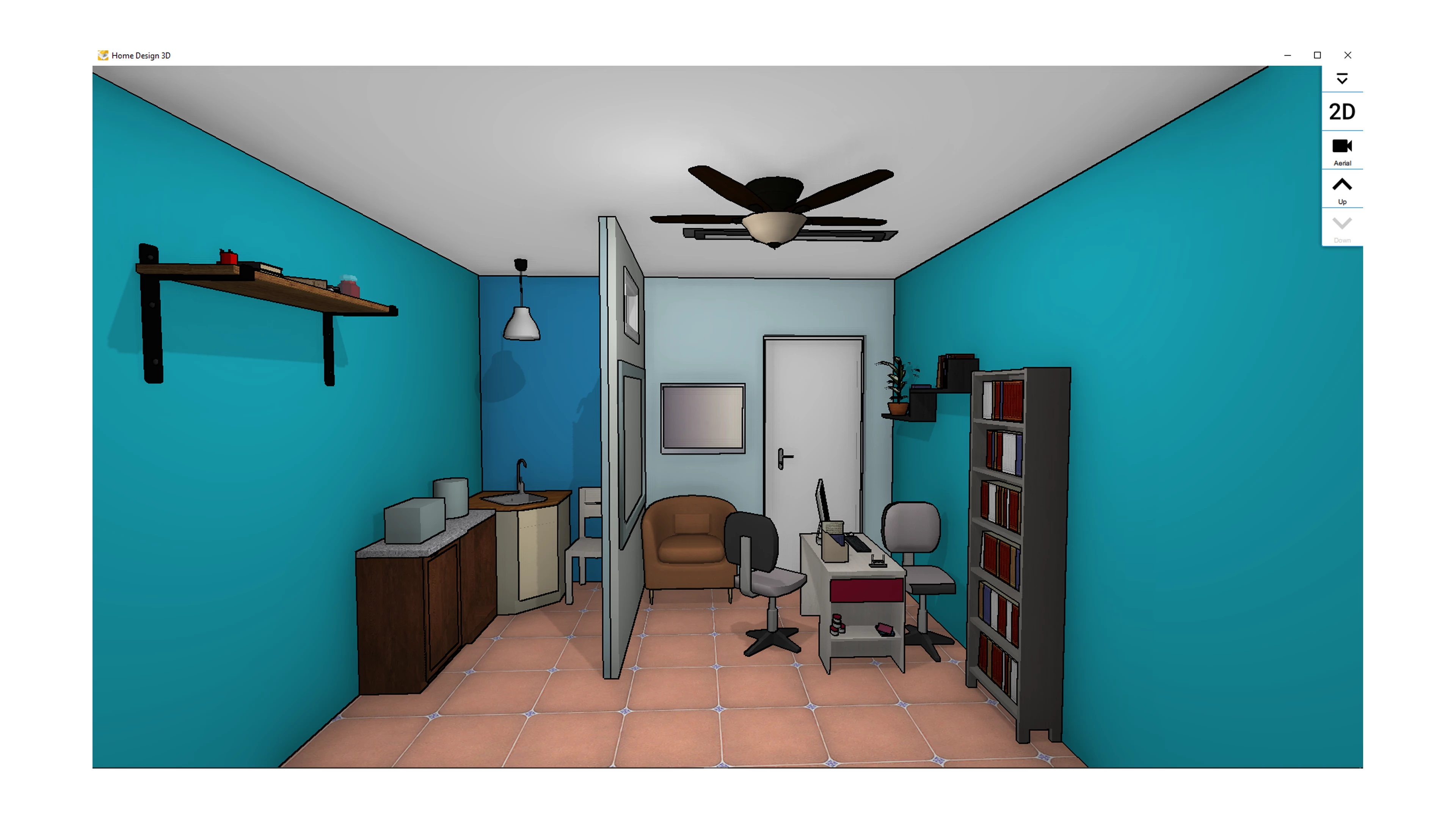
I would like to draw a room and its objects like in the scene above in Illustrator for a cartoon animation.

I know there is a tool called Perspective grid, but can´t get it to match this view and I can´t find another option. So, my problem is drawing in the correct perspective using some kind of guides to get the same perspective above because I am unable to do it just watching the scene provided. Can anyone help me?  

This topic has been closed for replies.
Correct answer Jeff Witchel, ACI

Here's a video tutorial about how Perspective Grid works: perspective-grid 


Hope it helps!

4 replies

Inspiring
February 5, 2020

Thanks!

Jeff Witchel, ACI
Jeff Witchel, ACICorrect answer
Adobe Expert
February 5, 2020

Here's a video tutorial about how Perspective Grid works: perspective-grid 


Hope it helps!

manal shanableh
Adobe Expert
February 5, 2020

this is great 🙂 thank you

meganchi
Brainiac
February 5, 2020

You can find the grid options by going to your View menu, selecting Define grid, or selecting one of the predefined options such as 1 point, 2 point, or 3 point perspective. The Define grid option allows you to input particular grid measurements and other criteria.

Inspiring
February 5, 2020

Thanks

Monika Gause
Adobe Expert
February 5, 2020

This is a 1 point perspective.

Mark the vanishing point in the template and then set it up:

Inspiring
February 5, 2020

Thanks