


Exit
  • Global community
    • Language:
      • Deutsch
      • English
      • Español
      • Français
      • Português
  • 日本語コミュニティ
  • 한국 커뮤니티
0

How to edit Adobe PDF Presets when saving in Illustrator?

Participant ,
May 13, 2019 May 13, 2019

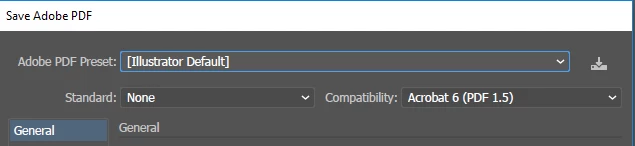
I am trying to delete and edit some Adobe PDF Presets I previously created in Illustrator. I cannot find anywhere where this can be done. Is there a settings screen or similar for this?
3.7K
Translate
Report
Community guidelines
Be kind and respectful, give credit to the original source of content, and search for duplicates before posting. Learn more
community guidelines

correct answers 1 Correct answer

Community Expert , May 14, 2019 May 14, 2019

Edit > Adobe PDF Presets

Translate
Adobe
Community Expert ,
May 14, 2019 May 14, 2019

Edit > Adobe PDF Presets

Translate
Report
Community guidelines
Be kind and respectful, give credit to the original source of content, and search for duplicates before posting. Learn more
community guidelines
Adobe Employee ,
May 14, 2019 May 14, 2019
LATEST

Hi Petr,

As Monika mentioned you can edit or delete existing PDF presets by going to Edit > Adobe PDF Presets. Detailed steps are shared in this help article: How to create Adobe PDF files in Illustrator.

Please note that you can not edit the default presets.

Let us know if this helps or if you need any further assistance.

Regards,

Srishti

Translate
Report
Community guidelines
Be kind and respectful, give credit to the original source of content, and search for duplicates before posting. Learn more
community guidelines