


andreaf23600721
Known Participant
May 9, 2022
Question

how to erase the bottom portion of a shape

  • May 9, 2022
  • 2 replies
  • 429 views

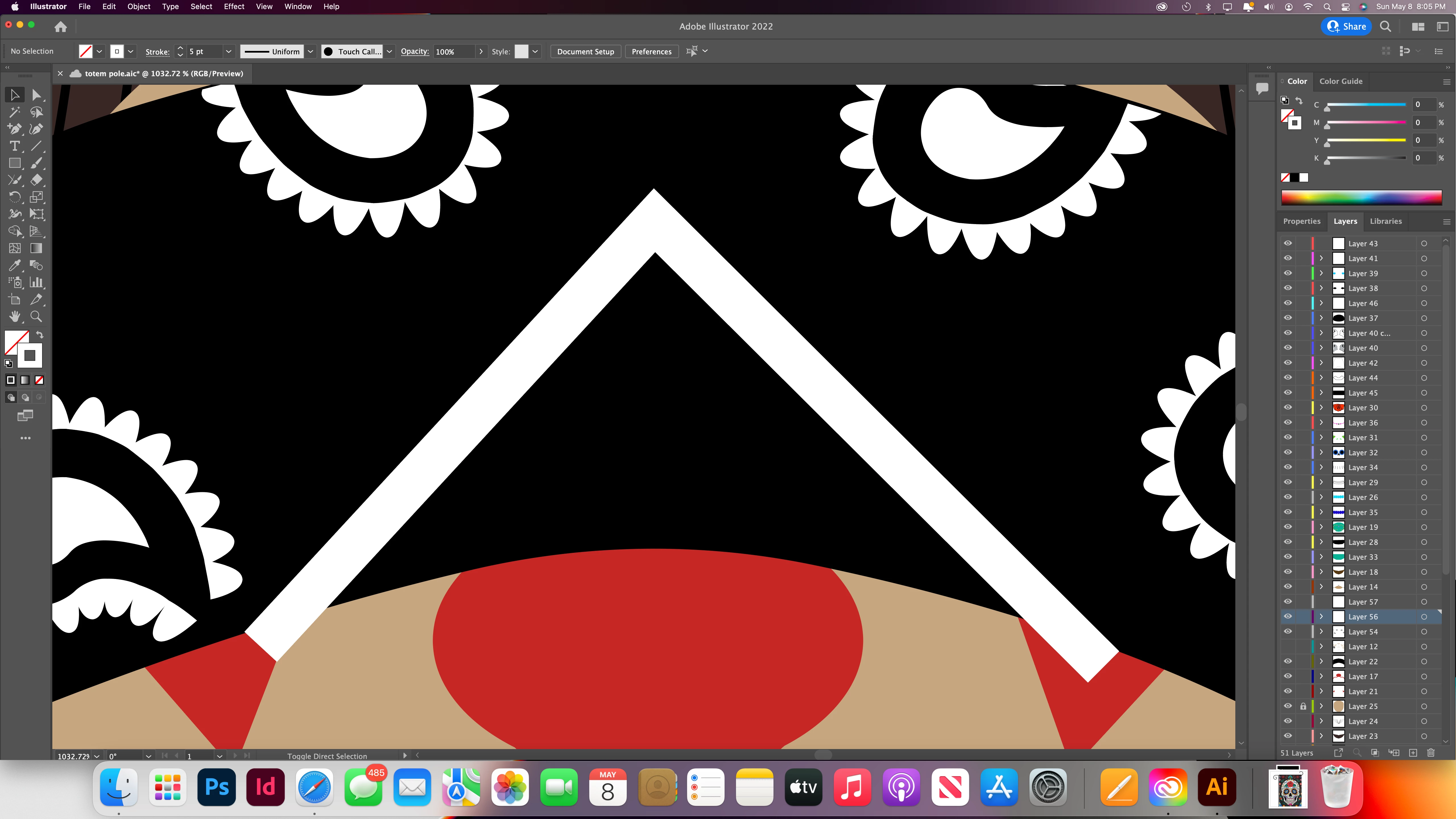
I am trying to cut the white upside down V shape on the bottom so it could stop right along the black line but the Path-Divide objects below isn't cutting it. Any other suggestions. Thank you in advance
This topic has been closed for replies.

2 replies

andreaf23600721
Known Participant
May 16, 2022

I'll give it a try thank you

Jacob Bugge
Community Expert
Community Expert
May 16, 2022

You are welcome, Andrea.


I hope you will report your findings.


Jacob Bugge
Community Expert
Community Expert
May 9, 2022

Andrea,


In order to be able to cut as you describe, the white upside down V shape has to be a closed filled path, so if you have a stroke/no fill path you must Object>Path>Outline Stroke first.


As I (mis)understand it, you already have the other parts of the artwork, and the red parts are cut or masked along the curved path (segment(s)) that forms the border between the black area and the tan area, probably forming part of a path with either fill colour.


You ought to be able to copy (the relevant parts of) that curved path (segment(s)) to the very front, then lock/hide everything else but the white upside down V shape, then apply Path-Divide objects below, then delete the unawnted end parts.


Otherwise, you ought to be able to cut/hide the ends of the white upside down V shape in basically the same (or opposite) way as you have cut/hidden the red paths, whether Live Paint Group/Shape Builder, Pathfinder, or Clipping/Opacity Mask.