


Inspiring
December 1, 2021
Answered

How to find font version in Illustrator

  • December 1, 2021
  • 4 replies
  • 1093 views

Hi 


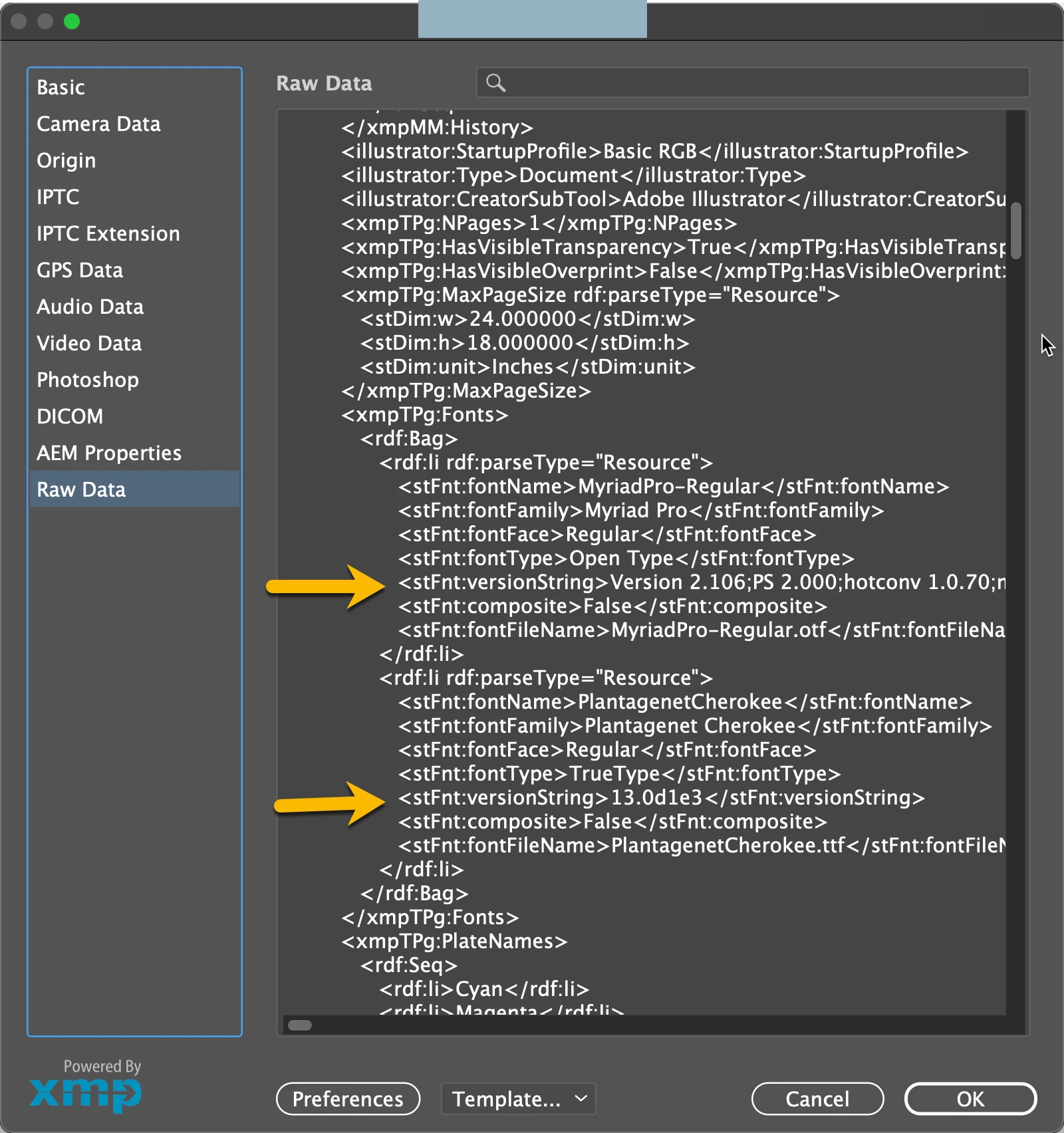
There is any option in Illustrator to find the font version used in the Illustrator.  In Document Info also there is no font version information. 


In InDesign through Find font -- more information we can find the font version, like that there is any option in Illustrator


Thanks

Ganesh.R
This topic has been closed for replies.
Correct answer tromboniator

The only place I can find it so far is File menu > File Info > Raw Data and scroll down until you find it:


Peter

4 replies

Luke Jennings3
Community Expert
Community Expert
December 3, 2021

This is off-topic, but you can use the Acrobat Output Preview tool, Object Inspector to determine information about objects in PDFs, including font name and size. 


Participant
December 2, 2021

I have a link for you to check all the solution here https://helpx.adobe.com/illustrator/using/fonts.html#:~:text=Choose%20Type%20%3E%20Find%20Fonts go and check.

tromboniator
Community Expert
tromboniatorCommunity ExpertCorrect answer
Community Expert
December 1, 2021

The only place I can find it so far is File menu > File Info > Raw Data and scroll down until you find it:


Peter

Ganesh_InAuthor
Inspiring
December 2, 2021

Hi Tromboniator


Great!, Thanks for your quick response and solution 


Regards

Ganesh.R

tromboniator
Community Expert
Community Expert
December 2, 2021

You're welcome, Ganesh! Glad you found it useful.


Peter


c.pfaffenbichler
Community Expert
Community Expert
December 1, 2021

Tyoe > Find/Replace Fonts?