


prepress_speedline
New Participant
October 16, 2018
Answered

How to find Layer Name in Layer Panel
  • October 16, 2018
  • 1 reply
  • 9306 views

Hi Good Evening...

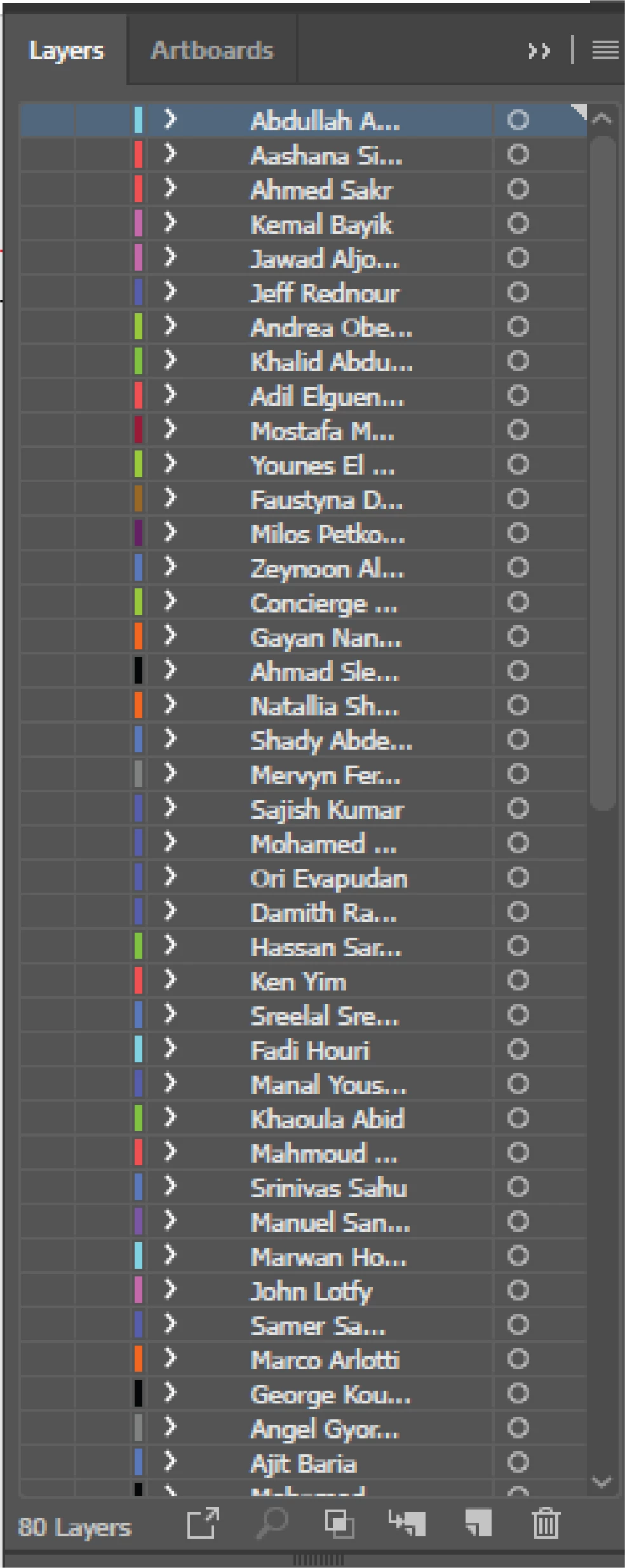
I am using CC2018. Attached here one example.

I am creating number of visiting cards for Hotels & Companies. So I choose this way, each person in one layer now almost 80 visiting cards I made in one Ai File. I work in printing press. So regularly Clients ask me to reprint some of these v-cards. Now I searching manually one by one.

So how can I search or locate that particular name from this Layer Panel.

Do you have any other good suggestion to save large number of v-card in one place. Please let me know.

Thanks

Muhammed Shamseed

This topic has been closed for replies.
Correct answer Anna Lander

You have 1 layer for 1 client, right? So you have each name typed once.

Then you can do the following:

1. Show all layersin the Layers panel.

2. Edit > Find & Replace > Enter the name and click Find button. You will have the neeede name selected. The same time you will see the name and its layer shown in the layer panel/

3.Click on the Eye icon holding Alt (Option) button. All other layers become hidden.

Now you can print this layer

1 reply

Anna Lander
Anna LanderCorrect answer
Inspiring
October 16, 2018

You have 1 layer for 1 client, right? So you have each name typed once.

Then you can do the following:

1. Show all layersin the Layers panel.

2. Edit > Find & Replace > Enter the name and click Find button. You will have the neeede name selected. The same time you will see the name and its layer shown in the layer panel/

3.Click on the Eye icon holding Alt (Option) button. All other layers become hidden.

Now you can print this layer

prepress_speedline
New Participant
March 26, 2019

thank you so much....