

Inspiring
December 7, 2023
Answered

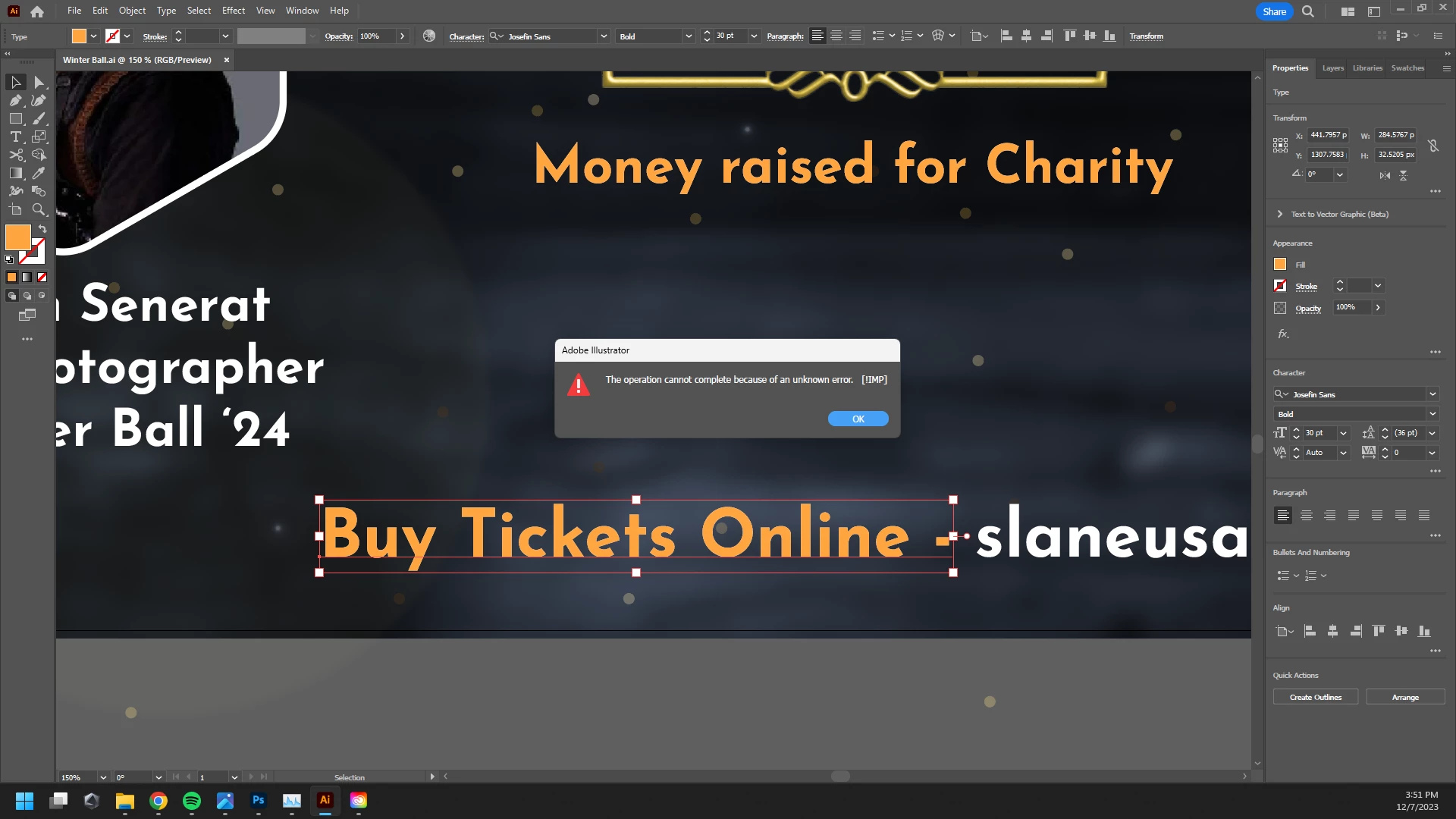
How to fix this issue "The operation cannot complete because of an unknown error (!IMP) "
  • December 7, 2023
  • 2 replies
  • 7131 views

Can't even add a drop shadow this message pops up.

Correct answer Pashan Wanigasekara

I just fixed it. I used the Disk Cleanup and I reopened the illustrator. Now it's working properly. I can add effects.

2 replies

Bill Silbert
Community Expert
Community Expert
December 7, 2023

What version of Illustrator and what operating system are you using? Is this only happening with this file or with all documents? If you quit Illustrator and relaunch does this behavior continue? If the problem is systemic try resetting your Illustrator preferences.

To do so on a PC:

You can try the quick way of resetting on a PC which is to hold down Ctrl + Alt + Shift when launching Illustrator and respond affirmatively when asked if you want to reset. There have been some recent reports that the window asking if you want to reset is not popping up but that the prefs are being reset anyway. If this works great but if it doesn’t you may have to manually delete them.

To do so: On Windows 7 and above the preference files are hidden. To find them go to the Control Panel and open Folder Options and then click the View tab. Then select “Show hidden files and folders” or “Show hidden files, folders or drive options” in Advanced Settings. Then delete (or rename) the folder at the end of this path: C:\Users\[User Name]\AppData\Roaming\Adobe\Adobe Illustrator [version number]\ Settings\<Language>. Make sure that Illustrator is closed when you do this. When you relaunch the program it will create new preference files and the program will be at its default settings.

The advantage of manually deleting preference files is that after you’ve reset up the program (make sure that no document window is open) to your liking, you can create copies of your personalized “mint” preference files (make sure that you quit the program before copying them—that finalizes your customization) and use them in the future to replace any corrupt versions you may need to delete.

Inspiring
December 7, 2023

I was making a flyer that is too heavy like 800mb. I checked with a new document, it's the same. And I'm using the latest version of Illustrator.

Monika Gause
Community Expert
Community Expert
December 7, 2023

Please tell us the specifications of your computer and about that file.

Did you already reboot the system?

Pashan WanigasekaraAuthorCorrect answer
Inspiring
December 7, 2023

I just fixed it. I used the Disk Cleanup and I reopened the illustrator. Now it's working properly. I can add effects.

Monika Gause
Community Expert
Community Expert
December 7, 2023

Glad you could solve it.