


Participant
March 18, 2021
Answered

How to have the align and distribute tool in full without having to press the 3 dot menu?

  • March 18, 2021
  • 1 reply
  • 334 views

Hi guys,


Newly converting from CorelDRAW so please excuse my elementary questions. 


Every time I want to distribute something I have to press the 3 button menu and then the entire toolbar pops up, this gets very tedious when you're doing it regularly. Is there a way to have the entire menu available on the properties pane?
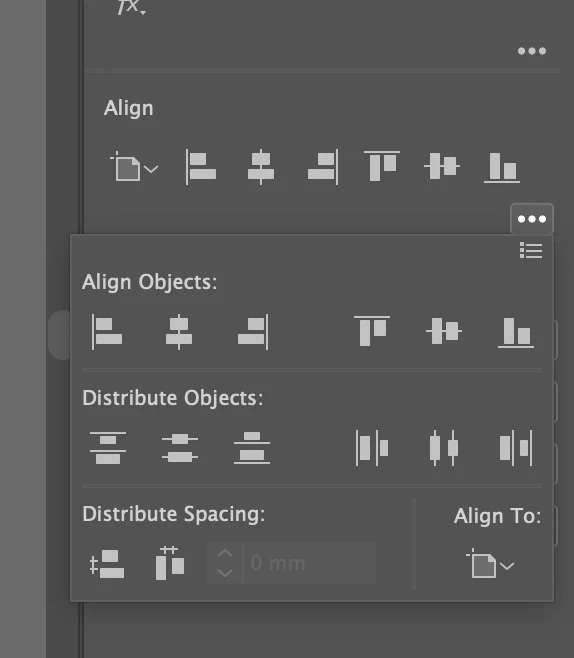
Would really appreciate the help!


Usman.


This topic has been closed for replies.
Correct answer pixxxelschubser

You can open the Align Panel with [Shift]+[F7] permanent  (German shortcut - could be different in other languages)

or menu: Window: Align

1 reply

pixxxelschubser
Community Expert
pixxxelschubserCommunity ExpertCorrect answer
Community Expert
March 18, 2021

You can open the Align Panel with [Shift]+[F7] permanent  (German shortcut - could be different in other languages)

or menu: Window: Align

Usman5CE5Author
Participant
March 19, 2021

Exactly what I needed, thanks so much!