

Participant
November 10, 2017
Question

HOW TO MAKE 3D BOX FROM AI ART WORK
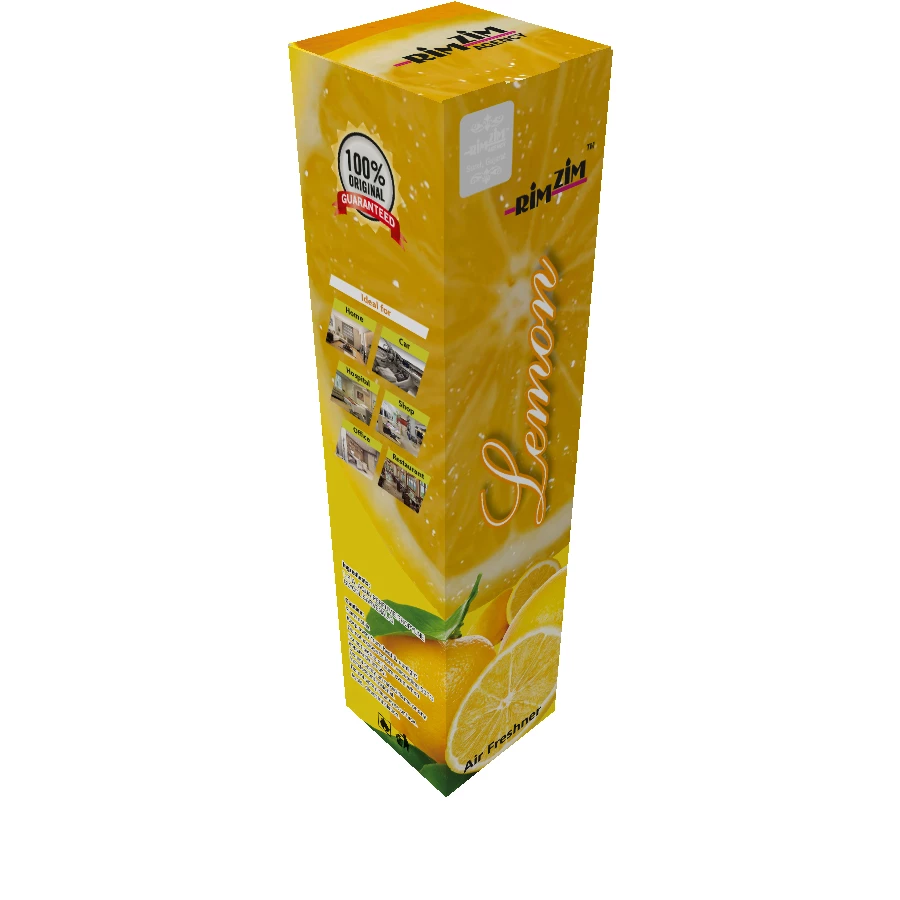
  • November 10, 2017
  • 3 replies
  • 1851 views

SOME ARE USING ESKO SOFTWER FOR IT

HOW CAN I DUN IT

( MY ENGLISH IS NOT VERY WELL SORRY )

    This topic has been closed for replies.

    3 replies

    Mike_Gondek10189183
    Community Expert
    Community Expert
    November 10, 2017

    I use Doug's method with a twist, but this requires Photoshop.

    1. make a blank carton rendering in Illustrator on a white box as per Doug and paste  into Photoshop
    2. set this to multiply blend mode (for shading)
    3. make a copy and set to color burn mode at about 50%. (an extra touch to improve  shading)
    4. paste your art into photoshop and use Command T to distort

    Find this quicker than setting up symbols and aligning maps in Illustrator, especially when multiple flavors need to wrap on the same dimensions. I can also add extra layers to simulate plastic wrap.

    When you get good at this you can use smart objects strategically to  replace multiple panels, or single ones if you made a copy of the smart object prior.

    Doug A Roberts
    Community Expert
    Community Expert
    November 10, 2017

    or the crude illustrator way:

    make your art into a symbol

    make a rectangle

    effect > 3D > Extrude and bevel

    map art

    choose a face and choose & position your symbol.

    Monika Gause
    Community Expert
    Community Expert
    November 10, 2017

    Try Adobe Dimension CC