

Hratch Derhagopian
Inspiring
March 27, 2018
Answered

How to type Arabic on curves without breaking

  • March 27, 2018
  • 6 replies
  • 18095 views

I have a type to fix on an outlined badge in Arabic, once I place the text over a curve it breaks.

Anyone have an idea how to do it?

    Correct answer Hratch Derhagopian

    I wish there is an auto method, but there isn't.

    For your example above سلمون وردي you just need to fix connection in three points only since much of the characters are separate already. just fix connection here … سلمو


    I think I found a way which is 95% accurate and simple.
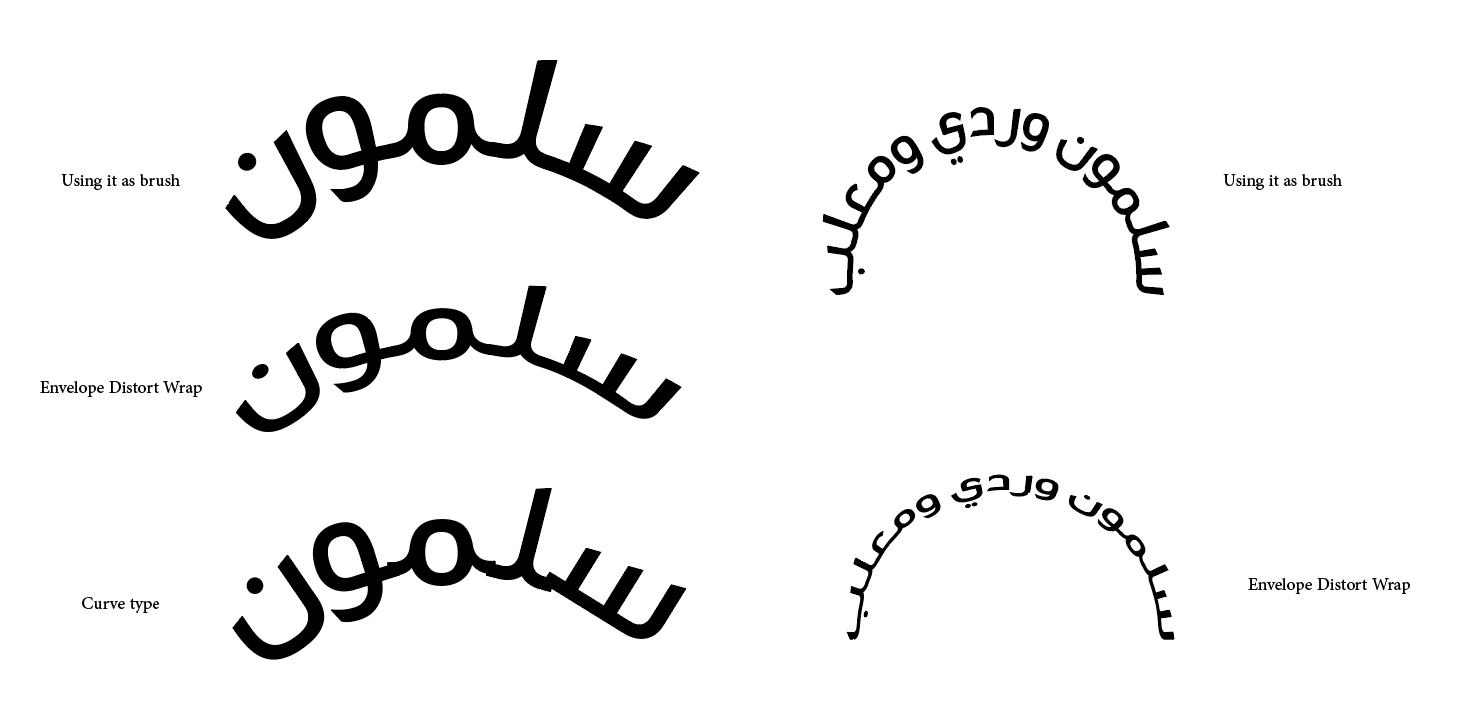
    Adding the outlined line to the brush set will do.

    6 replies

    New Participant
    October 5, 2025

    جمعية الجالية الليبية 

    Zaid Al Hilali
    Community Expert
    October 6, 2025

    مرحبا ريما

    Is this what you need?

    New Participant
    October 5, 2025

    جمعية الجالية الليبية 

    Associazione della Comunità Libica in Italia

    New Participant
    May 7, 2025

    المدرسة عزة السلام كيزره

    New Participant
    November 18, 2023

    طاكسي كبير


    Brainiac
    March 27, 2018

    Typefaces where characters are designed to connect smoothly together will always break if written along a curve. Font definition files simply don't have the data to explain how to re-shape each glyph when it's not in the "correct" position. You have two options:

    • Manually adjust the 'baseline shift' value of each character to bring them into alignment (for smaller text and shallow curves this is OK, but it will still leave a corner join if the angle between each character is large).
    • Create the text as a regular horizontal block, then use the Warp > Arc distortion. This will change the shape of the characters but will preserve the smooth connections between them.
    Hratch Derhagopian
    Inspiring
    March 27, 2018

    in Arabic if you adjust the baseline of each letter it will convert the character to an independent version.
    Warp is not an option as it will change the shape as you said.

    Brainiac
    March 27, 2018

    Then convert to outlines and fix everything manually.

    Jacob Bugge
    Community Expert
    March 27, 2018

    Hratch,

    Have you tried the Path Type Tool based upon a circle?

    Hratch Derhagopian
    Inspiring
    March 27, 2018

    Yes, I tried and it still breaks.
