


Participating Frequently
March 21, 2018
Question

How to use data set variables to create art boards for each data set, with a different data set assigned to each art board like InDesigns data merge feature.

  • March 21, 2018
  • 1 reply
  • 3499 views

Hi Guys,

How to use data set variables to create art boards for each data set, with different a data set assigned to each art board like Adobe InDesigns data merge feature.

Basically what I do is.

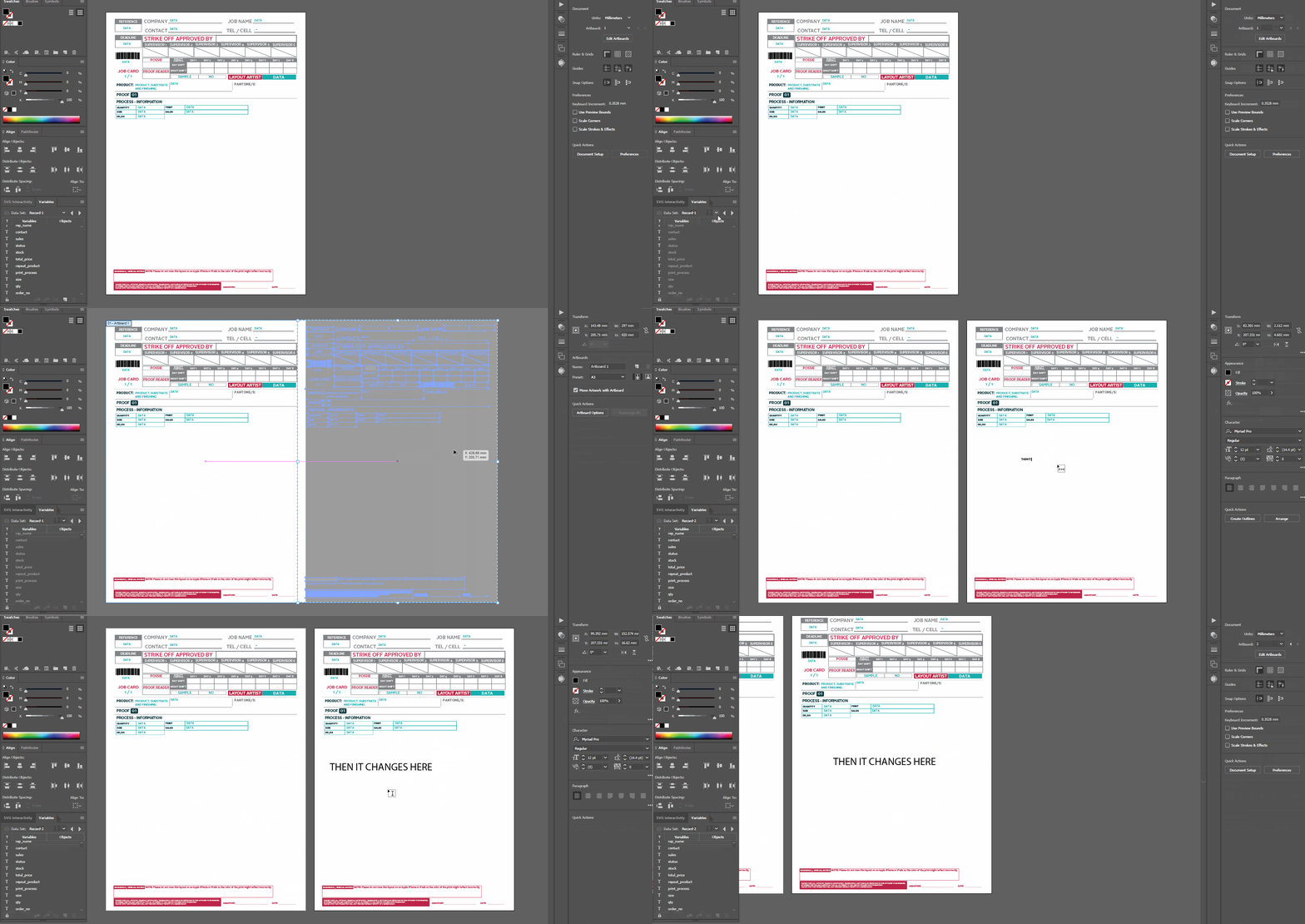
If i have 3 variables and one art board, I would then set that first board to data set record-1 make sure it is locked to that board. I would then drag the board (Which is copied with contents which would then change automatically once i switch the data set) to the right and then set it to data set record-2 and just repeat till 3.

In this short GIF i know the data is not setting and it is because I am just showing as an example. The topic is in regards to generating art boards according to the first art board which basically contains the template and then setting each variable data to it.
Thanks for any help!

1 reply

Silly-V
Brainiac
March 21, 2018

I think you have to change from asking the question on how to "move variables to artboards" into "how do I make an application to do a job packet/mech specs sheet".

Because now that you made your way to the scripting forum, you've already gone too far down the rabbit hole and actions/variables simply would be child's play at that point.

My advice is, create your ideal logic-flow, draw your own UI for it that you wish and then you may either take steps to do a script yourself or at least you'll have the tools to provide concise instructions for someone else to make the script for you. But doing variables and figuring how to do bits of such work 'manually' will only create more issues and leave your thirsting for more.

Silly-V
Brainiac
March 21, 2018

Cause what you say is totally possible with Actions, but it would be a huge headache. But it could be done with simply copying over all the art (Move + Copy command) and making a new artboard. The problem is 'simply' here is quite deceptive. When you do your batch action based on the dataset and it copies over all the art, it will copy all your text, but this behavior does not produce what you may expect: the copy does not have the variables bound to it. So what this means is, you will instead need to duplicate your art in place and then move your original art to the new spot. And of course to do all this really helps if your entire art is grouped into one single group because you've got to use notes to select your art, and then you have to take care to use several different note strings to see which the new/old art is, etc. With Actions they at least give us the power to select by and also set the attribute notes.

Loic.Aigon
Brainiac
March 27, 2018

Has anyone already pointed that InDesign would allow that in a blink ? cf. DataMerge.