New Participant
April 5, 2020
Answered

I need help (Illustrator) it drives me insane...

  • April 5, 2020
  • 2 replies
  • 878 views

Hi, my name is Johannes,

i´m just getting started with Illustrator.

I have created a drawing for my pen plotter, but I am not able to delete or cut the pathes i don´t want to draw. Since two days i´m sitting here and trying everything i have read in different Forums or youtube tutorials.

is ther someone who could help me?

The problem is:

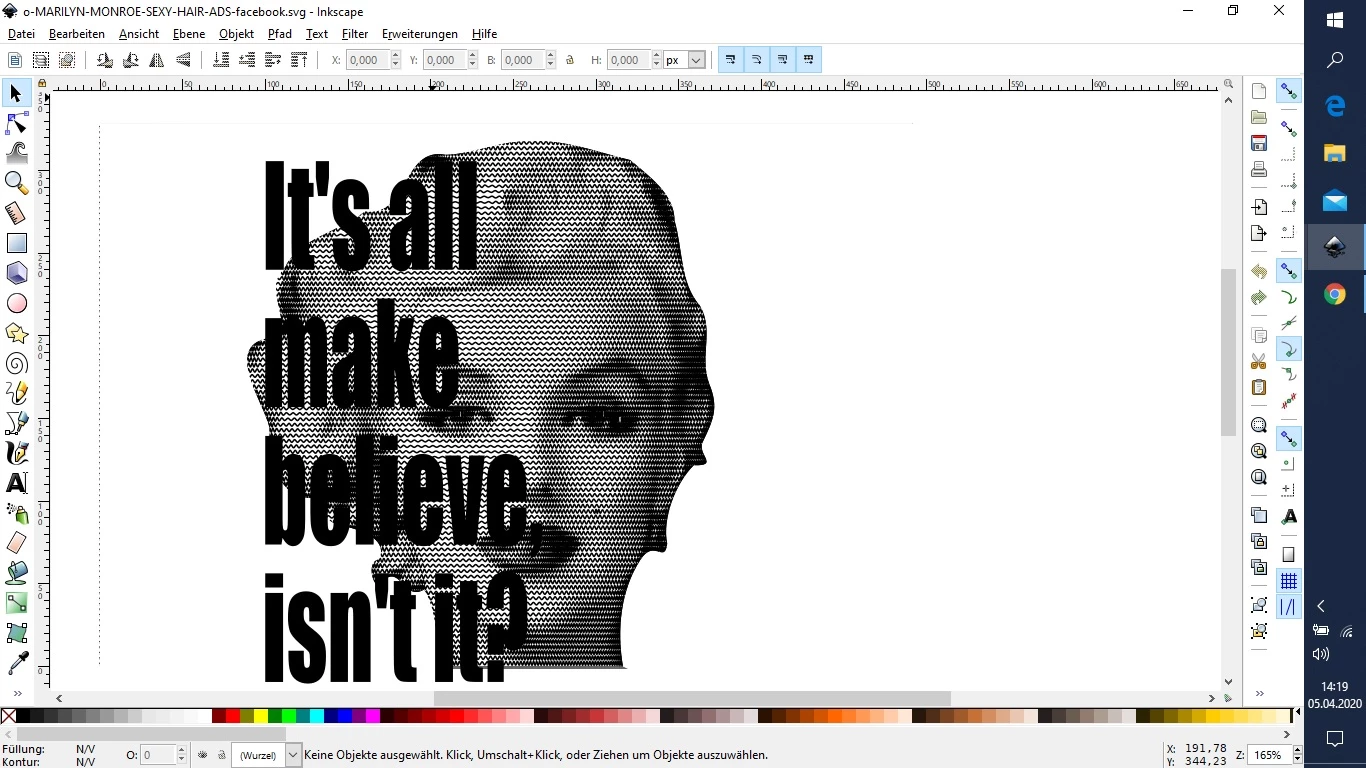
The waves which create the shades of the picture are under a white mask... but they will be all printed....

and in the next step i would like to get the letters white, which are in front of her face and the outside part of the letters with a single path around the letters....


i have uploaded the svg file to a filehoster ( or is here a way to upload svg?)  [url=https://filehorst.de/d/djmooDcc]Datei von filehorst.de laden[/url]


 and also a screenshot. (i have also tried to cut the pathes in inkscape) but without success
 

This topic has been closed for replies.
Correct answer Monika Gause

As for the waves:

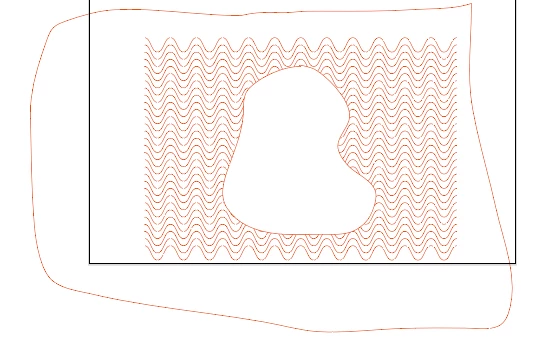
Release the clipping mask and make it like this as a compound path:


It doesn't need to be applied as a maks, just overlay the waves. And have a completely different color as a fill. WHich one doesn't matter, only different than everything else.

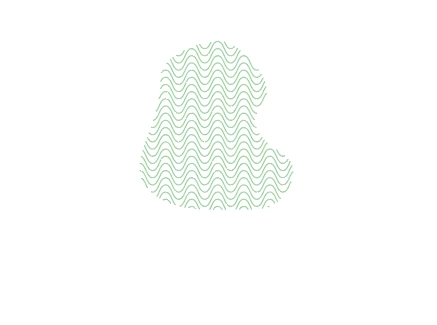
THen select the waves and the mask and in the pathfinder panel "Outline" (Kontur aufteilen)

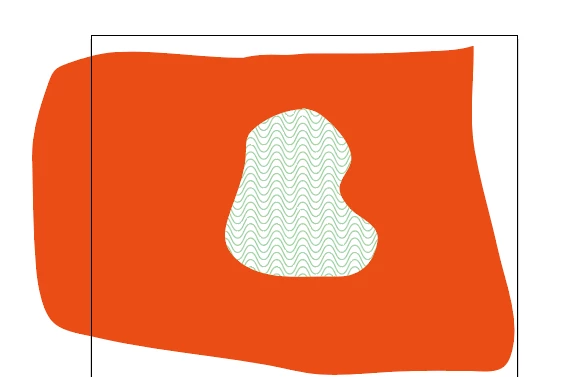
Which gives you this.


In Outline view you will see that the waves are not gone, they just don't have a stroke.

Then you select one of the lines you don't need with direct selection tool and Select > Same > Stroke color

Delete it.

Then select the remaining paths and color them as you like


As for the text. Select it and Type > Outline text (Schrift > In Pfade umwandeln)

Color it in whatever color you wish

2 replies

Monika Gause
Monika GauseCorrect answer
Community Expert
April 5, 2020

As for the waves:

Release the clipping mask and make it like this as a compound path:


It doesn't need to be applied as a maks, just overlay the waves. And have a completely different color as a fill. WHich one doesn't matter, only different than everything else.

THen select the waves and the mask and in the pathfinder panel "Outline" (Kontur aufteilen)

Which gives you this.


In Outline view you will see that the waves are not gone, they just don't have a stroke.

Then you select one of the lines you don't need with direct selection tool and Select > Same > Stroke color

Delete it.

Then select the remaining paths and color them as you like


As for the text. Select it and Type > Outline text (Schrift > In Pfade umwandeln)

Color it in whatever color you wish

johannes5Author
New Participant
April 5, 2020

Danke für die detailierte Antwort, sogar mit den deutschen Bezeichnugen. Ist mein Englisch so "deutsch"? 😉


werde es sofort ausprobieren.

Monika Gause
Community Expert
April 5, 2020

Es war der Screenshot. Und der Link zum Horst. Und natürlich der Name 🙂

johannes5Author
New Participant
April 5, 2020

i found the way to upload files direct to the forum