


Mario Arizmendi
Legend
April 25, 2022
Question

ILLUSTRATOR 2022 New 3D - How to apply a flat label correctly

  • April 25, 2022
  • 3 replies
  • 781 views

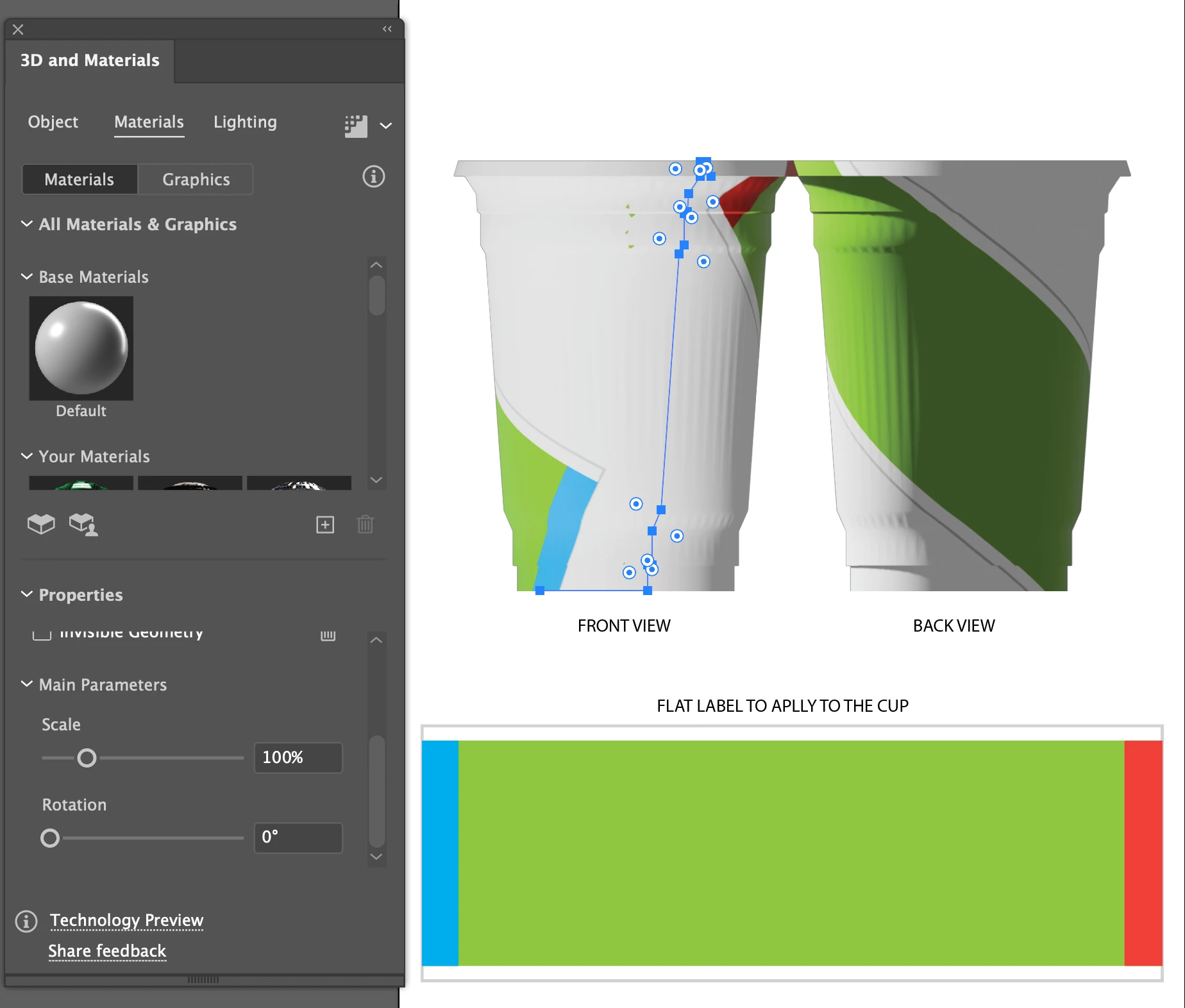
I created a simple cup and I want to apply a flat label to it, how ever I cant get it to apply rigth, it applies weird and wrong as you can see in the picture attached, why the label appears curved? I cant find any parameteer to fix it, what I am missing?


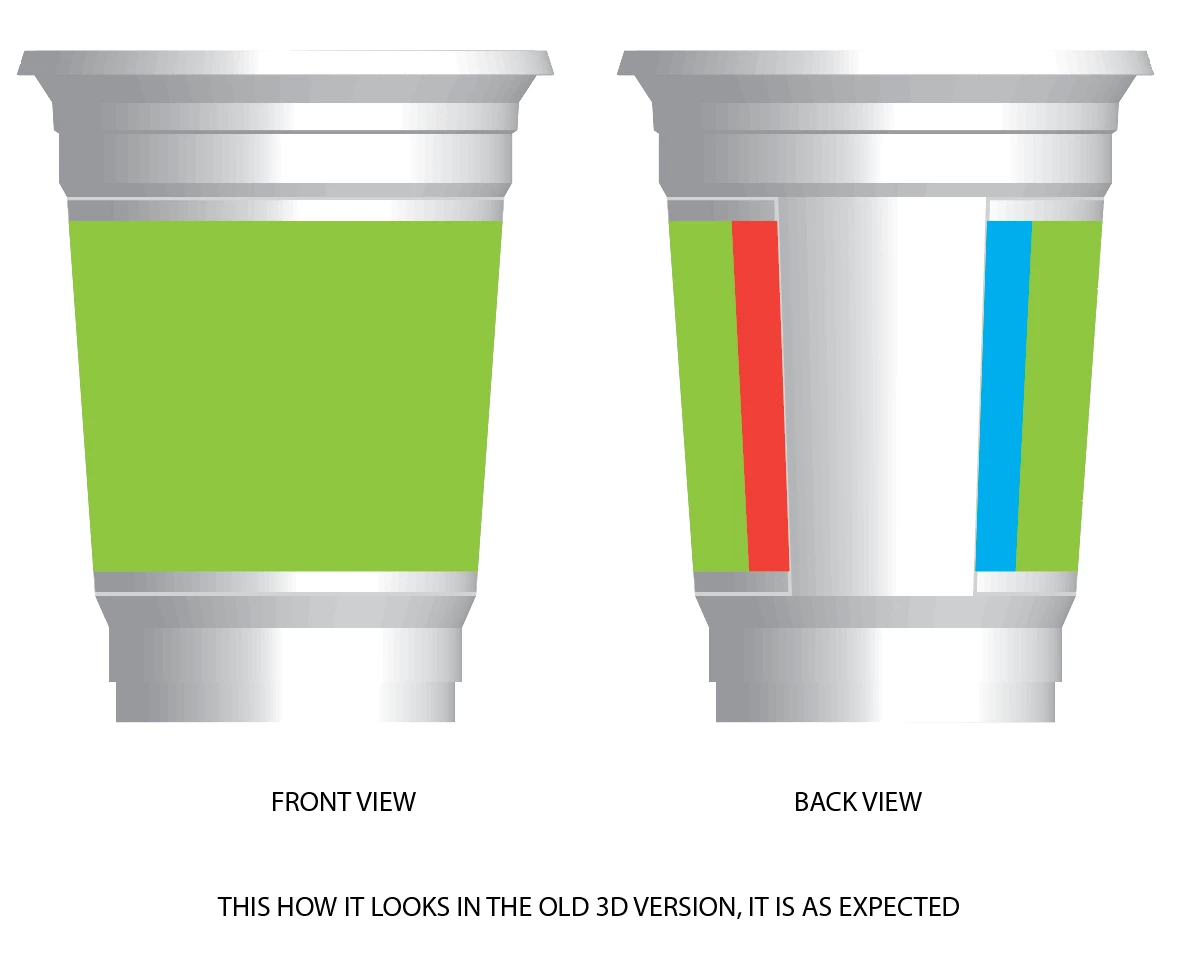
In the followin picture, is the way it looks on the old way of doing 3d revolve wich is the correct and expected way
 

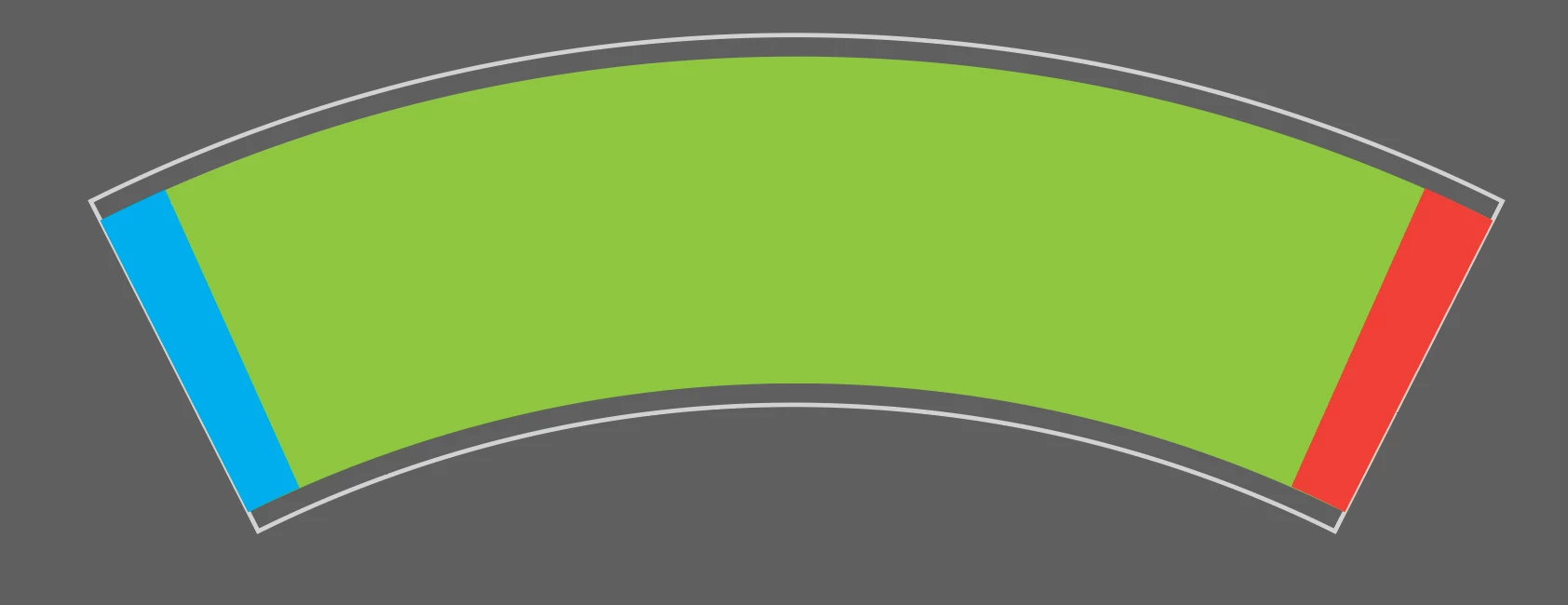
I have tried even with a pre curved Label as in real world but not work at all


This topic has been closed for replies.

3 replies

Adobe Employee
April 27, 2022

Hi Mario, Can you please share the Ai file?

Mario Arizmendi
Legend
April 27, 2022
Mike_Gondek10189183
Community Expert
Community Expert
April 25, 2022

If you are trying to rotate the label, click on the properties, then on the point on the circle.


Mario Arizmendi
Legend
April 25, 2022

Mike

Even playing with that button, the label still looks wrong...

Mike_Gondek10189183
Community Expert
Community Expert
April 27, 2022

The new version is fast, but you may want to use the classic version. I also use precise sizes, and find the new version is more visual, and prefer not to manually tweak.as usually am testing before going to final print.

Ton Frederiks
Community Expert
Community Expert
April 25, 2022

It is a technology preview.

Iwould use the share feedback option at the bottom of the panel.

Mario Arizmendi
Legend
April 25, 2022

Thanks Ton, I will do it

So you think it is a bug?

Ton Frederiks
Community Expert
Community Expert
April 25, 2022

Yes, it is certainly not what you would expect and there should be a way to correct it.