


Exit
  • Global community
    • Language:
      • Deutsch
      • English
      • Español
      • Français
      • Português
  • 日本語コミュニティ
  • 한국 커뮤니티
0

Illustrator 29.8.2 (64-bit) Crashing, again, auto-save completely worthless.

Explorer ,
Oct 23, 2025 Oct 23, 2025

Illustrator 29.8.2 (64-bit)

OS: Windows
Version: 11.0
Process Architecture: x86_64
Built-In Memory: 32482 MB


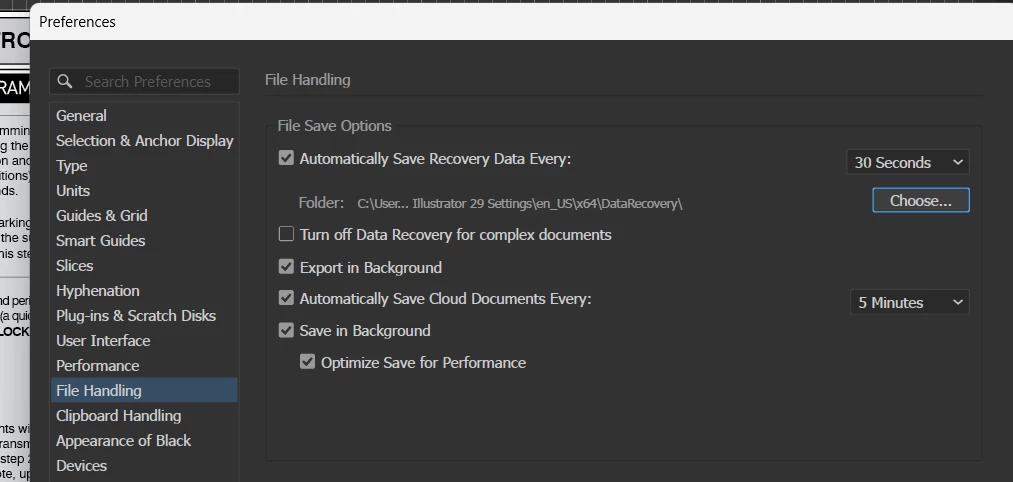
Illustrator has crashed twice in the last 12 hours.  Both times it crashed, the recovery file proved to be absolutely worthless, saving none of the work performed during each four-hour session, which hadn't been manually saved.  Automatic data recovery is set to 30-second intervals, but upon restarting the application after each crash, the recovered files contain none of the work performed since the last manual save.
 

Yoyodyne2112_3-1761254806298.png


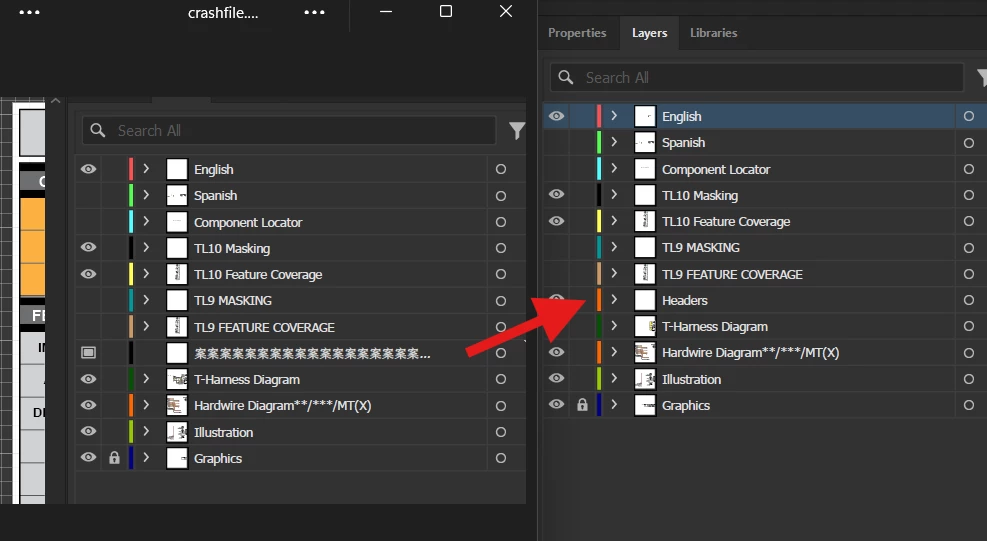
Upon examination of the file recovered after the second crash this morning, and receiving notification that the crash may have been related to an issue with my graphics hardware, I noticed that all of the data in the layer on which I was working when the application crashed had disappeared, and that the layer heading was replaced with a string of unknown characters, preceded by an icon not known to me (somewhat resembling a monitor).   The following screen capture shows the recovery file's layers panel, on the left, and another file using the same template, on the right, with the intended heading.  The layer in the recovery file does not appear to contain any data and cannot be selected, but the icon can be toggled on and off.
 

Yoyodyne2112_2-1761253967739.png


The application indicated that it was disabling GPU Performance without any details as to why.  I'd like to believe that the application is capable of deciding what's best for it to perform properly, but with the way it's been crashing, I'm going to assume that it's drunk and needs to go home and sleep it off.

Anyway, a little help would be much appreciated.  This is beyond frustrating, and there's no way to recover the lost time... not to mention the lost money.


Regards,

Mike


TOPICS
Bug , Performance , Sync and storage
198
Translate
Report
Community guidelines
Be kind and respectful, give credit to the original source of content, and search for duplicates before posting. Learn more
community guidelines
Adobe
New Here ,
Oct 27, 2025 Oct 27, 2025

Another Mike here! lol.  The same thing is happening to me. Mine has went down every day 3 times a day since it was updated. I nevre come to this page, but this is beyond ridiculous.  I have some very big clients and this is really costing me a lot of time to keep doing the projects over and over.

Translate
Report
Community guidelines
Be kind and respectful, give credit to the original source of content, and search for duplicates before posting. Learn more
community guidelines
Adobe Employee ,
Nov 11, 2025 Nov 11, 2025

Hi @Yoyodyne2112,


Thanks for sharing the details and screenshots. I wanted to let you know that I was able to locate the crash report you submitted, and I can confirm that a bug has been logged for this issue. The product team is aware of the problem and is currently working on a fix.

I'll share an update here once there’s more information or when the fix becomes available.


Appreciate your patience while the team works to resolve this.

Abhishek

Translate
Report
Community guidelines
Be kind and respectful, give credit to the original source of content, and search for duplicates before posting. Learn more
community guidelines
Explorer ,
Nov 11, 2025 Nov 11, 2025
LATEST

Thank you, Abhishek. 

This is not directed at you, so please accept my apologies if you feel that I am misdirecting my frustration, but on the possibility that your supervisors aren't fully understanding the impact of the issues I have been reporting, please inform them that every time I have had to redo hours of work because of an application failure, I have also taken the time to locate comparable software that can serve as a replacement for Photoshop, Acrobat, and Illustrator, the most frequently used Adobe applications to which I subscribe.  


The good news... I have located replacements.


The bad news... I have to spend time relearning the processes I am used to and the control features of the new software to make my work as smooth as it has been in the past 20 years of Adobe software use.


My yearly subscription with Adobe will expire in May of 2026, so there are a few months to change my mind and scrap the whole idea of learning new software. We'll see.

Translate
Report
Community guidelines
Be kind and respectful, give credit to the original source of content, and search for duplicates before posting. Learn more
community guidelines