



Illustrator CC 2019 Document window size on open
Looking into this again. I cannot possibly be the only one on the planet experiencing this.
Anyone have any issues with their document window opening in a narrow strip? Always narrow width full height.
Every document. Every time.
Multiple documents stack inside this narrow window.
Documents set to open in tabs.
Same regardless if Illustrator is opened first or opens with document.
Documents on external drives and local machine.
Like so:
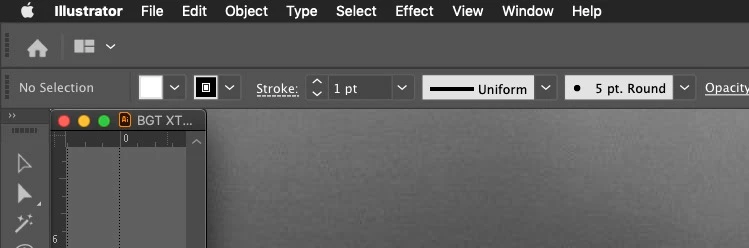
2016 MacBook Pro 15-inch 16 GB RAM
Mid-2015 MacBook Pro Retina 15-inch 16 GB RAM
MacOS Mojave (current)
Mac Illustrator CC 2019 (current)
Application Frame turned off. (with frame turned on things work differently... fine)
Both built in display and 32-inch 4k.
Only started this when I upgraded to 2019.
Clicking here expands the window too it's original, correct size.
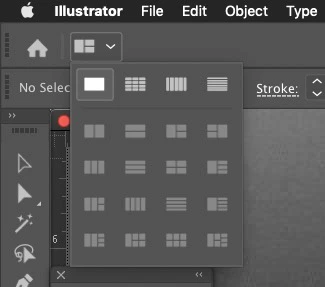
Reset preferences.
Uninstalled Illustrator and files. Caches, etc.
Reset workspaces. Changed Workspaces.
Happens on both of my machines. I do not run any third-party plugins or extensions, so all is basically stock across machines.
Any ideas?
 AdChoices