


Illustrator CC2017/2018 JPG Import problem
Ok, I've seen this problem surface for people many times in the past, but it never seems to get answered correctly, because I think people are misinterpreting the problem. so I am going to re-attempt the question: (PS, I know ALL about screen resolution vs. print resolution...ppi vs. dpi, pixels vs. picas, so that is not the issue here!)
Ok, that said...here we go:
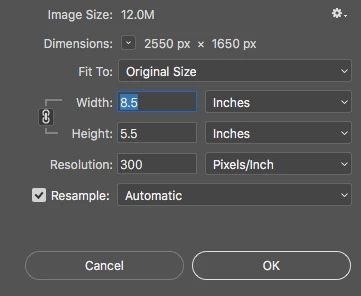
I make two identical files in Photoshop. Call them file.PSD and file.JPG. Both files are 2550px X 1650px. Saved out at 300ppi, so that when printed, will make an 8.5 in by 5.5 in physical print. (both are 300ppi in photoshop's image size dialogue as shown here:
Now, here is the problem:
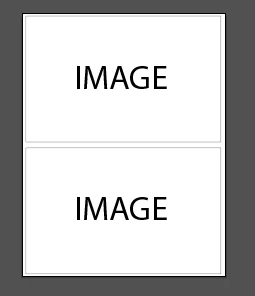
I create a new 8.5 x 11 document in illustrator, with the intent of placing two instances of the image file, so that I can print 2-up copies (two per page as shown:
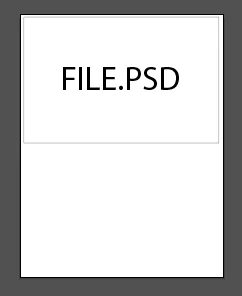
When I place the file.PSD, it imports just fine, fitting the top half of the page and looking as it should. 300 ppi, all of that.
BUT
when I place the file.JPG, it places at screen resolution, therefore being MUCH larger than the artboard, causing me to have to manually scale it down to fit in the layout. In other words, it comes in at 35.4167 in x 22.9167in @ 72 ppi, so I manually have to type 8.5 x 5.5 in the size fields of the top bar.
It didn't used to be this way. I used to be able to place native PSDs, and JPGs, and they would act the same way when coming in.
So the question is WHY? What changed? What setting can I check to fix it?
 AdChoices