


New Participant
October 13, 2023
Question

Illustrator Crash on opening missing plugin issues detected & an unknown error occurred

  • October 13, 2023
  • 9 replies
  • 15176 views

Hi,


Updated from version 27.9 to version 28 with the following issue.

Crash
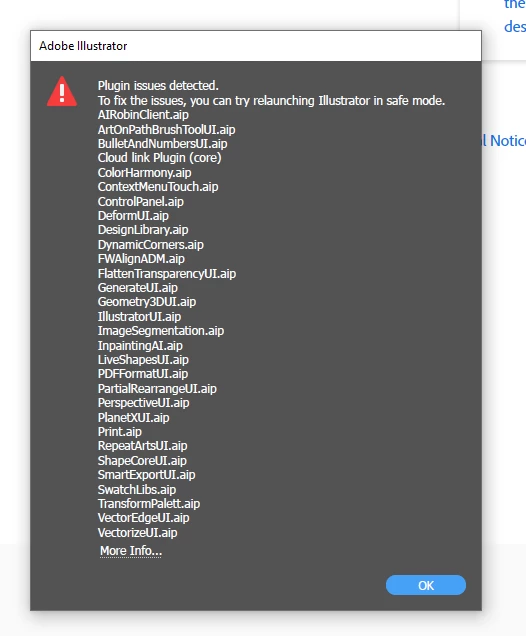
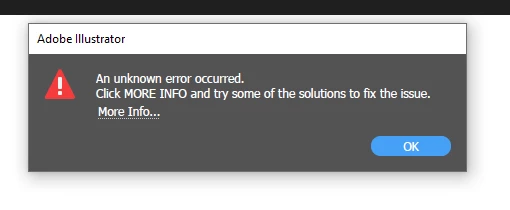
Here are the two errors recieved when loading up Illustrator.


Previous versions of Illustrator work fine.


This error persists across 2 differnt PC's with identical errors.


We have tried everything in this post

https://helpx.adobe.com/illustrator/kb/plugin-missing-issue.html?trackingid=TG8SLGS2&mv=in-product&mv2=ai


Can anyone help with this?


Thanks!

LBL

9 replies

Community Manager
June 23, 2025

Hello everyone,

I understand how frustrating this can be. Could you try the suggestions shared in this help article (https://helpx.adobe.com/illustrator/kb/plugin-missing-issue.html) to see if they help?

If the problem persists, could you please share the following details:

1. Windows System Information (msinfo) file: https://adobe.ly/4g4CbB0.

2. Screenshot of Windows Version and Build Number:

• Press Win + R, type winver, and hit Enter.

• Share the version and build number displayed in the dialog box.

3. Check if Windows Media Player Legacy is installed on your device from the Control Panel> Turn Windows features on or off.

These details will provide clarity and help determine if there’s a configuration issue contributing to the problem. Let us know once you’ve checked or if you need assistance with any of the steps.


Anubhav

New Participant
March 6, 2024

¿Alguién más tiene éste problema?


No puedo abrir el programa. Me aparece una ventana indicando que hay ese error. Hago click en "más información" y se abre una página en donde me dice "Resolver problemas de complementos no disponibles". Ya intenté todo y sigo sin poder usar el programa.

kglad
Community Expert
March 6, 2024

in the future, to find the best place to post your message, use the list here, https://community.adobe.com/

p.s. i don't think the adobe website, and forums in particular, are easy to navigate, so don't spend a lot of time searching that forum list. do your best and we'll move the post (like this one has already been moved) if it helps you get responses.


<"moved from using the community bugs">
Zanne deJanvier
New Participant
February 27, 2024

Updated Mac OS to Ventura 13.6.4 and now Illustrator opens in Safe Mode and has disabled ImageDecoderEncoderUI.aip plug-in, with message that ImageDecoderEncoderUI.aip plug-in must be unpdated or uninstalled. Tried resetting preferences. Tried uninstalling and reinstalling Adobe Illustrator and restarting the Mac. Same error message. Don't know how to update the plug-in.

Community Manager
February 28, 2024

Hello @Zanne deJanvier,

We understand that encountering technical issues can be frustrating. Would you mind trying the suggestions shared in this help article (https://adobe.ly/3UXkKMa) and letting us know if it helps?

Looking forward to hearing from you.


Thanks,

Anubhav

Zanne deJanvier
New Participant
March 13, 2024

Thank you! This resolved the issue:

Re-create preferences

Delete your existing preferences file.

Launch Illustrator. A new preferences file is automatically created when you launch Illustrator. 

Before you delete preferences, you must save a copy of the preferences.

macOS:

  • ~/Library/Preferences/Adobe Illustrator <version> Settings
  • ~/Library/Application Support/Adobe/Adobe Illustrator version number


New Participant
November 20, 2023

v28.1 Beta has fixed MOST of the errors. It still shows one plugin issue, but the program seems to run fine. It's a bug and they are working on it.


New Participant
August 9, 2024

a year later and it still does it. 

nunob31682857
Participating Frequently
August 12, 2024

I can't update since v28.2

New Participant
November 7, 2023

Exact same issue here. This is a new PC build on Win11 and Illustrator 27 works fine, 28 does this! The user is working with Adobe support and they currently have NO IDEA why this is happening.

We have it installed on 3 other PCs and it works fine. The only difference is the problem PC has newer hardware.


nunob31682857
Participating Frequently
November 7, 2023

My PC is a new hardware to

New Participant
October 19, 2023

Hi. 


Illustrator 2024 (version 28.0) keeps crashing everytime we try to open it. Error: "Plugin issues detected". 

If I install an previous version like 27.5 it works just fine. 


We have tried to reinstall it without any luck. Also tried to run diagnostic, but even then it crashes with error: "An uknown error occurred. Click MORE INFO and try some of the solutions to fix the issue". With a random .aip file every time.


There is no compatibly issues as far as I can tell. 


I think we have tried almost everything that I could find online. Is their any solutions to this?

Thanks!

Ged_Traynor
Community Expert
October 19, 2023

@info330291276nyw this is the Photoshop forum, try the Illustrator forum

Anshul_Saini
Community Manager
Community Manager
October 16, 2023

Hi @LBL3 @nunob31682857,


I'm sorry to hear you're facing a missing plugin & an unknown error occurred issues after updating Illustrator. Let's try some troubleshooting steps:

  • Update Creative Cloud App: Go to Help >> Check for updates in the Creative Cloud app. After updating, check if the issue is resolved.
  • Reinstall Creative Cloud: If updating the Creative Cloud app doesn't help, try uninstalling and reinstalling it. Sometimes, this can resolve such issues.
  • Check for 3rd Party Plugins: Ensure there are no third-party plugins installed on your machine. Sometimes, these plugins can conflict with Illustrator. Remove them and try launching Illustrator.


Please let me know if any of these steps resolve the problem. If the issue persists, feel free to provide more details for further assistance like OS version, System specs, and if there are any recent changes to your machine.


Best,

Anshul Saini

nunob31682857
Participating Frequently
October 17, 2023

Hi,

I've already done everything you suggest, I've uninstalled all the Adobe applications, I've run AdobeCreativeCloudCleanerTool, I've only reinstalled Creative Cloud Desktop and Illustrator and the problem continues. Please help

nunob31682857
Participating Frequently
October 16, 2023

I have the same problem

nunob31682857
Participating Frequently
October 13, 2023

After installing the latest version, this error appears.
I already uninstalled and reinstalled and the error disappeared. How can I resolve this issue?

Monika Gause
Community Expert
October 13, 2023

Looks like an error when installing. You could uninstall, run the Adobe Cleaner tool and reinstall. https://helpx.adobe.com/creative-cloud/kb/cc-cleaner-tool-installation-problems.html