


Inspiring
February 2, 2023
Answered

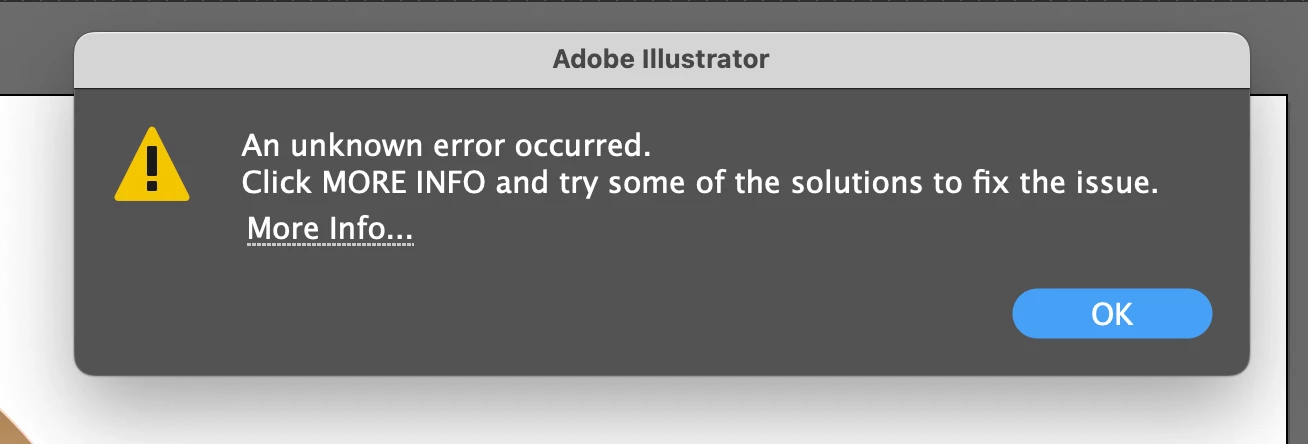
Illustrator error "An Unkown error occurred. Click More info...." using wacom Cintiq 16

  • February 2, 2023
  • 3 replies
  • 2001 views

I am having problems with the latest version of Illustrator. I keep getting an error message, which makes no sense... the probram isn't actually crashing, but I have to dismiss this message dozens of times. I'm using a Cintiq 16 for my work, but my driver is up to date. 

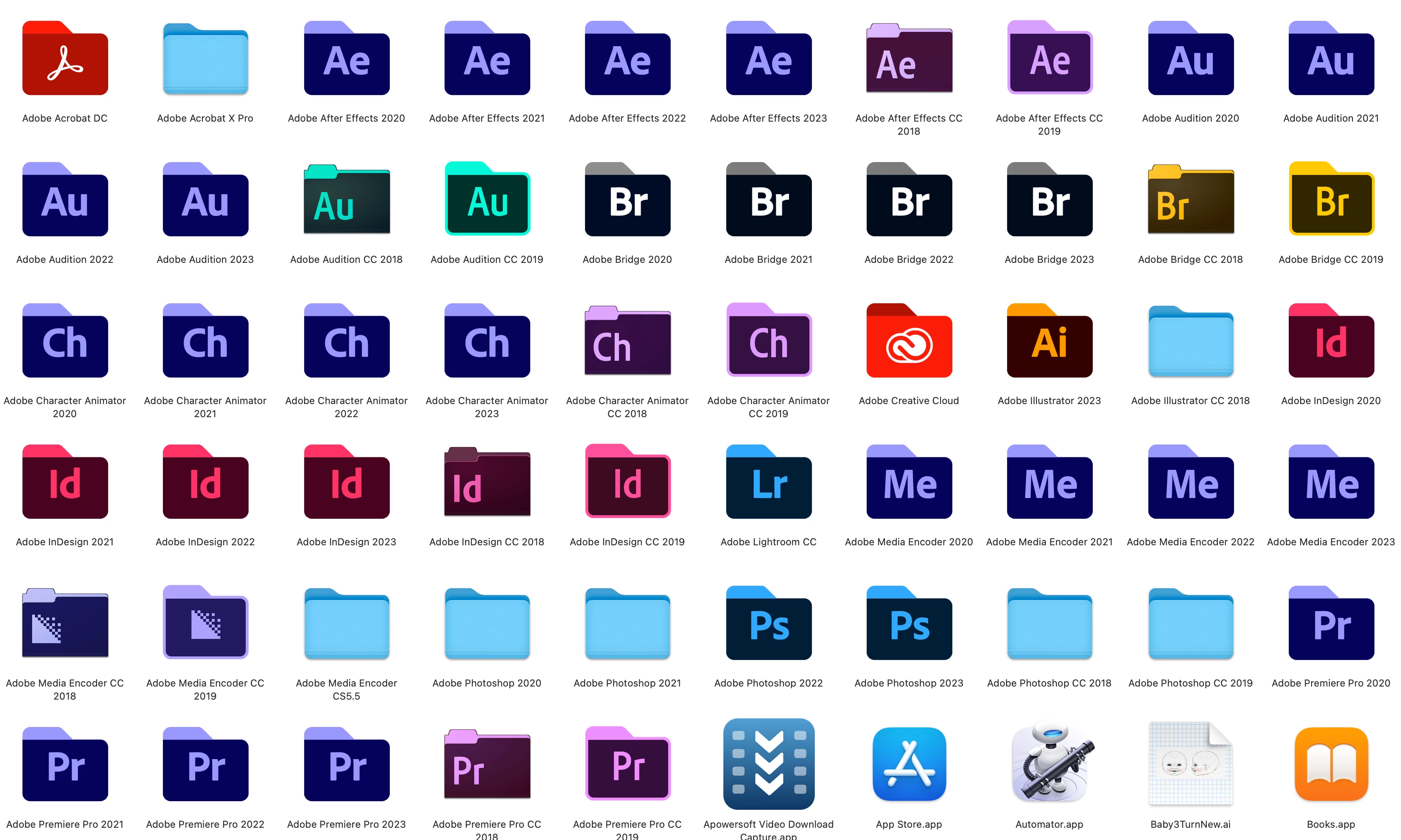
I'm also curious as to why Illustrator only shows the latest version in my apps folder (I'm using a Mac), while my other Adobe programs show some previous versions. I often use an earlier version of Photoshop for example, if I'm experiencing a glitch. Any ideas?


{Renamed by MOD}

This topic has been closed for replies.
Correct answer Mystic_nature15A9

Thanks for trying, @Mystic_nature15A9. Would you mind sharing the document with us? We'll check on our end and share our observations with you.


Looking forward to the file.


-Anshul


Someone suggested I downgrade the driver, I found there was no way to do that, but in the time that I first encountered the problem, there was an upgrade to the Wacom driver. I updated it and I have had no more problems. This was 2 days ago, so I'm hopeful.


3 replies

Anshul_Saini
Community Manager
Community Manager
February 2, 2023

Hi @Mystic_nature15A9,


I'm sorry to hear about the trouble you've been experiencing with Illustrator!
Would you mind rolling back the Wacom driver to a previous v6.3.46-2 and seeing if that helps?
If it doesn't, would you mind manually uninstalling and reinstalling the Wacom drivers, as suggested in the Wacom help article (https://support.wacom.com/hc/en-us/articles/1500006264541-How-do-I-uninstall-manually-and-re-install...)? 


Also, as Kevin pointed out, if you have checked "remove previous versions" in the Creative Cloud or selected this option while manually updating the app, then it will remove all the older version & their respective folders from the Applications folder in Finder.


Please let us know if rolling back the Wacom driver helps or not.

Thanks,

Anshul Saini

Inspiring
February 3, 2023

I haven't done that yet, but it happens even when I'm not using the Wacom. However, yesterday I turned off everything, including the internet, (except Illustrator of course) and I stopped getting the error. 

Monika Gause
Community Expert
Community Expert
February 3, 2023

The Wacom driver has been reported by several people and also that downgrading it helped them. You don't need to use something for its driver to be interfering.

Met1
Legend
February 2, 2023

What does the More Info say?

Inspiring
February 3, 2023

Very generic... how to keep Illustrator from crashing. But it isn't crashing at all. I just get the error message and can't move forward until I dismiss it. 

Kevin Stohlmeyer
Community Expert
Community Expert
February 2, 2023

When you updated your Illustrator did you have the "remove previous versions" checked?
Also Im all for keeping an older version, but having so many versions can cause issues too with resource conflicts.

Have you tried resetting your Illustrator preferences (found under Preferences/General)?

Kevin Stohlmeyer
Community Expert
Community Expert
February 2, 2023

Also how much free HD space do you have if you truly do have all thse versions loaded on your HD?