


catherinen81788848
New Participant
November 11, 2022
Question

Illustrator: Font issue

  • November 11, 2022
  • 2 replies
  • 809 views

Hi,

Illistrator will only install one weight from a font family. 

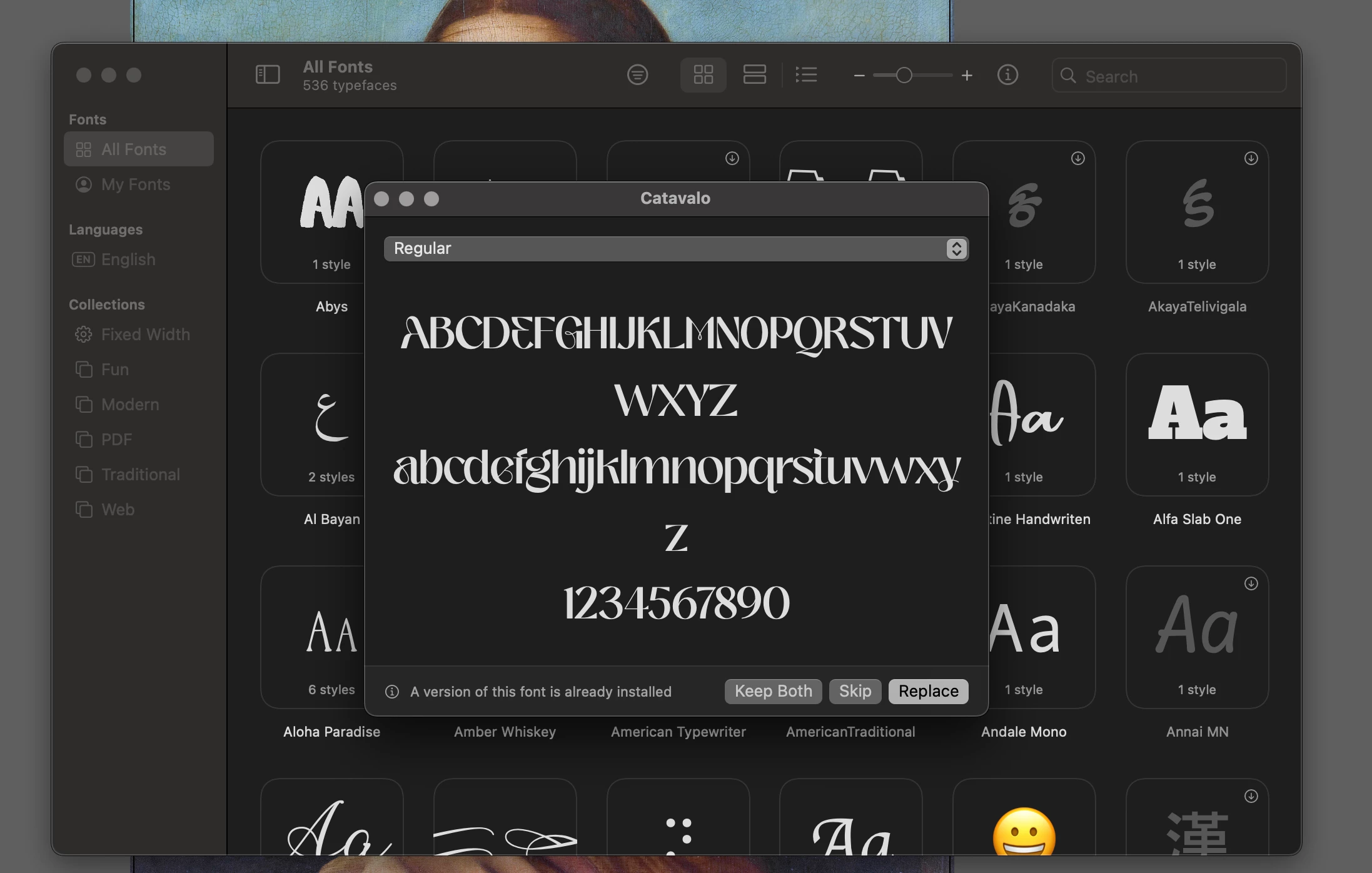
I'm using various weights for a project and when I intall a second weight, i.e Bold for instance, I get the below message. When I click keep both, It replaces the current font (weight) with the new weight. I've have this issue numerous times with diffent fonts lately.  Can anyone advise please It's a complete nuisance.
This topic has been closed for replies.

2 replies

Brad @ Roaring Mouse
Adobe Expert
November 11, 2022

Your screen grab shows Font Book, so if you are having issues with installing fonts there, that's a System issue, not Illustrator's.


Where did you get your fonts from? The Calavato I found has six distinct styles with 6 separate font files (OTF), so the "Bold" is a separate file. in any case, your screen grab shows you trying to install Regular, not Bold.

Monika Gause
Adobe Expert
November 11, 2022

Which version, which system?

How do you install fonts?


Does this happen with all fonts or just some? Which ones?

catherinen81788848
New Participant
November 11, 2022

Hi Monika.

Illustrator 2023

IMAC -2019

Current operating system - Ventura 13.01

And I've just tested another font just there which i'd downloaded today and the same thing is happening with that one too, pretty certain now i come to think on it all of them recently. 

Steve Werner
Adobe Expert
November 11, 2022

It's essential to tell us which font(s) cause the problem, and where they are installed. It sound like you're being told by the message that you have duplication in some of your fonts.