


Participant
January 4, 2021
Answered

Illustrator grid not aligned in default

  • January 4, 2021
  • 3 replies
  • 891 views

When opening new document and showing grid the grid is 1degree off, not aligned so everything else is the same when creating the document. Anyone had this problem? I have 2021 version. Grid not straight basically. 
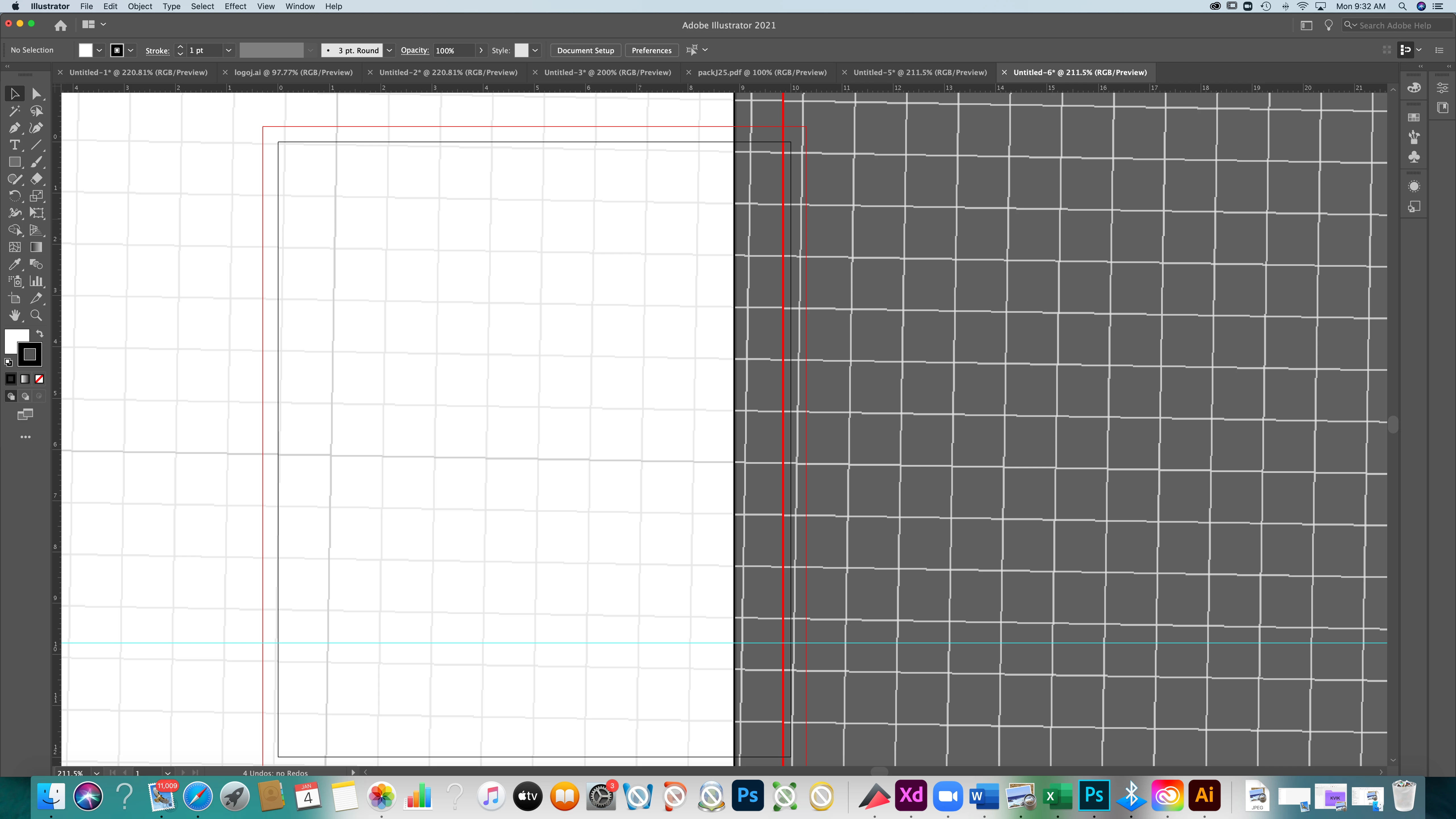


[ attachment inserted as inline image by moderator ]

This topic has been closed for replies.
Correct answer tromboniator

Go to Preferences > General and check the Constrain Angle field. Set it to 0° if it has any other value showing.


Peter

3 replies

tromboniator
Community Expert
Community Expert
January 4, 2021

Thanks from Alaska for the hug! You're welcome.

Participant
January 4, 2021

Peter I would hug you now..:) Thank you from Dubai.

tromboniator
Community Expert
tromboniatorCommunity ExpertCorrect answer
Community Expert
January 4, 2021

Go to Preferences > General and check the Constrain Angle field. Set it to 0° if it has any other value showing.


Peter