

Answered
Illustrator No Apply to All button when finding a linked file
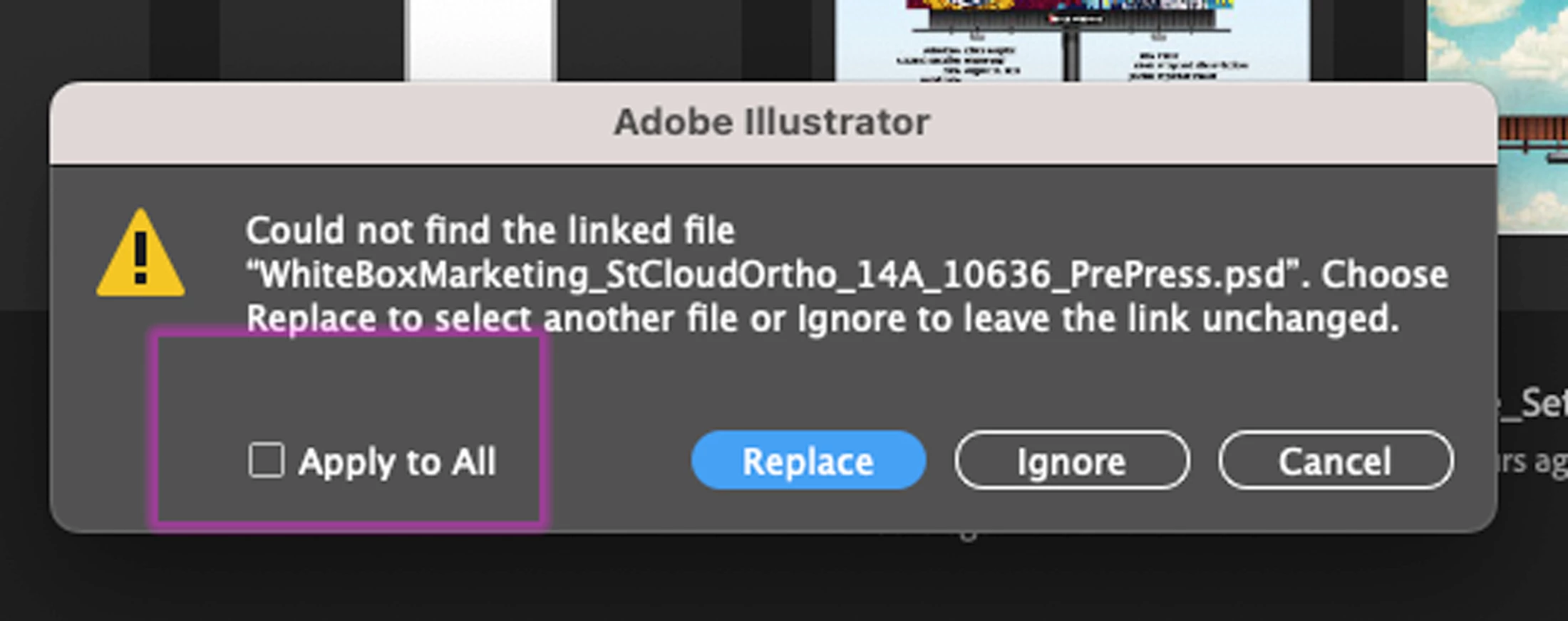

Lost the Apply to All button. Tried resetting preferences, uninstalling and reinstalling

Lost the Apply to All button. Tried resetting preferences, uninstalling and reinstalling
I have already tried that option based on a suggestion from another user. It does not work. If I have 20 copies of the exact same file laid out on a single page, then I have to click replace and choose the file 20 separate times. This needs to be fixed.
You may want to vote here:
Already have an account? Login
Enter your E-mail address. We'll send you an e-mail with instructions to reset your password.
 AdChoices