


Answered
Illustrator Type on Path PATH SELECTION TOOL is missing
I go between Photoshop and Illustrator and I cannot believe how much more efficient Photoshop is in comparison - for example, finding the tools you need. In Photoshop, the PATH SELECTION TOOL is right there in the tool box where you need it. In Illustrator, IT DOES NOT EXIST AT ALL. So how do you manipulate text on a path in Illustrator? Please see my screen shot. 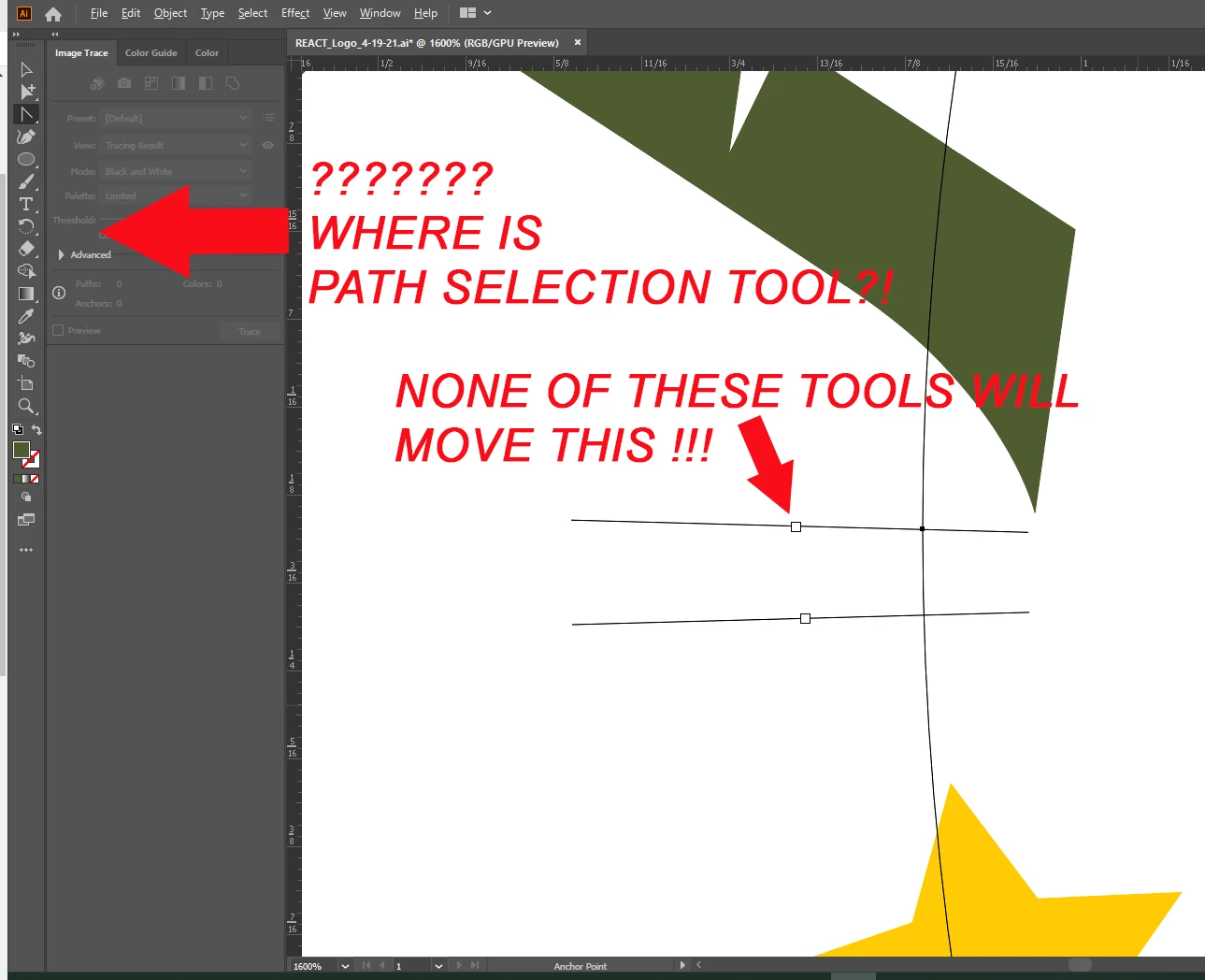
 AdChoices