



Image Trace for complex drawing- losing details!
Hi everyone!
I have been working countless hours trying to figure this out:
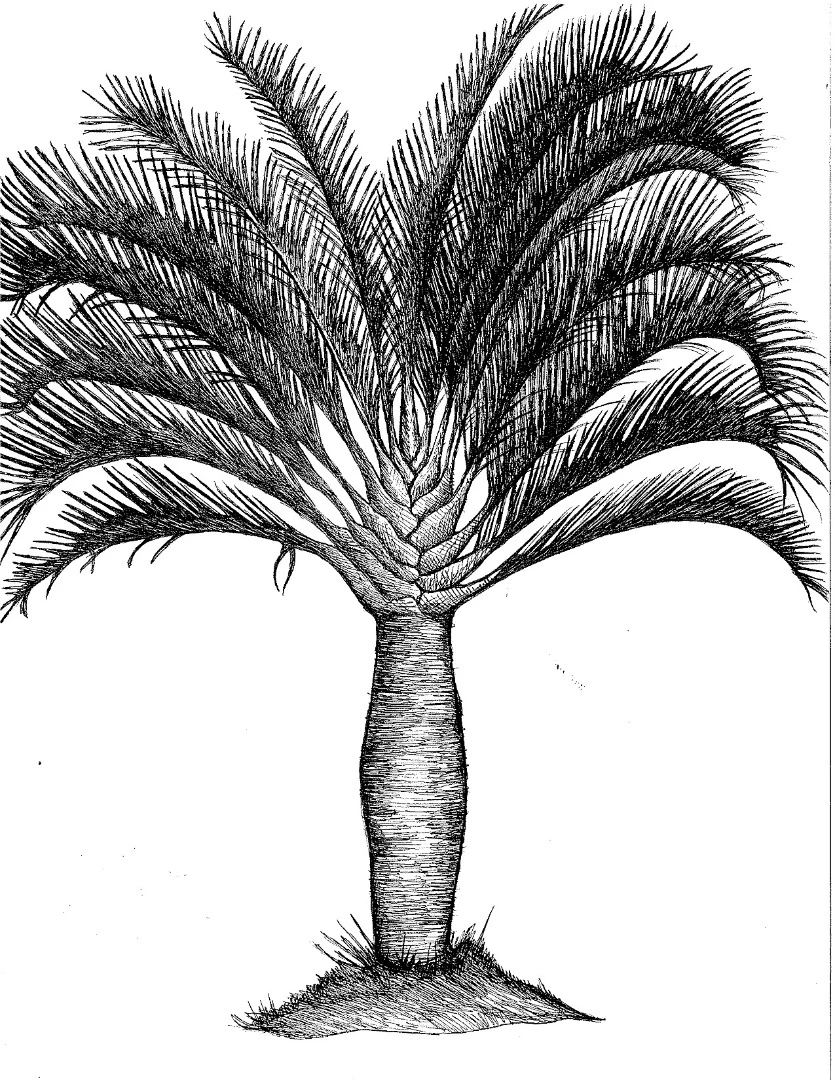
I need to vectorize this palm tree without losing too much detail. When I use image trace and I select "Ignore white" it turns a much darker, more solid black. I have also played around with all of the settings in the image trace panel but nothing seems to work.
I also tried to not use "ignore white" and just delete all the white spaces manually, but when I do that I lose the white lines, which seem to be layered on top of black, creating just a solid black mass.
I can get it to an image that is OK for a large size but when I scale it down it loses a ton of detail.
So my questions are: 1. How to vectorize this drawing without losing too much detail and delete the white spaces. 2. Is there a way to scale it down and not lose detail?
Thanks a lot!
 AdChoices