


New Participant
August 29, 2020
Answered

Image Trace settings needed to trace a QR code (.png) to vector ...

  • August 29, 2020
  • 2 replies
  • 7796 views

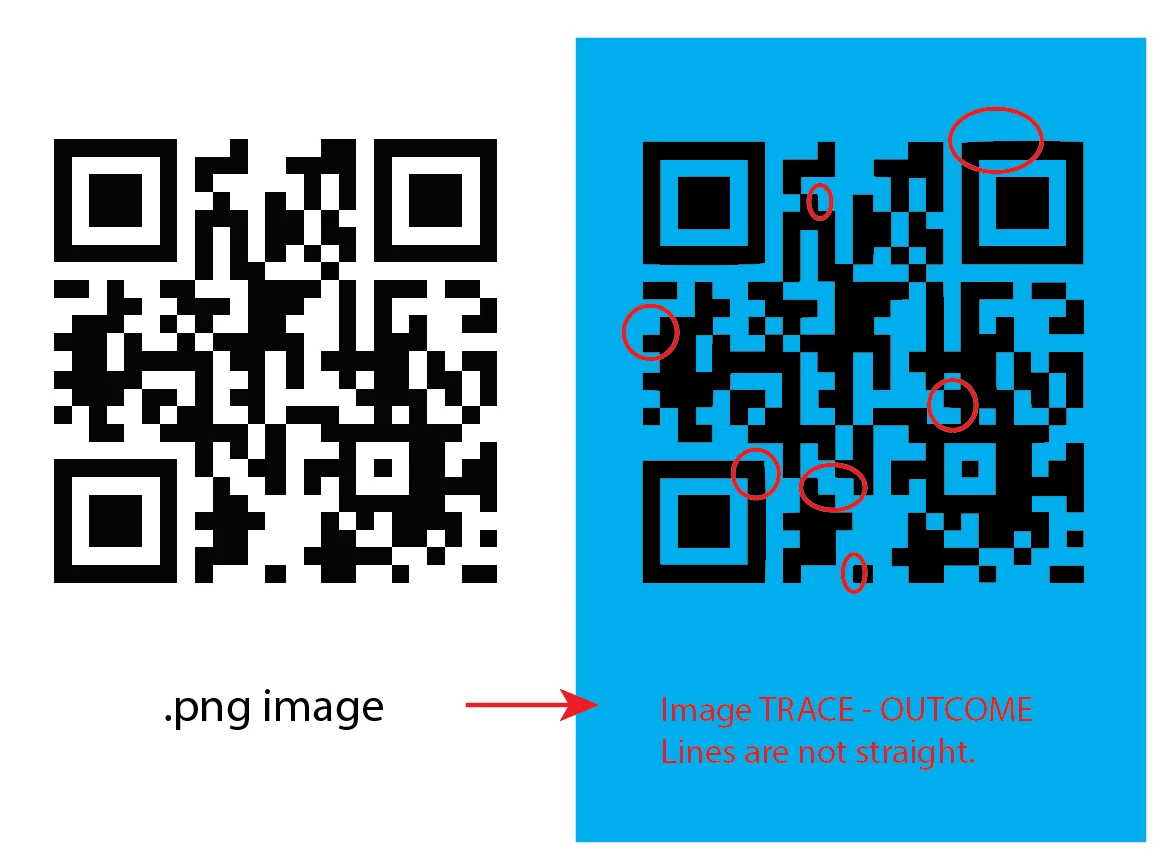
Would like to know how to use the Image Trace effectively in Illustrator 2020 version. I used to be able to do it effortlessly in Illustrator CS6. How do I image trace all straight lines, all right angles? Please help! Thanks!
 

Correct answer Monika Gause

Definitely use InDesign.


If it is not possible for any reason to re-create the code, use Object > Create Object Mosaic to vectorize it. You need to count the squares before launching it. It only works with embedded images.

2 replies

carlosgarro
Community Expert
August 29, 2020

Hi.

My advice is: use InDesign to generate a new QR code, copy and paste it into Illustrator.

Please check this quick video: QR from InDesign to Illustrator

Best Regards

Monika Gause
Monika GauseCorrect answer
Community Expert
August 29, 2020

Definitely use InDesign.


If it is not possible for any reason to re-create the code, use Object > Create Object Mosaic to vectorize it. You need to count the squares before launching it. It only works with embedded images.

New Participant
January 21, 2022

Monika, you are definitely genious!

Anna Lander
Inspiring
August 29, 2020

try to use Black and White Logo mode and set the Path and Corners accuracy as 100%


JadeightAuthor
New Participant
August 29, 2020
Yes, I did. But unable to get the precision 😞