Participant
May 13, 2021
Question

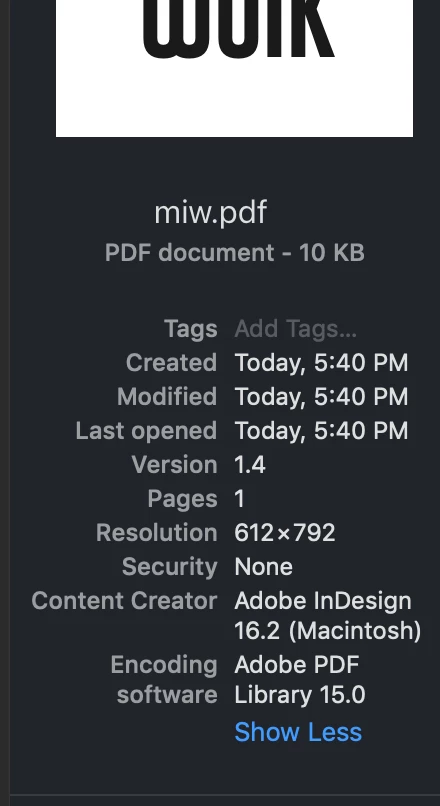
InDesign and Illustrator Exporting PDFs as Illustrator Files but still with the .pdf sufix

  • May 13, 2021
  • 3 replies
  • 552 views

Using OS Mojave, 10.14.6

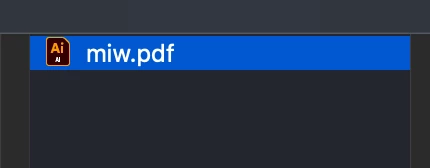
When I try to open a pdf that I've just exported using illustrator or indesign, instead of opening the document in preview, it starts up Illustrator and opens it there as an Illustrator pdf. My documents are saved as a pdf, but only opens as an Illustrator file. 


I do have Preview as my default option, the files are saved as .pdf but even the icon is like it is an illustrator file.


I've deleated and relinstalled both, illustrator + indesign. When I deleated Illustrator, my .pdfs exported from indesign did showed as pdf, but when I reinstalled illustrator the problem was back. 


This topic has been closed for replies.

3 replies

Met1
Legend
May 14, 2021

Open from Preview rather than in the finder.

Legend
May 13, 2021

This strange effect: macOS ignoring the default app and running some other one, is much reported for all sorts of apps. Nobody seems to know the cause. We can be sure it's nothing Illustrator does. All any app can do is say what file type it's able to open, and leave the decisions up to macOS.

Participant
May 13, 2021

So... there's no solution 🥺?


Monika Gause
Community Expert
Community Expert
May 14, 2021

Please report this in some Apple forums.

Mac OS has databases which file extension in linked to which app. These can get corrupted.

Mike_Gondek10189183
Community Expert
Community Expert
May 13, 2021

Can we please see a screenshot showing you have Open With set correctly.


Participant
May 13, 2021

Sure 🙂

Participant
May 13, 2021

Hey Mike, I know it's a different file but it's the same problem.