CarlosCanto
Community Expert
Community Expert
January 8, 2012
Pregunta

Introducing: Open Multi-Page PDF win/mac

  • January 8, 2012
  • 20 respuestas
  • 166449 visualizaciones

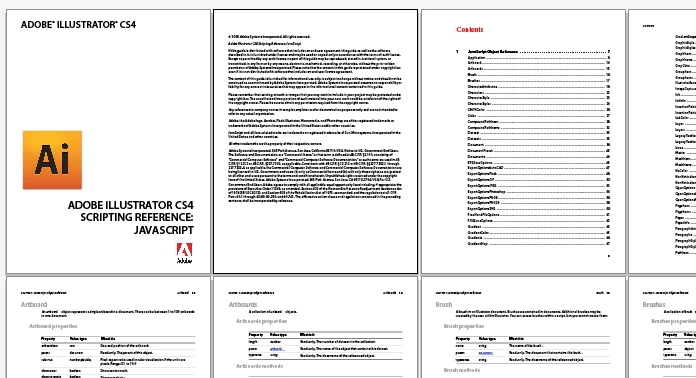
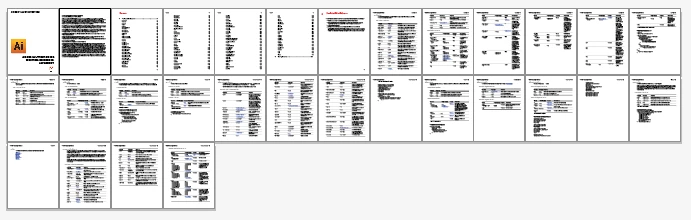
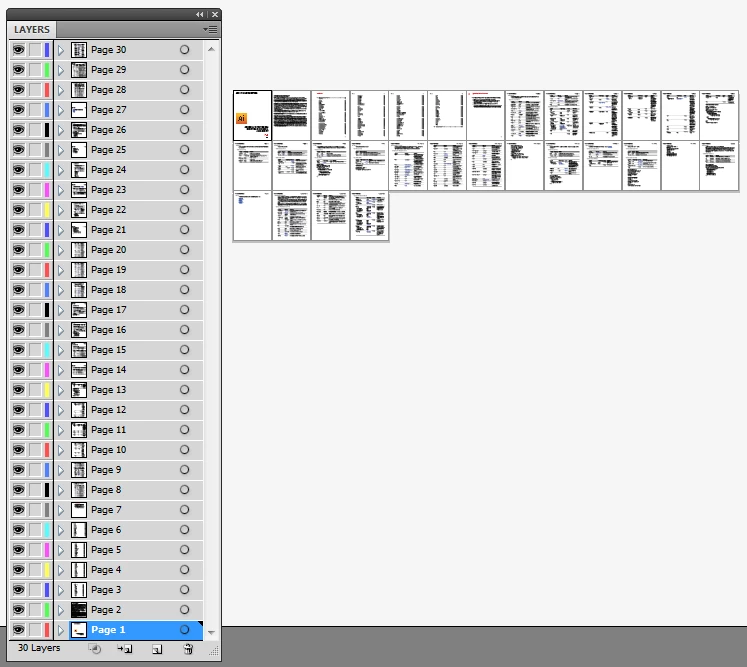
Hi all, many users have expressed their desire for a way to open multipage PDFs in Illustrator and for a couple of years now, mac users have enjoyed the use of a script by Shane Stanley to do just that...at first I wanted to translate his script into VB so PC users could benefit from it...since I couldn't get the source code, I decided to give my own version a try using JS....here's the result.

Use with caution, save everything before running until you're comfortable it won't mess things up. I didn't try opening a crazy amount of pages, I "only" opened 35 in about minute and a half. Let us know how many pages you're able to open before you crash Illustrator...

it works with CS4 and CS5 only, windows and mac

have comments?, questions? let me know...enjoy. Carlos Canto

Download:

http://www.fileswap.com/dl/QDc2eDC9v4/AI_openMultiPagePDF_CS4_CS5.zip.html

Este tema ha sido cerrado para respuestas.

20 respuestas

Participant
February 2, 2013

Hello Carlos Would you please give me the link that works with Cs5 i tried all links and not working specialit the file bottom or even if i wrote name of file i can;t open and i need this script urgent
Please Help!!

CarlosCanto
Community Expert
Community Expert
February 2, 2013
Participating Frequently
September 23, 2013

Hi Carlos, Im thinking of upgrading to CS6, Does this script still work ?.

Regards,

Andy.

Participant
August 29, 2012

Carlos !!! gENIUS !!!

Participant
August 21, 2012

Thanks ! You are amazing ... I hate working in InDesign and manually importing each pages to artboards killed me on PC ! This is working very well in Ilustrator CS6 64-bit !

Thanks a ton !

Known Participant
April 25, 2012

I agree especially for PC scripts because it seems that most of the good ones are coded in applesript for mac..

Inspiring
April 25, 2012

Very true and I’m a PC guy!

CarlosCanto
Community Expert
Community Expert
April 25, 2012

thanks guys, I'll look into it, I'm not aiming at making a killing but if in the future Scripting becomes my day job, I'll gladly take it. I just wonder how one would make a living making free products...well, unless you're Instagram

Known Participant
April 24, 2012

Ok i found a workaround i just resave the pdf from Adobe Reader and changed the name it worked thanks! If you had a website i def would donate some money for your time.

Inspiring
April 24, 2012

ER hello… he does… You can adopt and get a photo… ! signed thou…

http://www.worldwildlife.org/gift-center/gifts/Species-Adoptions/Chimpanzee.aspx

CarlosCanto
Community Expert
Community Expert
April 24, 2012

no, for real, I think it is time to get a page...I wish I knew how to make one myself, that's at the bottom of my to do list.

thanks for offering Nate, writing those scripts does take many many many hours.

Known Participant
April 24, 2012

Carlos, I just found this and it is a great Script ...one of the awesome things i have found since using illustrator.

I have one issue when i am opening an 8 page PDF it duplicates page 1 for 7 and 8 and skips 4 and 5?

Have you experianced this?

bjgough
Inspiring
March 15, 2012

This has been a very cool thread to read. I just downloaded and ran the script on my Macbook Pro - OS Lion. Seems to work great, and, the page count request is a relevant one. Staying tuned !

CarlosCanto
Community Expert
Community Expert
March 15, 2012

bj...stay tuned, I'm working on another cool project, but later I will definitely be back at this one, thanks for participating.

Participating Frequently
February 10, 2012

This is a reply to Monika:

Even though there is no universal standard it is better to have the opportunity to open a pdf and edit in Illustrator and Indesign then no chance at all. Of course if needed there can be a warning that the contents might look different then expected or the pdf not even be editable at all during the opening of a pdf file. Trying is better then not trying.

Carlos:

Yeah I know that I can move each individual artboard around. But I find it cumbersome with having to move around 16 or more into a position that works for me.

Mark:

Yes arranging the arboards can be done at new document creation but since we are not creating a new document but opening a pdf file in Illustrator there is no option on arranging the artboards.

Carlos:

It would be great with having the arrange artboards in your next version of the file! Thank you...:)

Perhaps an options button that opens a tab or slides out to show arrange artboards etc.

Total page count of a pdf is also very good. Then I do not need to check the pdf beforehand to see how many pages it contains.

Inspiring
February 10, 2012

Yes arranging the arboards can be done at new document creation but since we are not creating a new document but opening a pdf file in Illustrator there is no option on arranging the artboards.

This is simply NOT true… I read the syntax… If you count the *.pdf pages then the artboard arrangement can be set up when creating the new doc… Carlos will know what I meant…

Participating Frequently
February 10, 2012

(Mark it seems I missed something somewhere please correct me but this is what I meant) After opening the multipage pdf file and going into Document Setup there is no option on how the artboards should be laid out (atleast what I can notice) I look forward to when Carlos adds it into the options of his script.

Participant
January 10, 2012

I was looking for something to enable this about a month ago, and today I found another use for it and went searching... You rock, Carlos! Thanks!

CarlosCanto
Community Expert
Community Expert
January 11, 2012

you're welcome, here's the next version, this one won't open the ESTK at the end of the run. It still doesn't work with Lion ...we're looking into it.

http://www.fileswap.com/dl/MD3MqpHzIv/AI_openMultiPagePDF_CS4_CS5.V1.01.zip.html

John Hawkinson
Inspiring
January 16, 2012

Carlos:

It still doesn't work with Lion ...we're looking into it.

Is this bug written up somewhere? It appears that File.openDialog() returns a File object with an fsName starting with file:// which confuses the rest of the machinery, which is existing a POSIX path. The solution is to strip any leading file:// and create a new File object. So add the second of these two lines on line 61:

var fileRef = File.openDialog ("Select PDF...", "*.pdf"); // get the file

fileRef = new File(fileRef.fsName.replace("file://",""));

This seems to fix it for me on 10.7.2.

_scott__
Legend
January 8, 2012

Thanks Carlos!

Doesn't seem to ever acknowledge a PDF is selected with AI15.1.0/MacOS 10.7.2. So can't ever get past the select PDF stage.

It does open and work with AI15.1.0 and Mac OS10.6.8 but after the script finishes running it opens the ExtendScript ToolKit as well. It's a minor thing to quit the Toolkit and switch back to AI where all the pages are there.

Nice work!

Inspiring
January 8, 2012

Scott, its not Carlos's script as such… Illustrator has a bug/problem with LIon it will no longer take a File Object or String with the '~' OS tilde…

CarlosCanto
Community Expert
Community Expert
January 8, 2012

Hi Mark, thanks for coming to the rescue, I wouldn't have got a clue how deal with that on a mac...now, why would Lion add a tilde to the file name? is there a way to get rid of it? perhaps turning the path to absolute URI?

thanks for helping out