


Is there a fast way or a script to offset only the outside path of a compound path
I work a lot with Chinese characters where I need to make lines thicker without making inner holes smaller. Looking at the following photo, I need to transfer from 1 to 2 fast using a simple tool or a script.
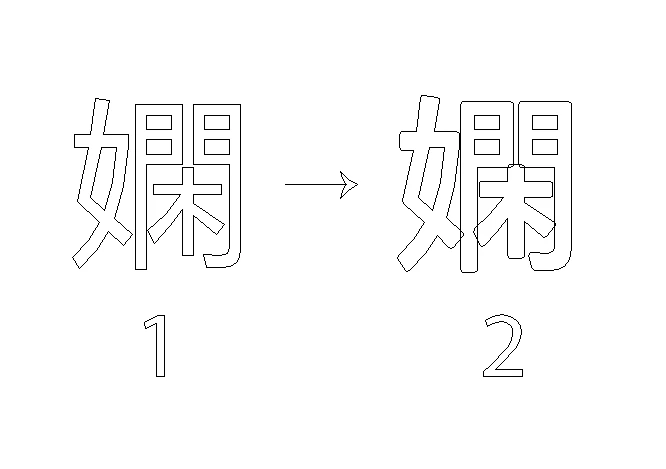
What I usually do is I write the text and outline it to get a compound path, release, selecting the lines that I want to offset outwards manually (I don't select the inner holes), Effect>Path>Offset Path with rounded edges, Expand Appearance. Please note that the resulted paths are not united.
Choosing the paths that I want to offset manually takes a long time because I do many of these each day. The example I provided is only for one character, but I usually do names and phrases in Chinese.
The final result does'nt have to be a compound path. If each path was in a different layer it would be okay. I've also found out that working in the outline mode is better for the method I am using. I don't prefer the outline view but I am welling to adapt to it if there is no other solution.
The following photo shows in red where I need the offset to be. It is just an image to clarify what I need to do.
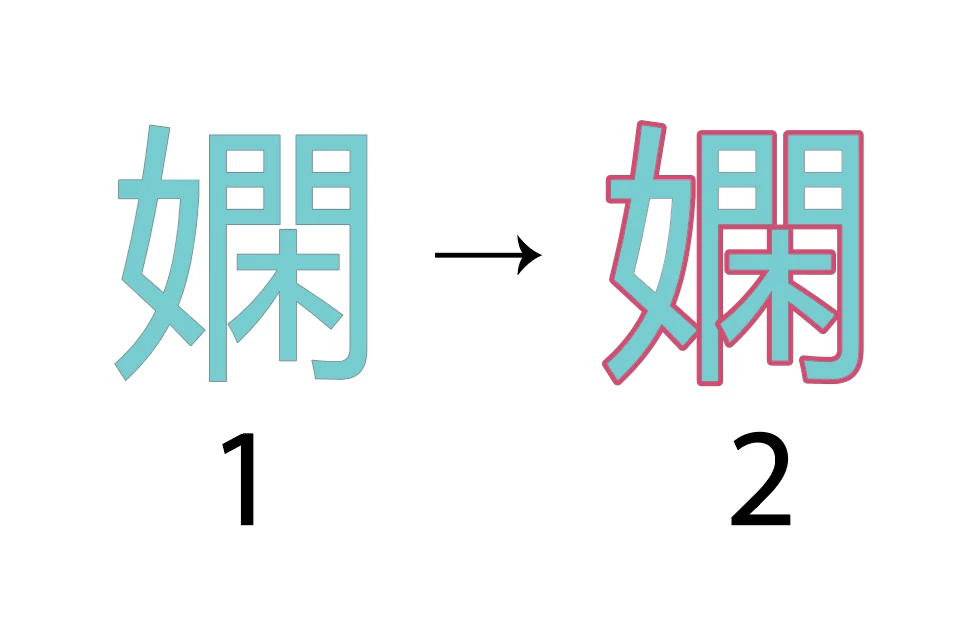
Is there an easy way or a script to offset only that outside path without selecting the paths manually?
Thank you in advance.
 AdChoices