

Participant
September 12, 2022
Answered

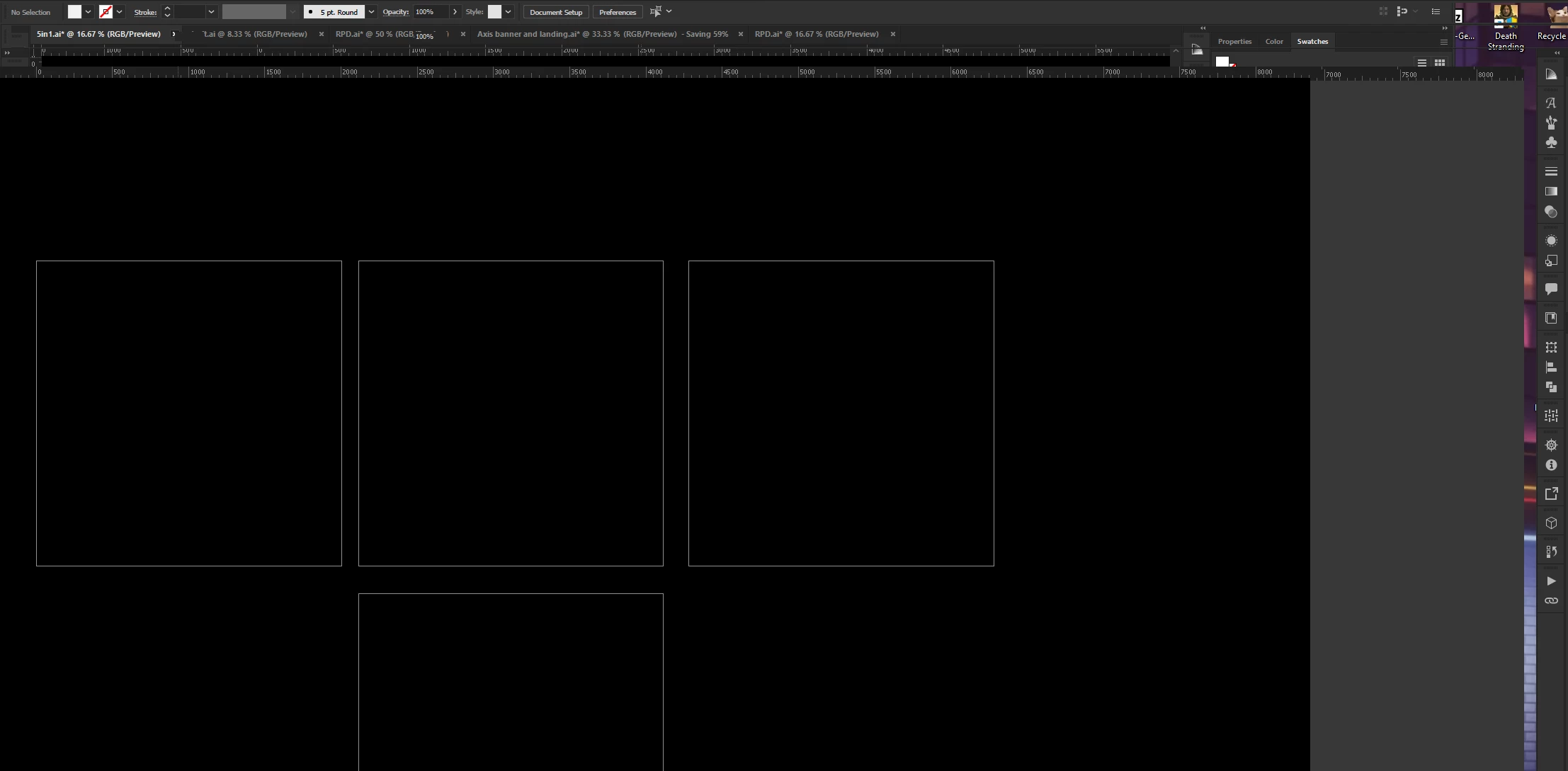
Is there any fix for this? AI 26.5
  • September 12, 2022
  • 3 replies
  • 634 views

This happens randomly where everything gets distorted all the context boxes go black/white on hovering with no text, moving any window/tool boxes create ghost windows. 

 

This topic has been closed for replies.
Correct answer Mike_Gondek10189183

Reset your prefs

https://helpx.adobe.com/illustrator/using/setting-preferences.html


Quit Illustrator and delete this file.

Windows

<OSDisk>\Users\<username>\AppData\Roaming\Adobe\Adobe Illustrator <version number> Settings\en_US*\x64\Adobe Illustrator Prefs

 
<OSDisk>\Users\<username>\AppData\Roaming\Adobe\Adobe Illustrator <version number> Settings\en_US*\x64\Adobe Illustrator Prefs

Notes:

  • Replace  <version number> with the version of Illustrator installed on your system.
  • The folder name may vary depending on the language version you have installed.
  • In Windows, the Application Data folder is hidden by default. To make this folder visible, open Folder Options in Control Panel and click the View tab. In the Advanced Settings pane, select the Show Hidden Files and Folders or Show hidden files, folders, or drives option.
  • If you cannot locate the preferences file, use your operating system’s Find command, and search for AIPrefs (Windows) or Adobe Illustrator Prefs (macOS).

3 replies

Community Manager
September 12, 2022

Hello garvit.chaturvedi,


Sorry to hear about this experience. I hope the suggestions shared by Mike helped resolve the problem. If not, kindly try updating the GPU drivers by following the steps shared in this article (https://helpx.adobe.com/x-productkb/multi/update-graphics-driver.html) and checking if it helps.


Also, try installing an older version of Illustrator and share your observations.


Looking forward to your response.


Thanks,

Anubhav

Participant
September 30, 2022

Hey Anubhav

Updating the GPU drivers seems to be the fix for the problem.  Thank you for the solution, I will let you know if, in the future, I face the issue again.


Thanks,

Garvit

Participant
September 30, 2022

The issue appeared again :(, I will try the solution provided by Mike and see if it helps.

Kevin Stohlmeyer
Community Expert
Community Expert
September 12, 2022

If resetting your preferences does not work please send your specs:

OS version, HD Space, RAM, Graphics Card(s), etc.

Mike_Gondek10189183
Community Expert
Mike_Gondek10189183Community ExpertCorrect answer
Community Expert
September 12, 2022

Reset your prefs

https://helpx.adobe.com/illustrator/using/setting-preferences.html


Quit Illustrator and delete this file.

Windows

<OSDisk>\Users\<username>\AppData\Roaming\Adobe\Adobe Illustrator <version number> Settings\en_US*\x64\Adobe Illustrator Prefs

 
<OSDisk>\Users\<username>\AppData\Roaming\Adobe\Adobe Illustrator <version number> Settings\en_US*\x64\Adobe Illustrator Prefs

Notes:

  • Replace  <version number> with the version of Illustrator installed on your system.
  • The folder name may vary depending on the language version you have installed.
  • In Windows, the Application Data folder is hidden by default. To make this folder visible, open Folder Options in Control Panel and click the View tab. In the Advanced Settings pane, select the Show Hidden Files and Folders or Show hidden files, folders, or drives option.
  • If you cannot locate the preferences file, use your operating system’s Find command, and search for AIPrefs (Windows) or Adobe Illustrator Prefs (macOS).