


Issue duplicating compound path item on new layer
Hi,
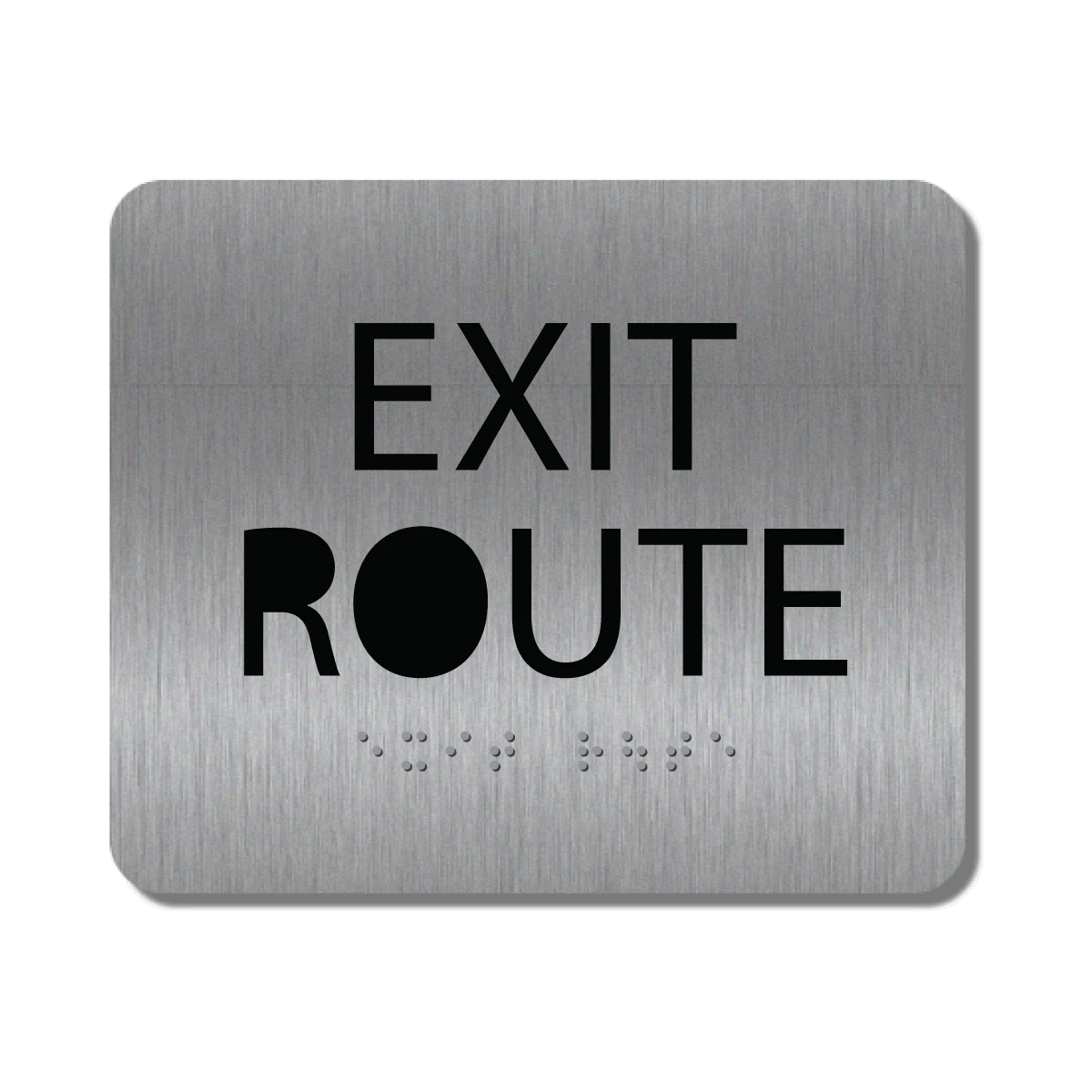
I have a script to auto create different colors of a sign. The first part runs fine. But, I then need to copy the path items to a new file/layer that uses an image for the background. When I run my script, it works great until it hits compound path items. When it does, it's filling in the enclosed text characters (see attached).
Here is the code I'm using for the copy routine:
// Open the appropriate BMS file to process
var bmsFile = File.openDialog('Select the Brushed Stainless base image to use...');
if(bmsFile != null) {app.open(bmsFile);};
var srcDoc = app.documents[1];
var targetDoc = app.documents[0].layers.add();
var _sel = app.activeDocument.selection[0];
for (i=0; i<srcDoc.pathItems.length-1; i++) {
srcDoc.pathItems[i].duplicate(targetDoc, ElementPlacement.PLACEATBEGINNING);
}
I'm using Illustrator 2020
Thanks in advance for any help
 AdChoices