New Participant
May 30, 2022
Answered

issue with Illustrator about the color image

  • May 30, 2022
  • 3 replies
  • 1645 views

Hi , 

Can any one please help me out with this problem?
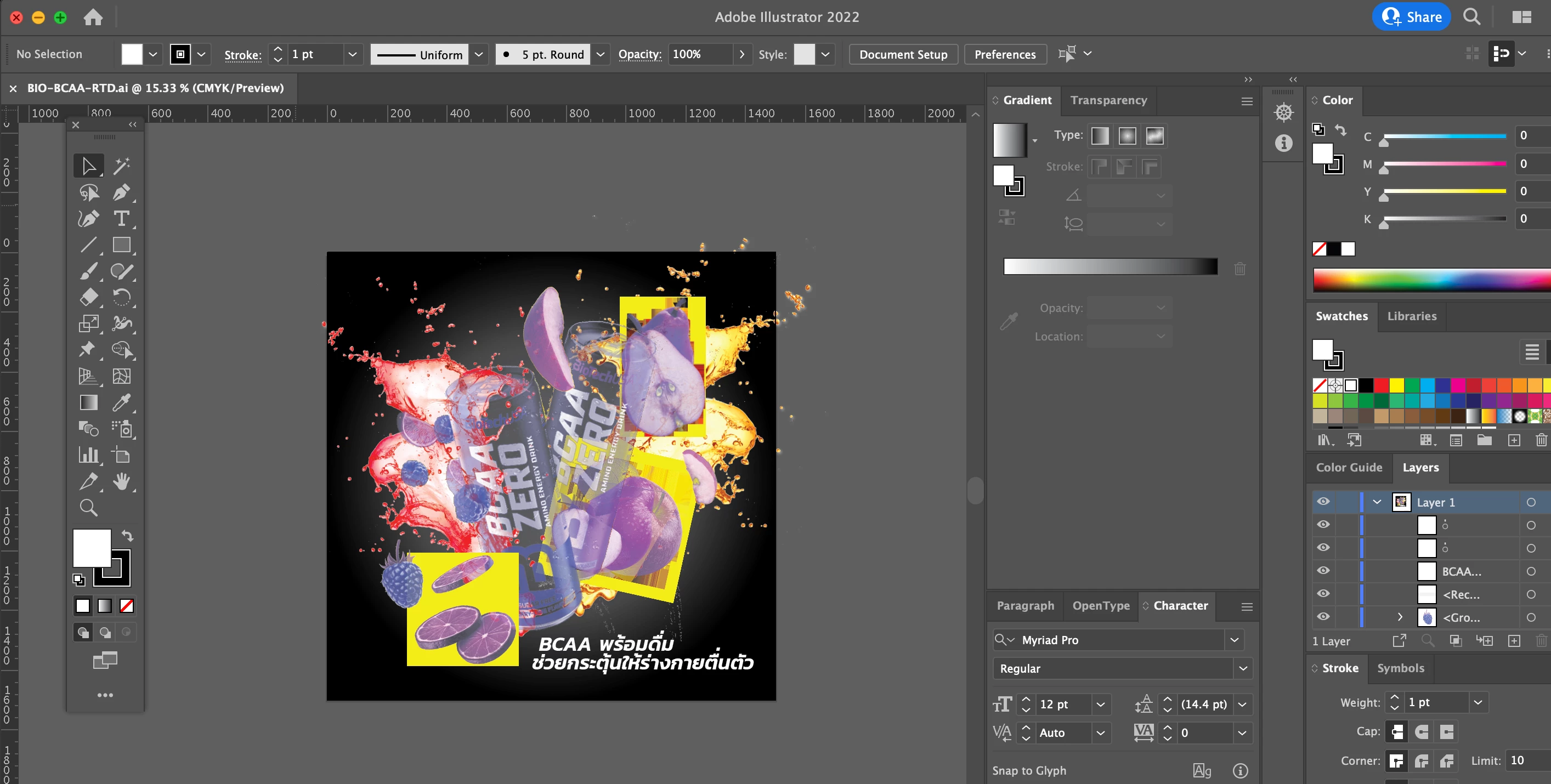
i open the artwork and the color of image change in to the bad way like this. it will be the same with everytime i open the file even the new file.

This topic has been closed for replies.
Correct answer Anshul_Saini

Hi @Humble Hastle24615545h9iv @BlueJackdaw @laurenh22769 


We are sorry for the trouble. We are able to reproduce the issue at our end. We have already logged a bug with the product team, and they are currently investigating the issue.

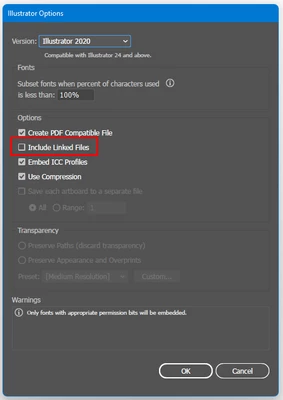
This is happening with the Ai file, which has linked images. While saving, when the "Include linked files " option is selected and then reopened, the Ai file images get inverted, or yellow color can be seen.


To avoid this, you may try the following steps:

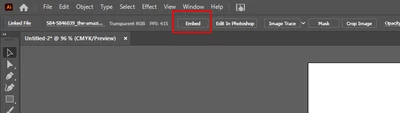
  • Embed the images in the document
  • Uncheck the "Include linked files"
  • Downgrade to an older version of Illustrator 


Let us know if this works for you or not.


Thanks & Regards,

Anshul Saini


Note: Marking correct for visibility.

3 replies

Anshul_Saini
Community Manager
Anshul_SainiCommunity ManagerCorrect answer
Community Manager
June 2, 2022

Hi @Humble Hastle24615545h9iv @BlueJackdaw @laurenh22769 


We are sorry for the trouble. We are able to reproduce the issue at our end. We have already logged a bug with the product team, and they are currently investigating the issue.

This is happening with the Ai file, which has linked images. While saving, when the "Include linked files " option is selected and then reopened, the Ai file images get inverted, or yellow color can be seen.


To avoid this, you may try the following steps:

  • Embed the images in the document
  • Uncheck the "Include linked files"
  • Downgrade to an older version of Illustrator 


Let us know if this works for you or not.


Thanks & Regards,

Anshul Saini


Note: Marking correct for visibility.

BlueJackdaw
New Participant
May 30, 2022

Unfortunately I have no answer for you as I'm experiencing the same problem. I've seen a couple of similar posts, unfortunately no solution. It started showing up after the last update, it looks like Illustrator has a problem displaying files with transparency (the same file without transparency displays correctly for me). However, when I put the .png into Illustrator everything is fine, only after saving the artwork as .ai, closing and reopening, all files with transparency break. I hope this problem can be solved as soon as possible, pretty hard to work with. 

Ton Frederiks
Community Expert
May 30, 2022

It maybe a special kind of png (from another (non Adobe) app, more bits per pixel...), can you share such a png here?

BlueJackdaw
New Participant
May 30, 2022

Thanks for the reply. I don't think so, these were pngs exported from Photoshop. I did some tests and for example stock photo (.jpg) exported to .png in Photoshop worked just fine in Illustrator, but when I extended the background in the same photo to add transparent background then this weird bug(?) happened in Illustrator.  But it's not happening to every .png with transparency, I downloaded some from the internet and it worked just fine. So now I suspect maybe I'm doing something wrong while exporting from Photoshop? I'm not sure what the exact problem is, it worked fine before the update. 

Monika Gause
Community Expert
May 30, 2022

Which version of Illustrator is it?


I think I have seen a question about this recently.

Ton Frederiks
Community Expert
May 30, 2022