


CheeseHead05
Inspiring
November 16, 2022
Question

Kerning/Character Spacing Issue

  • November 16, 2022
  • 2 replies
  • 417 views

Hello,

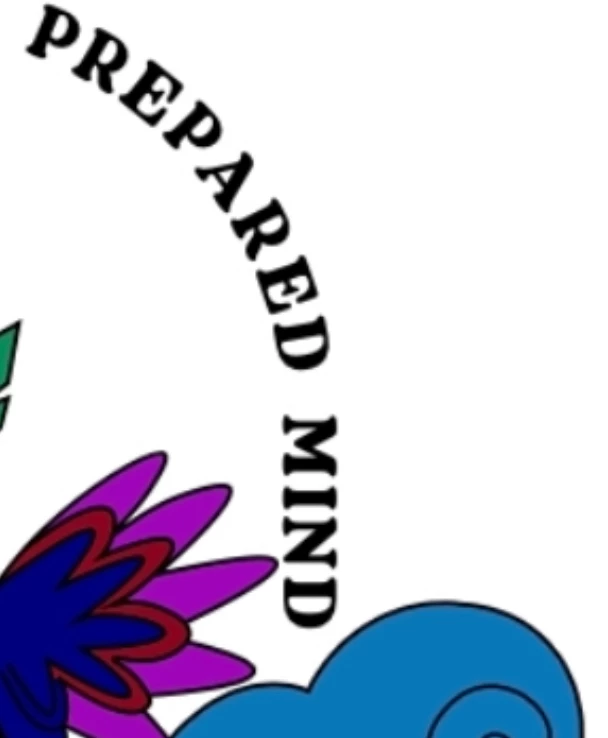
Is there a way to fix this issue. In the picture, I feel like "mind" is sort of tilting inward. Is there a way to fix this? The only option I came up with is drawing a box around it and use the curvy arrow on the corner and tilt it using that method but won't that make it not on a straight line since technically, I tilted the whole word? Let me know if it appears straight/correct to you. Maybe I need a group of eyes other than mine. Thanks
This topic has been closed for replies.

2 replies

Jacob Bugge
Community Expert
Community Expert
November 16, 2022

CheeseHead,


Like Myra I see it as vertical/horizontal.


Is it still appearing tilted to you if you Hide the violet fingers that reach out for your MIND at an angle (and maybe manage to get into it)?


Myra Ferguson
Community Expert
Community Expert
November 16, 2022

I used guides to check it. It doesn't appear to be tilted:

It's hard to tell what the rest of your design looks like, but you could try changing the curve where the text is placed so that it's all rounded: